Acer Aspire Vero 15 (AV15-53P) review – environment-friendly device with great cooling
Disassembly, upgrade options, and maintenance
To open this device, you have to unscrew 11 Phillips-head screws. Then, you can lift the plate close to one of the top two corners to create a slight gap. After that, you can pry the panel with a thin plastic tool.
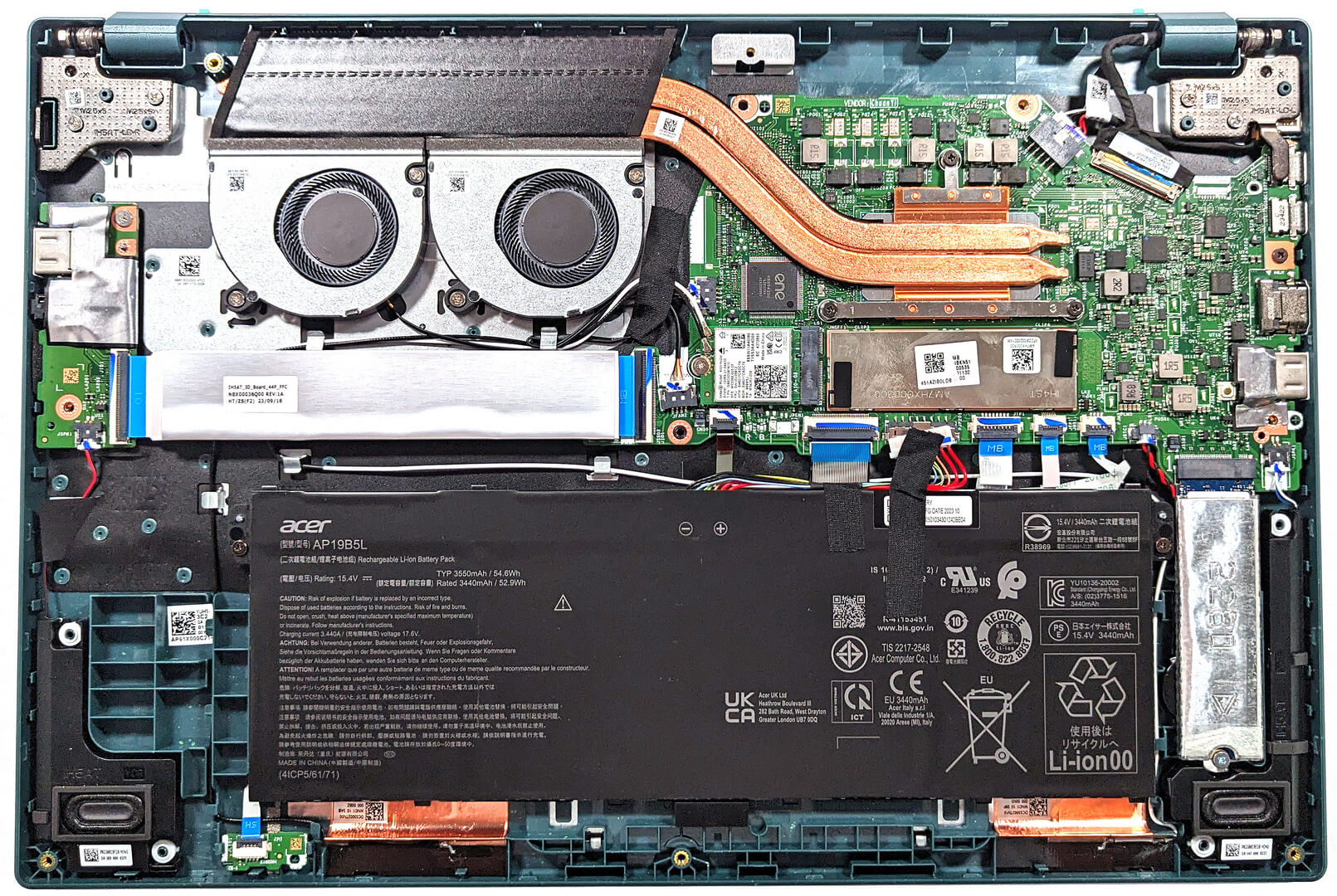
Here’s how the bottom plate looks on the inside.
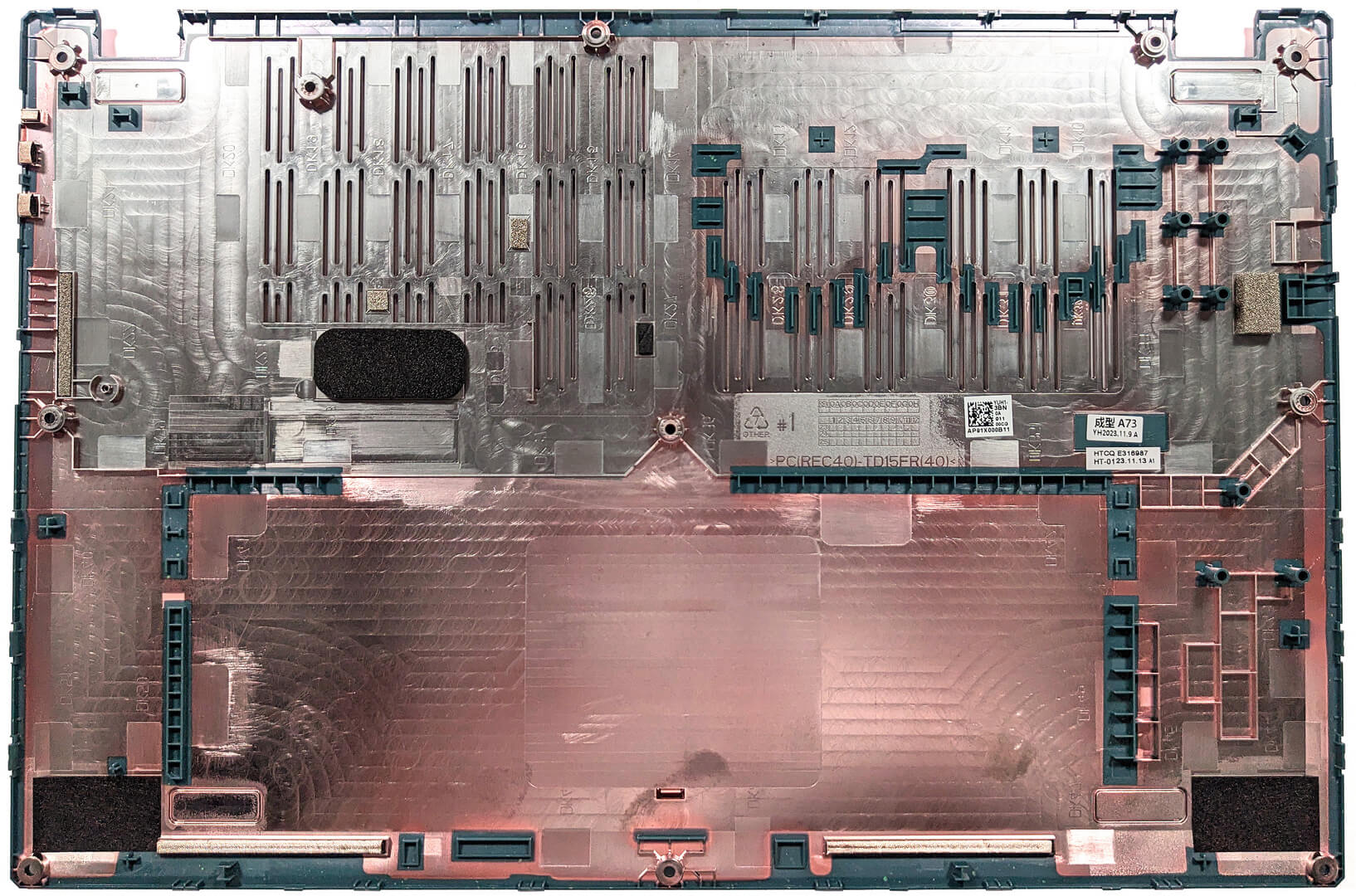
This notebook has the optional 54.6Wh battery. The default unit is a 50Wh model. To remove it, pull out the connector from the motherboard and unscrew the two Phillips-head screws that fix the battery to the base. The optional capacity lasts for 12 hours and 30 minutes of Web browsing, or 9 hours and 5 minutes of video playback.
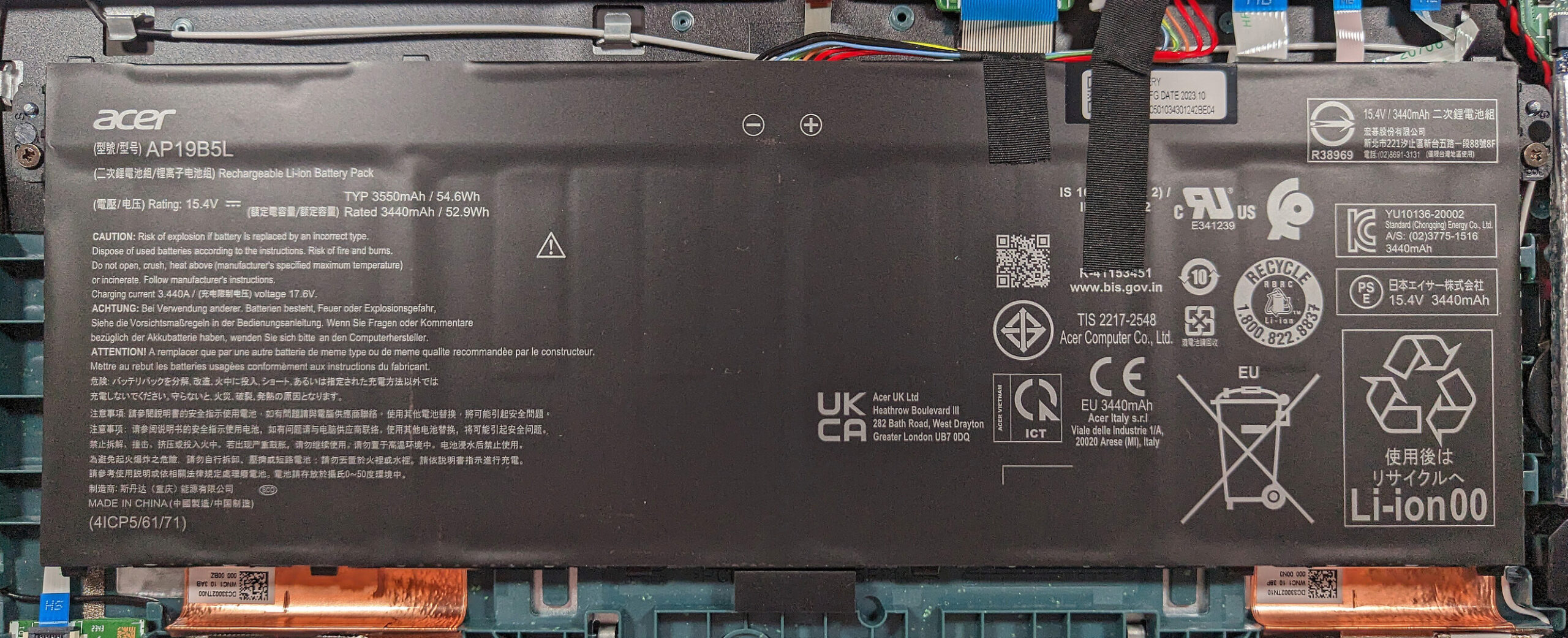
The memory is soldered. The maximum possible amount is 16GB of LPDDR5-4800MHz RAM in dual-channel mode. The memory chips are hidden below a thin metal plate.
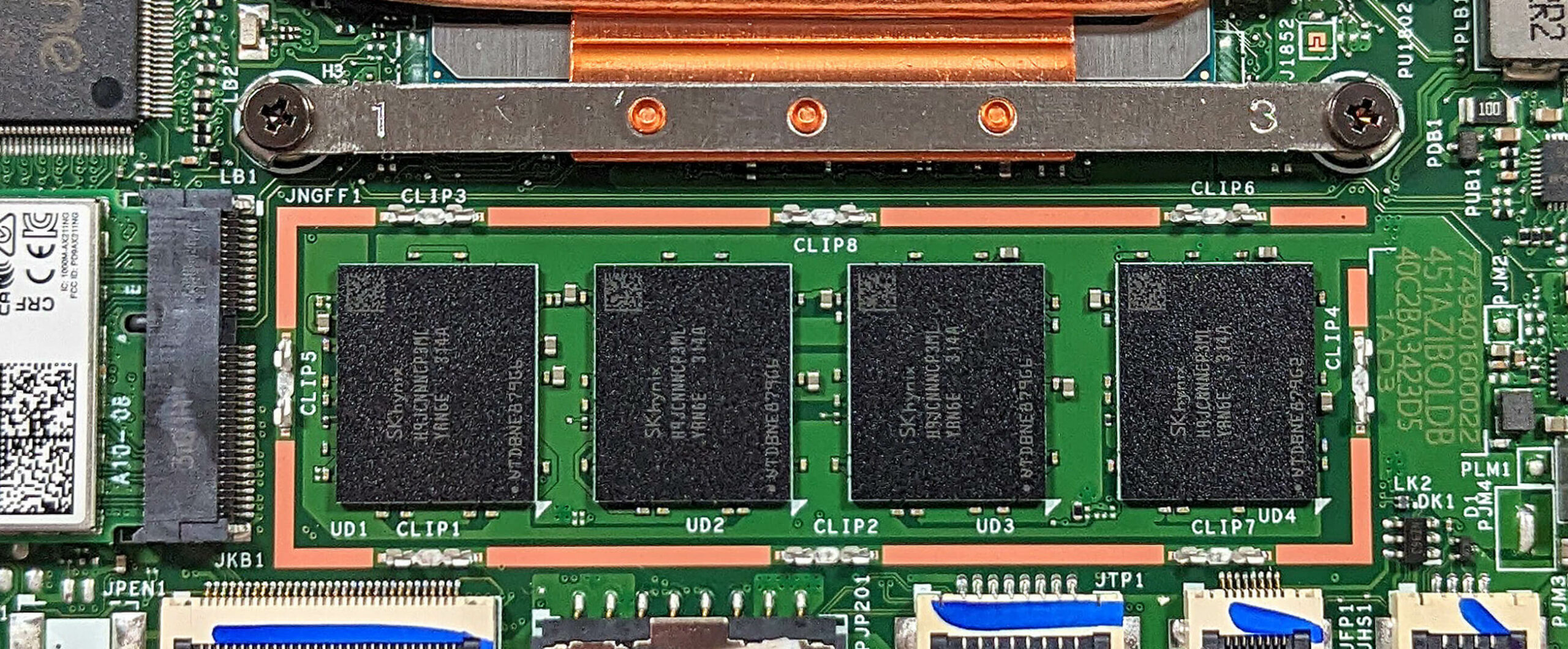

For storage, you get just one M.2 slot for 2280 Gen 4 SSDs.


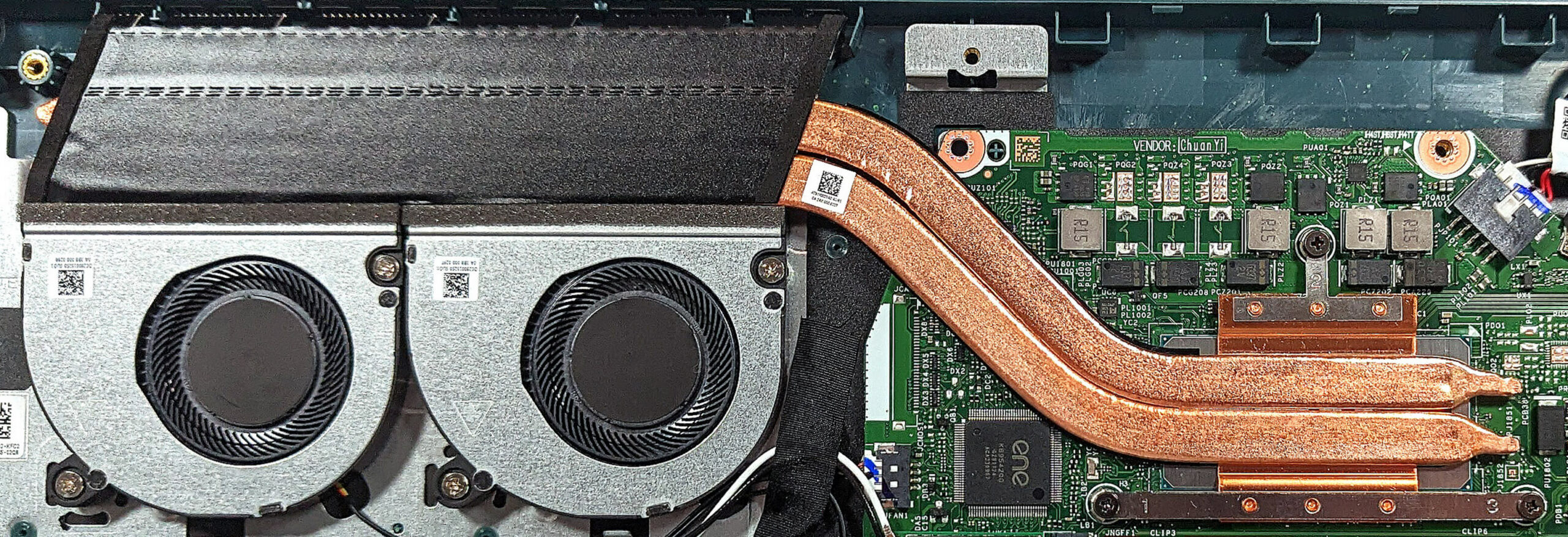
The cooling seems decent. It comprises two small fans, a pair of heat pipes, one long top-mounted heat sink, and a heat spreader.
 Author: Nikolay Palaozov
 Author: eng. Kroum NikolovHead of Engineering at LaptopMedia.com, inventor and innovator with 40+ years of experience in electronics and high technology.

![[August 2026] Amazon USA: Top 10 Best-Selling Laptops – Apple MacBook Neo Dominates the Market with Massive Unit Sales!](https://laptopmedia.com/wp-content/uploads/2026/09/Best-Selling-Laptops-COM-Top-10-400x225.jpg)
![[August 2026] Amazon USA: Top 10 Best-Selling Gaming Laptops – ASUS ROG Strix G16 Dominates the Market with Massive Unit Sales](https://laptopmedia.com/wp-content/uploads/2026/09/Best-Selling-Gaming-Laptops-COM-Top-10-400x225.jpg)
![[July 2026] Amazon Global: Top 10 Best-Selling Laptops – Apple MacBook Neo Dominates the Charts as Budget and Premium Notebooks Split the Market](https://laptopmedia.com/wp-content/uploads/2026/08/Best-Selling-Laptops-GLOBAL-Top-10-400x225.jpg)
![[July 2026] Amazon Global: Top 10 Best-Selling Gaming Laptops – ASUS ROG Strix G16 Dominates the Global Market with Record-Breaking Unit Sales](https://laptopmedia.com/wp-content/uploads/2026/08/Best-Selling-Gaming-Laptops-GLOBAL-Top-10-400x225.jpg)
![[July 2026] Global Ranking of Best-Selling Laptop GPUs on Amazon – RTX 5060 Dominate Premium, Intel Still Rules Budget](https://laptopmedia.com/wp-content/uploads/2026/08/Best-Selling-GPUs-GLOBAL-Top-10-400x225.jpg)
