Acer Nitro 17 (AN17-71) review – the gap between the Predator and Nitro series is only cosmetic
Verdict
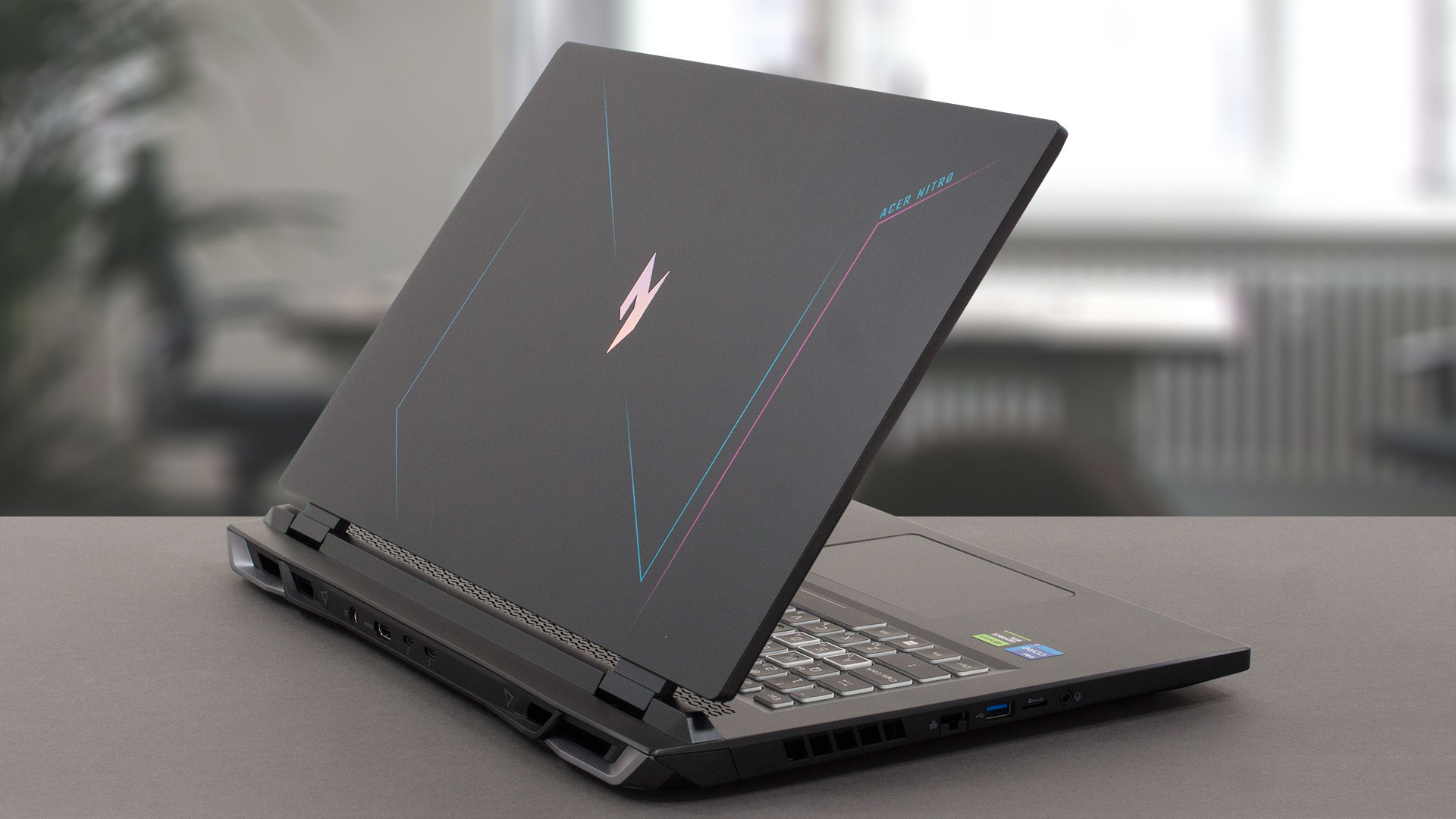 So, 2023 proves to be a really difficult year for gamers looking for a medium-budget laptop. The reason for that is the presence of many good choices, contrary to the expectations.
One of the better options out there is the Acer Nitro 17 (AN17-71). It is extremely powerful and has a very impressive cooling solution. It is able to take advantage of the RTX 4060 (with its MUX switch) while running at temperatures of less than 70°C.
We didn’t particularly like the fact that you need to go to the BIOS settings in order to access the “dGPU only” function. At the same time, this mode is readily available in the first-party software in competitors like the ASUS ROG Strix G16, or within the NVIDIA Control Center in the Dell G16 7630.
Another thing we were not fascinated by was the weight of the device. It is pretty hefty at 3.25 kilos. Yes, the laptop is a 17-incher, but we think that Acer could have done more in this regard, especially since the machine is made out of plastic.
Acer Nitro 17 (AN17-71)’s IPS panel has a WQHD resolution, comfortable viewing angles, and a good contrast ratio. It covers 99% of the DCI-P3 color gamut, which ensures a really vibrant and attractive image to look at.
In addition, the display is able to fall right within the standards of color accuracy, when it is paired with our Gaming and Web design profile. PWM is also not an issue, since the device doesn’t flicker at any brightness level.
Not in the last place, it comes with a 165Hz refresh rate. Its pixel response times are really fast, which makes the image even smoother. Moreover, the G-Sync support battles with tearing.
In addition to the fantastic display, you get a very populous port selection. Spanning all sides of the laptop bar the front, it provides you with two Thunderbolt 4 ports, a MicroSD card slot, an HDMI 2.1 FRL, as well as a plethora of USB Type-As.
The situation on the inside is similarly impressive with two SODIMM slots and two M.2 PCIe x4 slots for memory and storage, respectively. Thankfully, you get unconstrained access to both SSD slots, unlike the MSI Katana 17 (B12V).
Considering Acer Nitro 17 (AN17-71)’s price tag, it is a really good choice for a gaming notebook. Plus, it comes with a free shoulder workout program, when you decide to go anywhere with it.
You can check the prices and configurations in our Specs System: https://laptopmedia.com/series/acer-nitro-17-an17-71/
Pros
- Low GPU temperatures
- 2x M.2 PCIe x4 Gen 4 slots, 2x DDR5 RAM SODIMM slots in dual channel, Wi-Fi 6
- Covers 99% of the DCI-P3 color gamut and has accurate color representation (BOE NE173QHM-NY6 (BOE0B7C))
- Snappy panel with quick response times (BOE NE173QHM-NY6 (BOE0B7C)
- No PWM (BOE NE173QHM-NY6 (BOE0B7C))
- G-Sync support + MUX switch
- Wide port selection
- The keyboard remains cool after long gaming sessions
Cons
- Plastic body
- Quite heavy
 Author: Alex Iliev
 Author: eng. Kroum NikolovHead of Engineering at LaptopMedia.com, inventor and innovator with 40+ years of experience in electronics and high technology.

![[June 2026] Best-Selling Laptop Brands on Amazon Global – Apple’s Unrivaled Dominance in Units and Revenue](https://laptopmedia.com/wp-content/uploads/2026/07/GLOBAL-Best-Brands-400x225.jpg)
![[June 2026] Amazon Global: Top 10 Best-Selling Laptops – Apple’s New MacBook Neo Storms to #1, Reshaping the Market with Affordability](https://laptopmedia.com/wp-content/uploads/2026/07/Best-Selling-Laptops-GLOBAL-Top-10-400x225.jpg)
![[June 2026] Amazon Global: Top 10 Best-Selling Gaming Laptops – Acer’s Nitro V 16S AI Dominates Sales, While ASUS Leads Overall Revenue](https://laptopmedia.com/wp-content/uploads/2026/07/Best-Selling-Gaming-Laptops-GLOBAL-Top-10-400x225.jpg)
![[June 2026] Global Ranking of Best-Selling Laptop GPUs on Amazon – NVIDIA RTX 5060 is the Top-Selling Dedicated GPU](https://laptopmedia.com/wp-content/uploads/2026/07/Best-Selling-GPUs-GLOBAL-Top-10-400x225.jpg)
![[June 2026] Global Ranking of Best-Selling Laptop CPUs on Amazon – Apple M5 Dominates, AMD Ryzen 7 260 Gets Solid Premium Share](https://laptopmedia.com/wp-content/uploads/2026/07/Best-Selling-CPUs-GLOBAL-Top-10-400x225.jpg)

Hi, I have this laptop and on battery it shows no more than 4 hours(browsing at 30% brightness) from the store told me that it is normal for that laptop, but in yours review you are saying that the battery lasts over 7 hours. Do you think there is a problem with the battery? Also CPU idle temperatures are normal, 40 – 45 C, but Intel XTU power limit throttling turns on very often(for a few seconds ‘YES’ and then ‘NO’ for a few seconds), when I’m playing games the temperatures are also good(around 60 C), but the power limit… Read more »
I’ve seen these with 96gb ram