ASUS E410 review – battles the impracticality of affordable notebooks
Disassembly, Upgrade options, and Maintenance
To open this device, you need to undo 10 Phillips-head screws. Then, pry the bottom panel with a plastic tool, starting from the front corners.
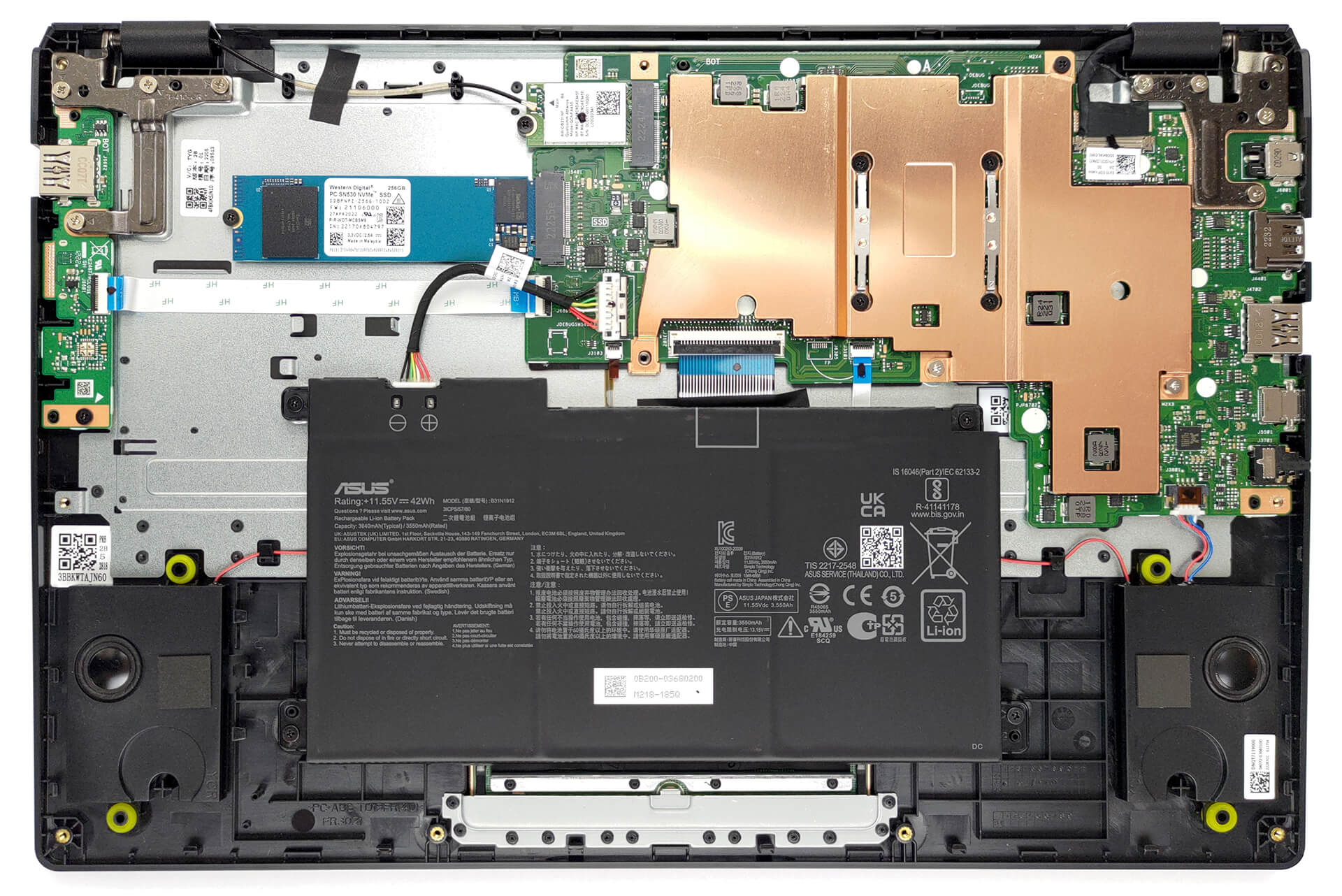
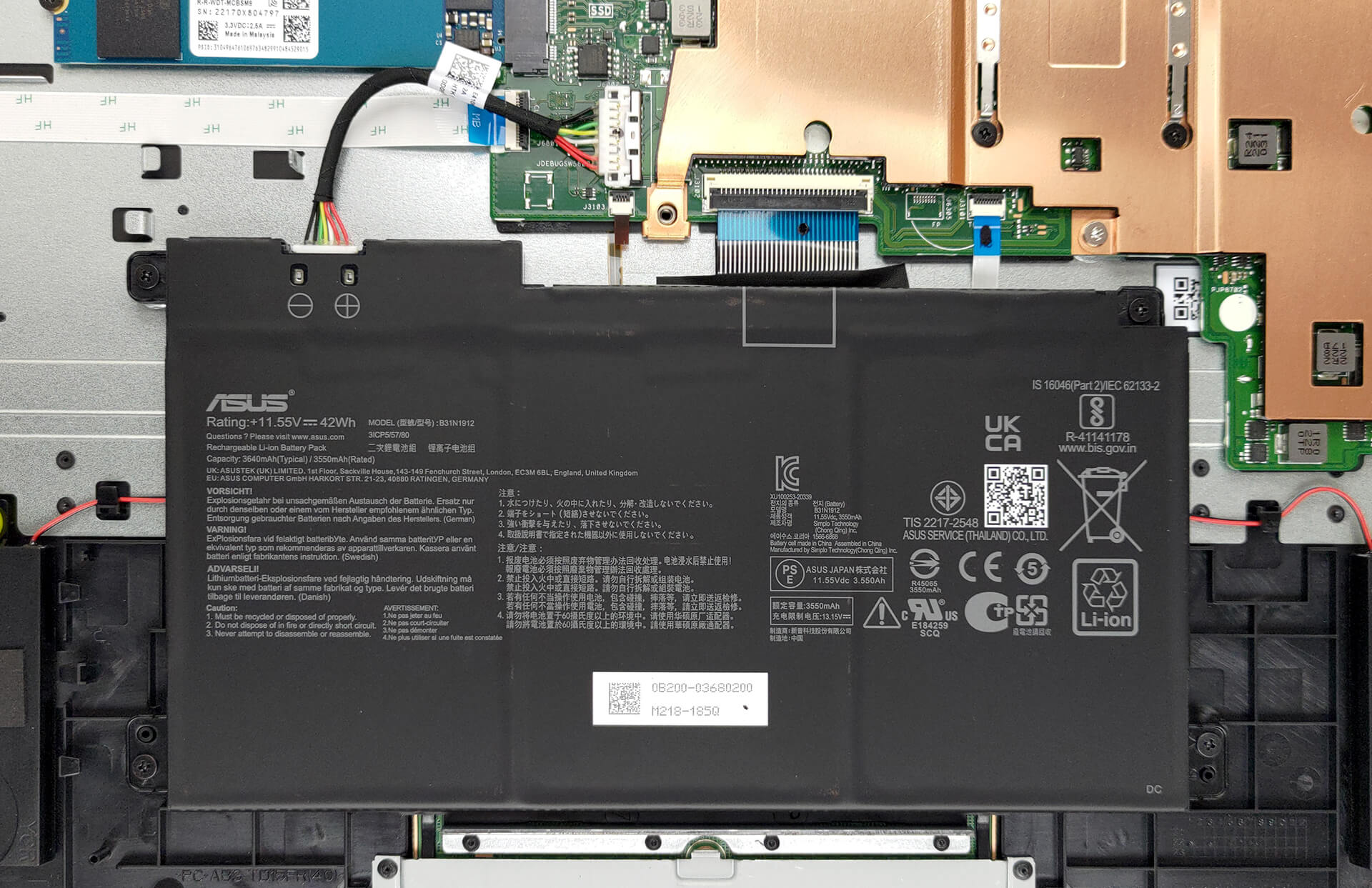
Inside, we see a 42Wh battery pack. To remove it, unplug the battery connector, and undo the four Phillips-head screws that secure the battery to the chassis.
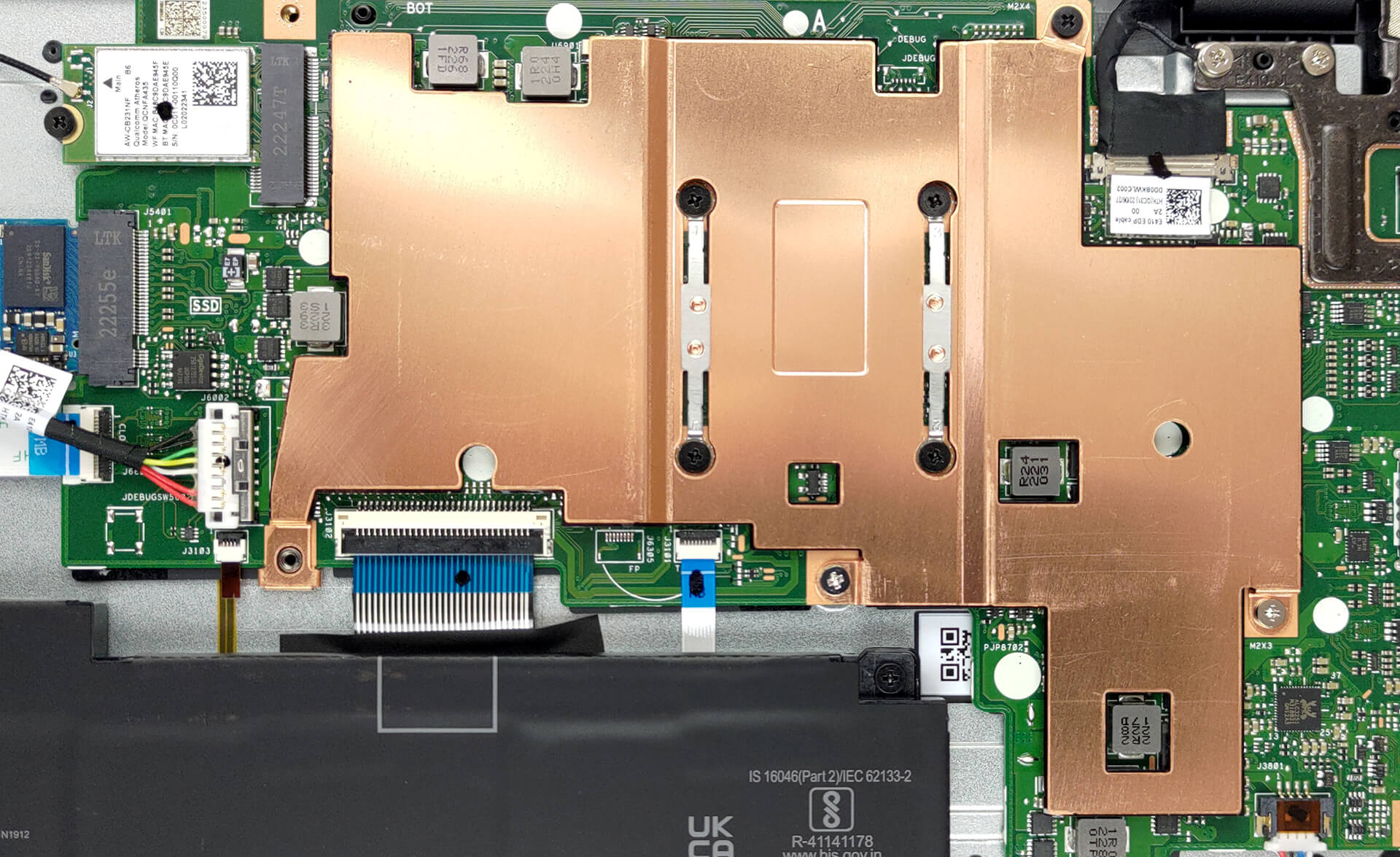
Here, the memory is soldered to the motherboard. The maximum available capacity is 8GB of DDR4 RAM. As for storage, you get one M.2 PCIe x4 slot, which fits Gen 3 SSDs. Some models will feature flash storage, instead of an SSD.

Cooling-wise, there is one rather thin metal heat spreader. Since there are no fans, you can expect no noise regardless of the workload.
 Author: Alex Iliev
 Author: eng. Kroum NikolovHead of Engineering at LaptopMedia.com, inventor and innovator with 40+ years of experience in electronics and high technology.
Subscribe
0 Comments


![[August 2026] Amazon Italy: Top 10 Best-Selling Laptops – Apple MacBook Neo Claims the Crown as Budget and Mid-Range Windows Machines Dominate Volume](https://laptopmedia.com/wp-content/uploads/2026/09/Best-Selling-Laptops-IT-Top-10-400x225.jpg)
![[August 2026] Amazon Italy: Top 7 Best-Selling Gaming Laptops – ASUS V16 Claims the #1 Spot Amid Strong Mid-Range Demand](https://laptopmedia.com/wp-content/uploads/2026/09/Best-Selling-Gaming-Laptops-IT-Top-10-400x225.jpg)
![[August 2026] Best-Selling Laptop Brands on Amazon Italy – Lenovo Dominates Market Share and Revenue Leadership](https://laptopmedia.com/wp-content/uploads/2026/09/IT-Best-Brands-400x225.jpg)
![[August 2026] Amazon India: Top 10 Best-Selling Laptops – Apple MacBook Neo Dominates the Charts with Massive Sales Lead](https://laptopmedia.com/wp-content/uploads/2026/09/Best-Selling-Laptops-IN-Top-10-400x225.jpg)
![[August 2026] Amazon India: Top 10 Best-Selling Gaming Laptops – HP Victus 15 Dominates the Market with Massive Unit Lead](https://laptopmedia.com/wp-content/uploads/2026/09/Best-Selling-Gaming-Laptops-IN-Top-10-400x225.jpg)
