ASUS ROG Flow Z13 Acronym review – robust and fashionable beast of a tablet
Design and construction
To be honest, once you attach the device to yourself with the aforementioned straps, you will kinda look like a construction supervisor. The rugged edges of the machine serve more than one purpose.
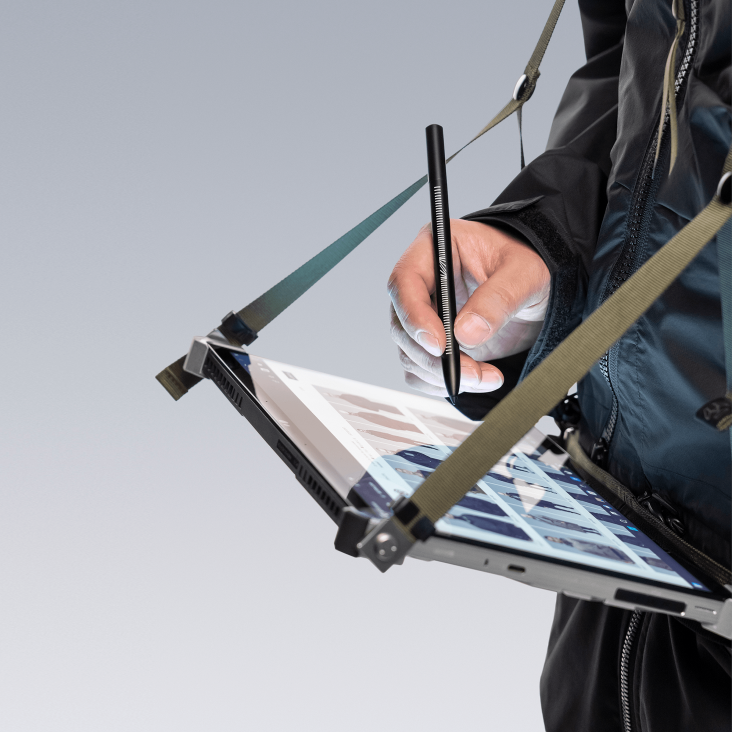
Not only are they part of the design, but they also act as attachment points. In addition, they offer a better grip, as is the entire CNC drilling that happened on the outside panel, which looks sick. You can also find some rubber feet, and ventilation grills all around the back panel. Interestingly, the system knows when you put your fingers there and prompts an alert on the display, informing you that the “Performance of your device is going to be lowered, because the cooling vents are being obstructed”.

Looking at the specs sheet, we see that the device is 15.6-20mm thick. This discrepancy comes from the bulky edges. As far as the weight is concerned, the machine stops the scales at 1.32 kg. This makes the entire configuration both thicker and heavier than the non-special version.
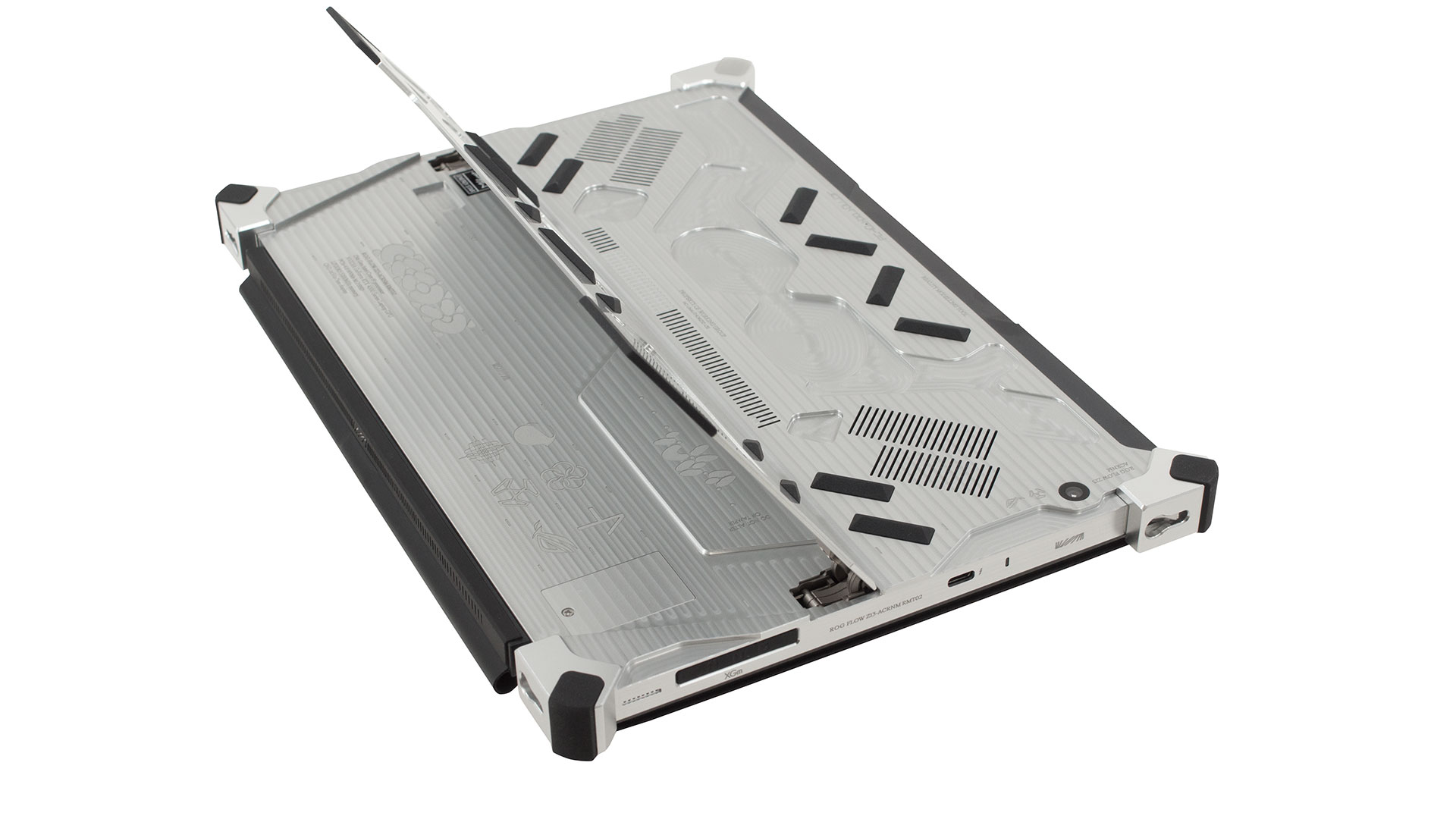
What keeps the tablet standing is the proprietary kickstand, which is pretty tough. Let’s also not forget the fact that there are two cameras on this thing – one 13MP sensor on the back, and a 5MP camera on the front, which comes with an IR face recognition scanner.
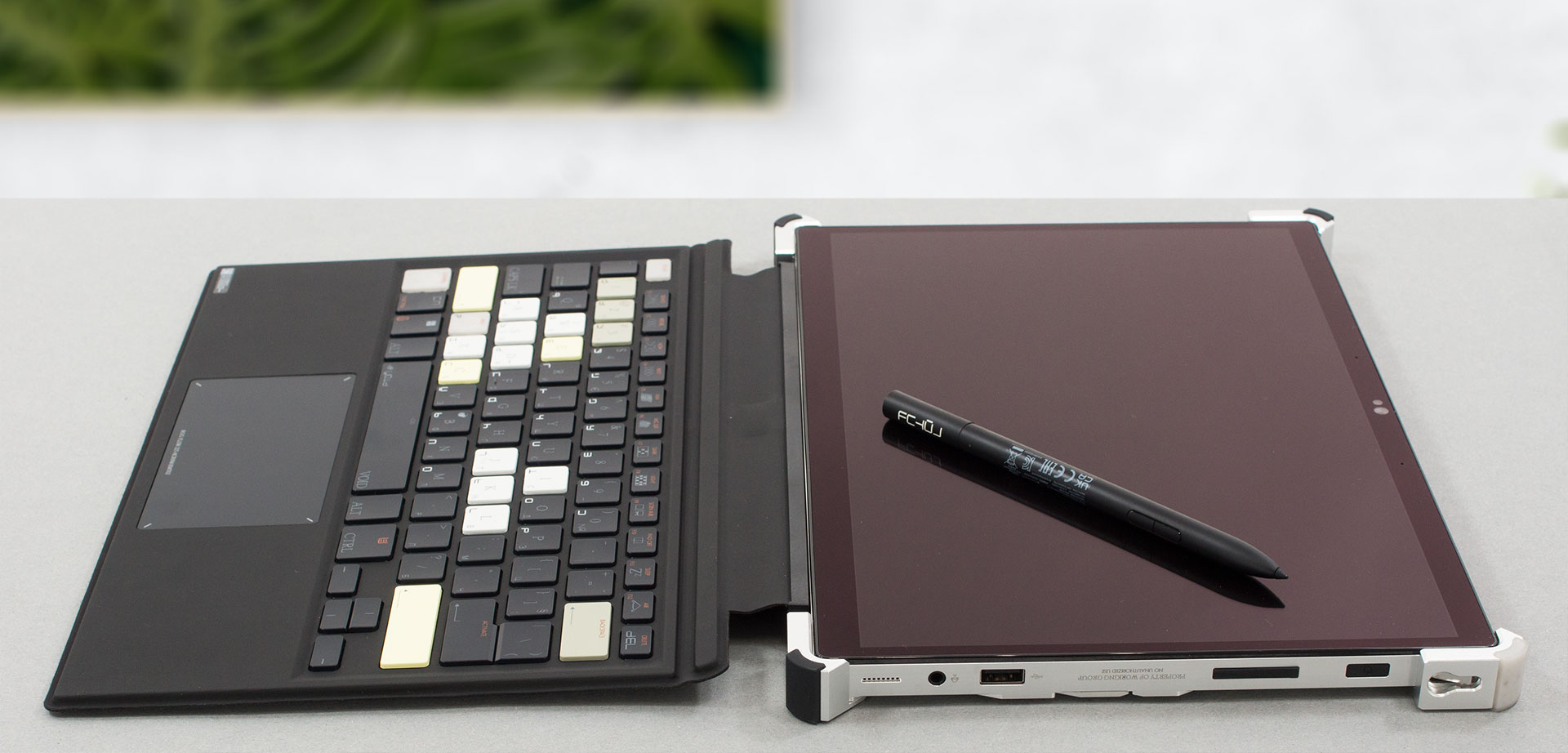
As you can imagine, there is a dedicated keyboard. In contrast to the ordinary version (if we can even use that word to describe such a niche product), the keyboard has a ton of highlighted keys, different special character designs, and a generally good feel. In fact, it is surprisingly good for typing, considering its small size.
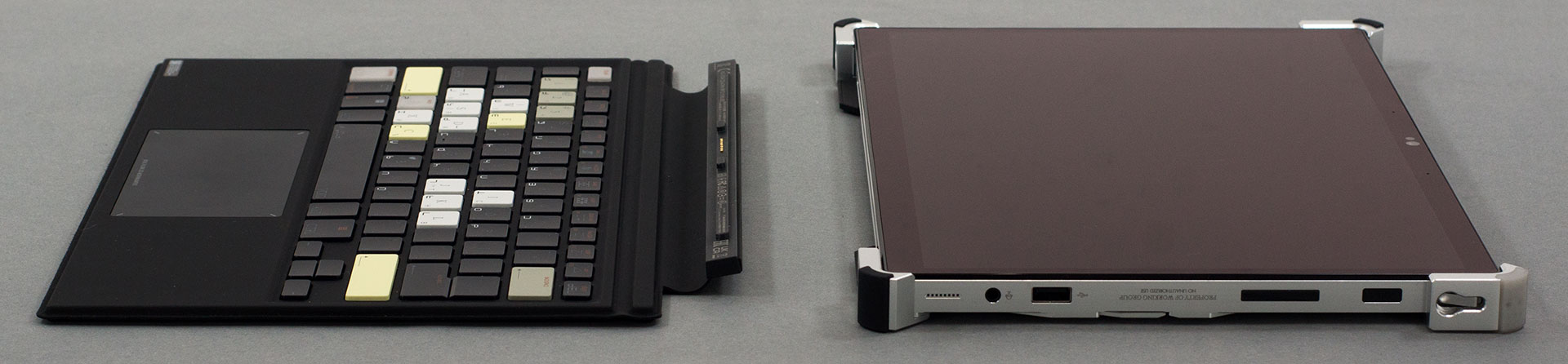
Looking at the sides, we see two exhaust vents on the top, a volume rocker and power button on the right, as well as two speaker cutouts on the bottom of each side.

Ports
On the left side, you get a Thunderbolt 4 port, as well as an ROG XG Mobile connector, which lets you attach one of ASUS’ dedicated external graphics cards. By the way, part of this connector is a USB Type-C 3.2 (Gen. 2) port, which supports DisplayPort 1.4 and G-Sync. Switch sides, and you will see a USB Type-A 3.2 (Gen. 1) port, and an Audio jack. That is not all, though. On the back, beneath the kickstand, you will find a MicroSD card slot, while the bottom is obviously taken by the keyboard attachment connector.



 Author: Alex Iliev
 Author: eng. Kroum NikolovHead of Engineering at LaptopMedia.com, inventor and innovator with 40+ years of experience in electronics and high technology.

![[August 2026] Amazon Italy: Top 10 Best-Selling Laptops – Apple MacBook Neo Claims the Crown as Budget and Mid-Range Windows Machines Dominate Volume](https://laptopmedia.com/wp-content/uploads/2026/09/Best-Selling-Laptops-IT-Top-10-400x225.jpg)
![[August 2026] Amazon Italy: Top 7 Best-Selling Gaming Laptops – ASUS V16 Claims the #1 Spot Amid Strong Mid-Range Demand](https://laptopmedia.com/wp-content/uploads/2026/09/Best-Selling-Gaming-Laptops-IT-Top-10-400x225.jpg)
![[August 2026] Best-Selling Laptop Brands on Amazon Italy – Lenovo Dominates Market Share and Revenue Leadership](https://laptopmedia.com/wp-content/uploads/2026/09/IT-Best-Brands-400x225.jpg)
![[August 2026] Amazon India: Top 10 Best-Selling Laptops – Apple MacBook Neo Dominates the Charts with Massive Sales Lead](https://laptopmedia.com/wp-content/uploads/2026/09/Best-Selling-Laptops-IN-Top-10-400x225.jpg)
![[August 2026] Amazon India: Top 10 Best-Selling Gaming Laptops – HP Victus 15 Dominates the Market with Massive Unit Lead](https://laptopmedia.com/wp-content/uploads/2026/09/Best-Selling-Gaming-Laptops-IN-Top-10-400x225.jpg)

From 1st hand experience the z13 is rubbish build quality. Liquid metal cpu paste has leaked at 1 year needing motherboard replacement. Keyboard also broken only works when flat. Laptop does not sleep when cover closed as sensor is crap also