ASUS Zenbook 14 (UM3402) review – all-aluminum build and color-accurate 1600p display at an honest price
Disassembly, Upgrade options, and Maintenance
If you want to open this device, you have to undo 7 Torx-head screws. Two Phillips-head screws are located below the two rubber back feet. You have to unglue them first and after that, you’ll have access to the two screws. Then, you can pry the panel with a plastic tool.

Here’s how the bottom panel looks on the inside.
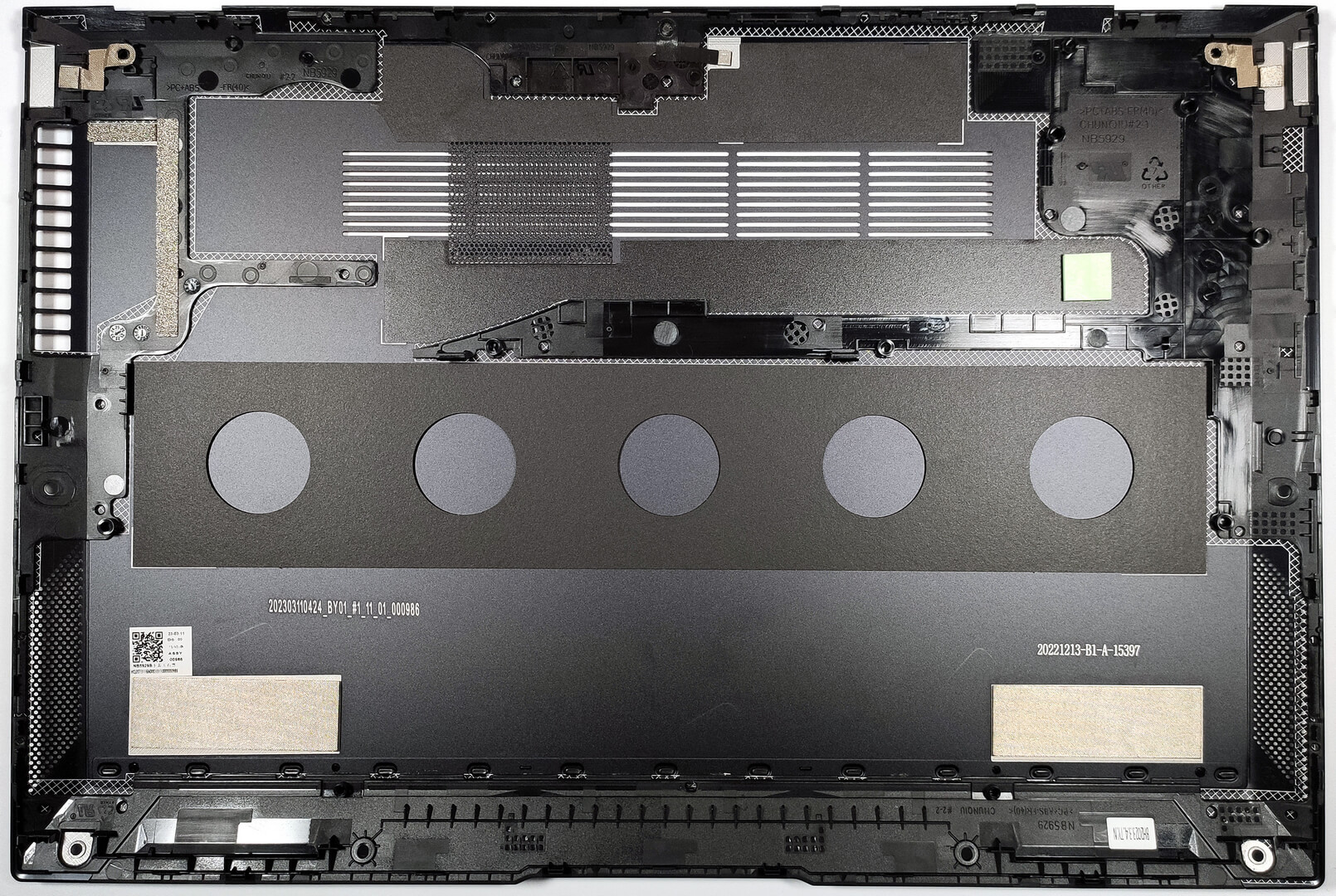
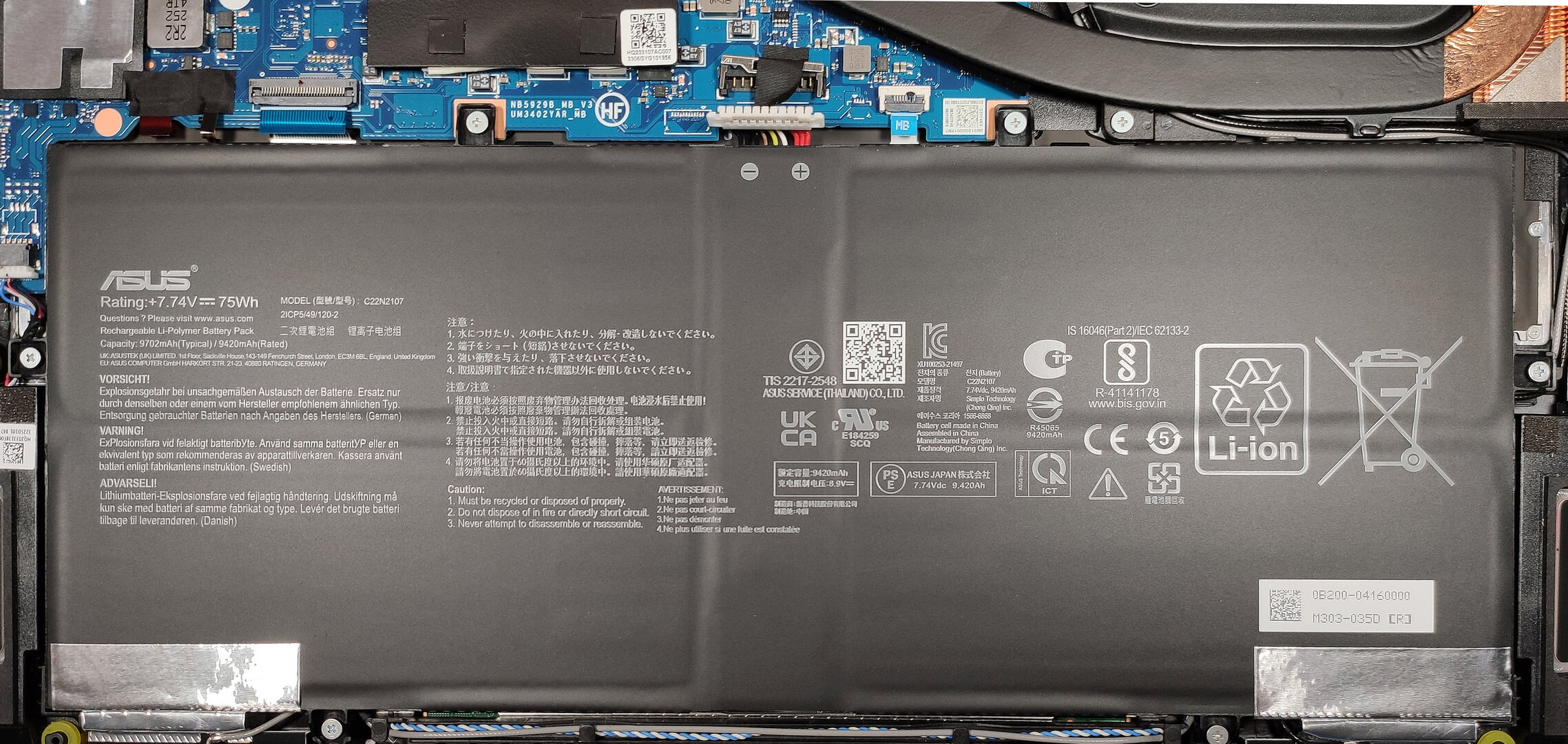
This laptop has a 75Wh battery. If you want to take it out, you need to remove the connector from the motherboard and undo the six Phillips-head screws that fix the unit in place. The battery life is very long – 22 hours of Web browsing or 15 hours of video playback!7
Expectedly for such a thin notebook, the memory is soldered and you get up to 16GB of LPDDR4X -4266MHz RAM in dual-channel mode.
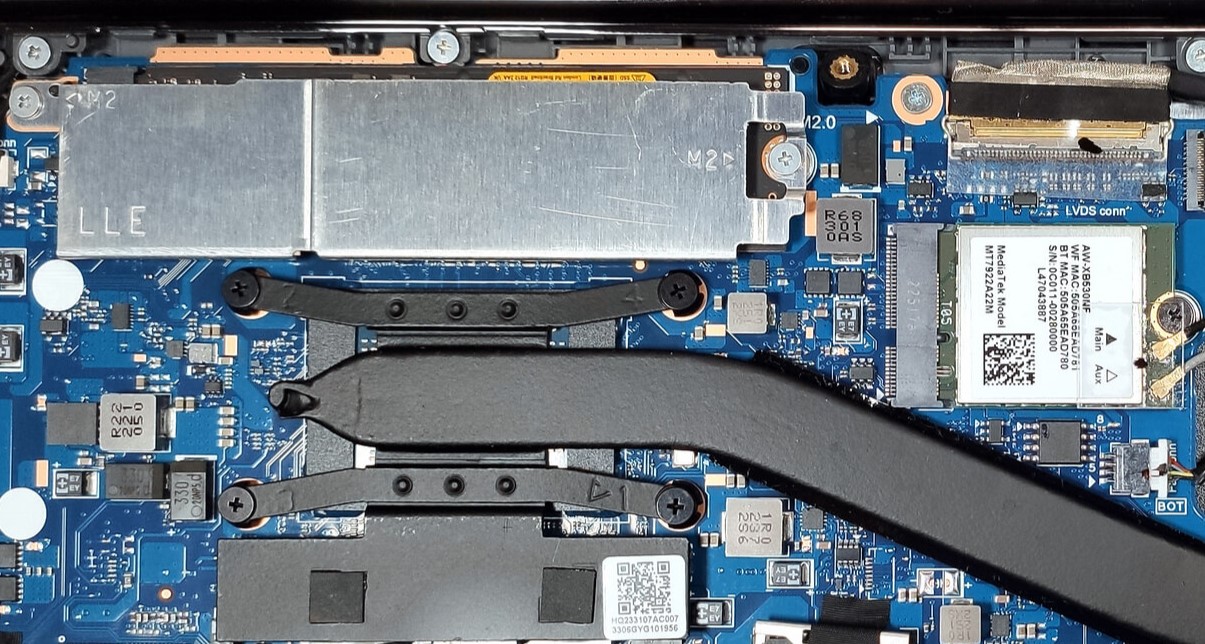
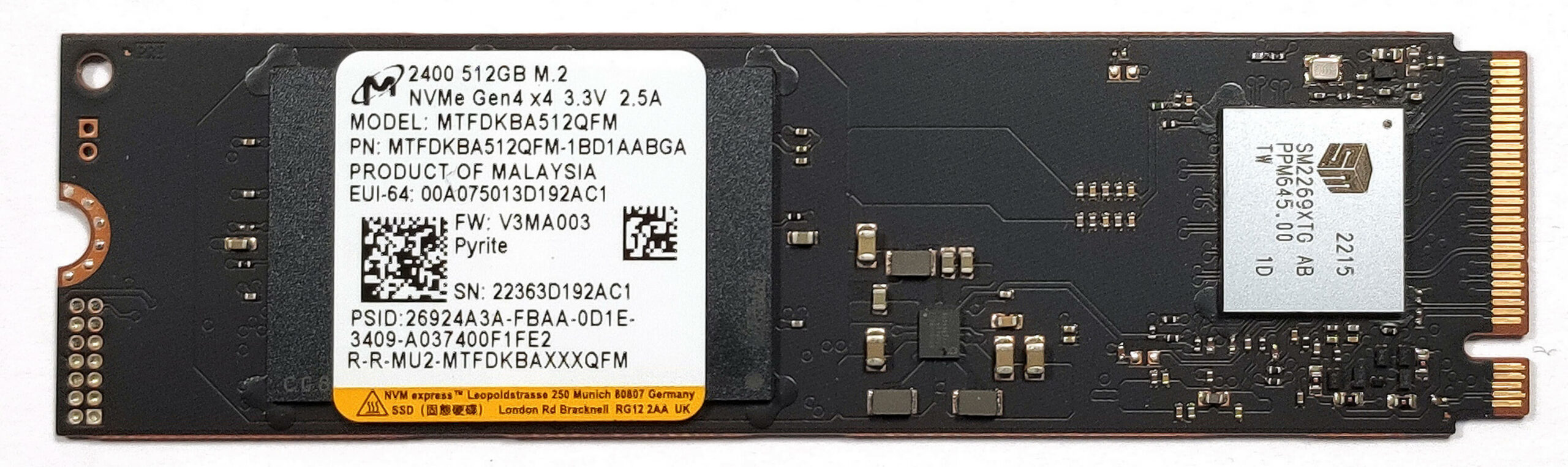
Storage-wise, you can rely on a single Gen 3 M.2 slot that is also compatible with Gen 4 NVMes like the one we have here (note that the speeds are limited to the older standard). The preinstalled SSD is protected by a metal shroud that has a thin cooling pad on the inside.
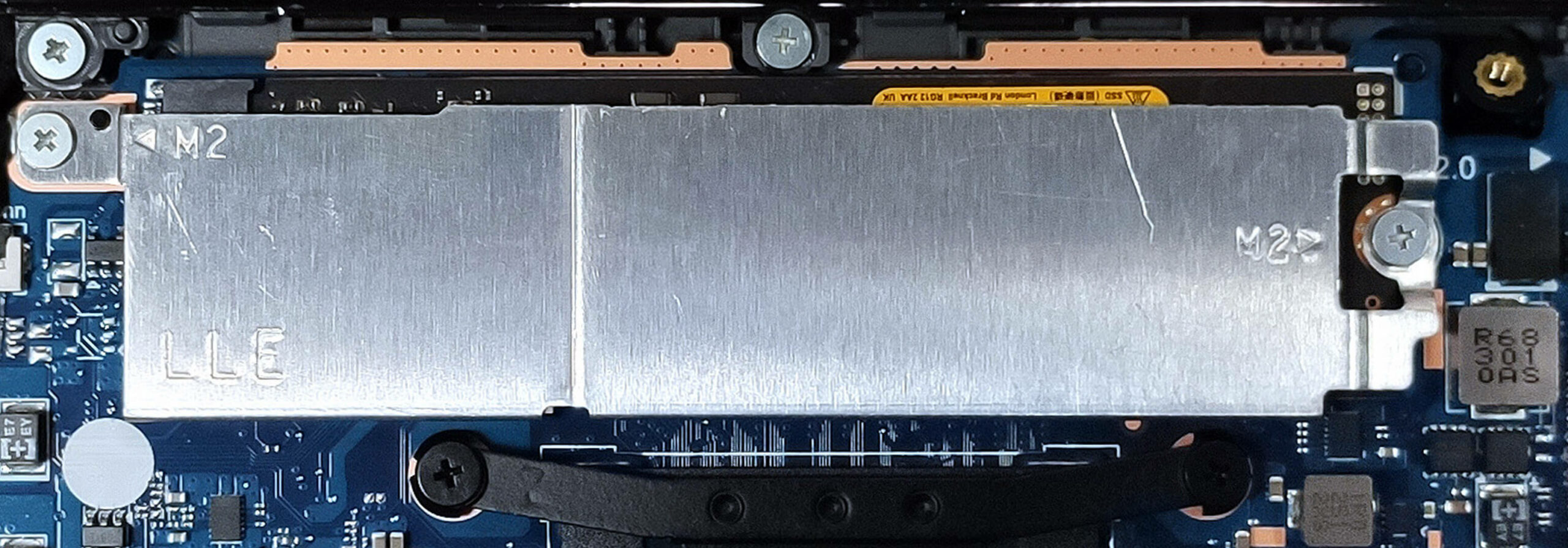
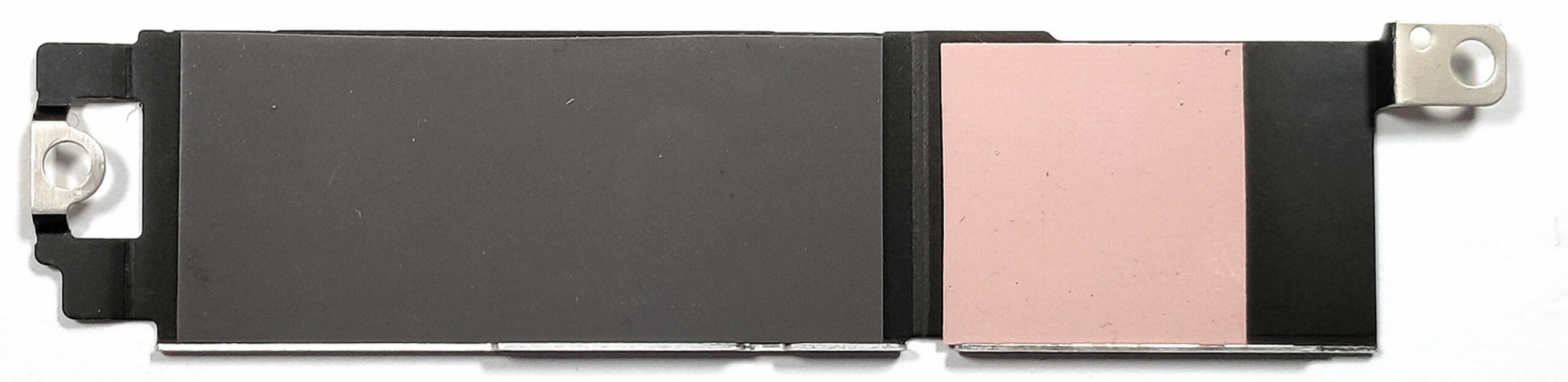
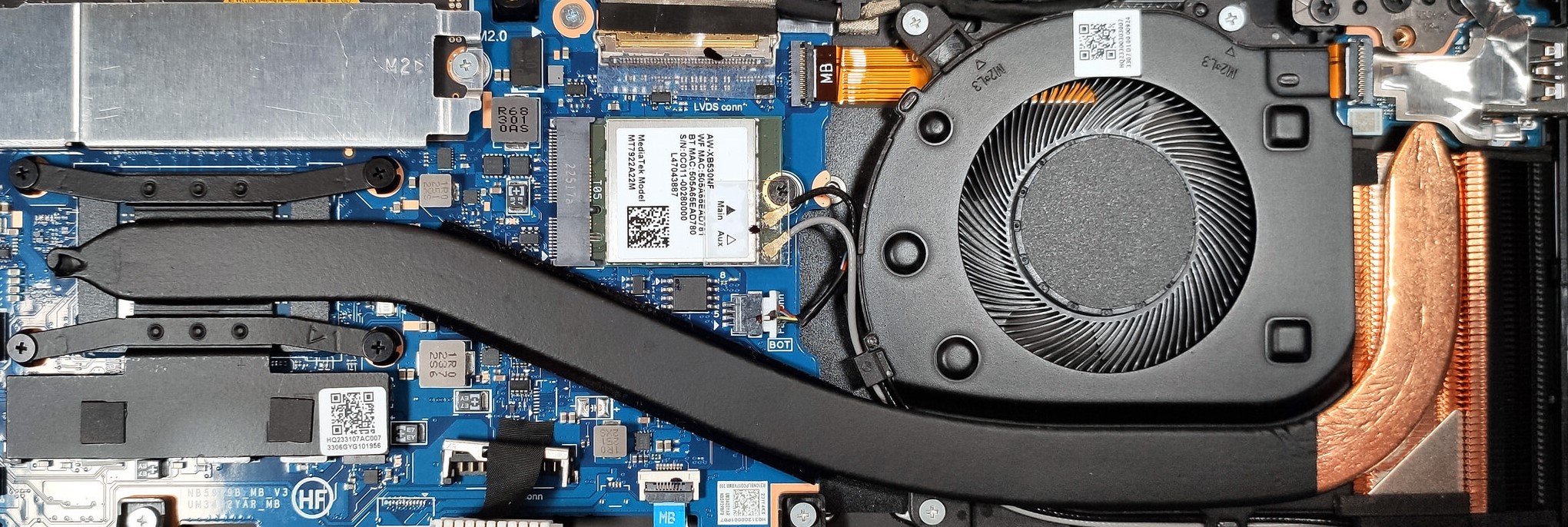
The cooling solution is simple. It has one fan, a thick heat pipe, a compact but bulky heat sink, and a heat spreader.
 Author: Nikolay Palaozov
 Author: eng. Kroum NikolovHead of Engineering at LaptopMedia.com, inventor and innovator with 40+ years of experience in electronics and high technology.

![[August 2026] Amazon Italy: Top 10 Best-Selling Laptops – Apple MacBook Neo Claims the Crown as Budget and Mid-Range Windows Machines Dominate Volume](https://laptopmedia.com/wp-content/uploads/2026/09/Best-Selling-Laptops-IT-Top-10-400x225.jpg)
![[August 2026] Amazon Italy: Top 7 Best-Selling Gaming Laptops – ASUS V16 Claims the #1 Spot Amid Strong Mid-Range Demand](https://laptopmedia.com/wp-content/uploads/2026/09/Best-Selling-Gaming-Laptops-IT-Top-10-400x225.jpg)
![[August 2026] Best-Selling Laptop Brands on Amazon Italy – Lenovo Dominates Market Share and Revenue Leadership](https://laptopmedia.com/wp-content/uploads/2026/09/IT-Best-Brands-400x225.jpg)
![[August 2026] Amazon India: Top 10 Best-Selling Laptops – Apple MacBook Neo Dominates the Charts with Massive Sales Lead](https://laptopmedia.com/wp-content/uploads/2026/09/Best-Selling-Laptops-IN-Top-10-400x225.jpg)
![[August 2026] Amazon India: Top 10 Best-Selling Gaming Laptops – HP Victus 15 Dominates the Market with Massive Unit Lead](https://laptopmedia.com/wp-content/uploads/2026/09/Best-Selling-Gaming-Laptops-IN-Top-10-400x225.jpg)
