Dell Precision 16 7670 review – is CAMM memory here to stay?
Disassembly, Upgrade options, and Maintenance
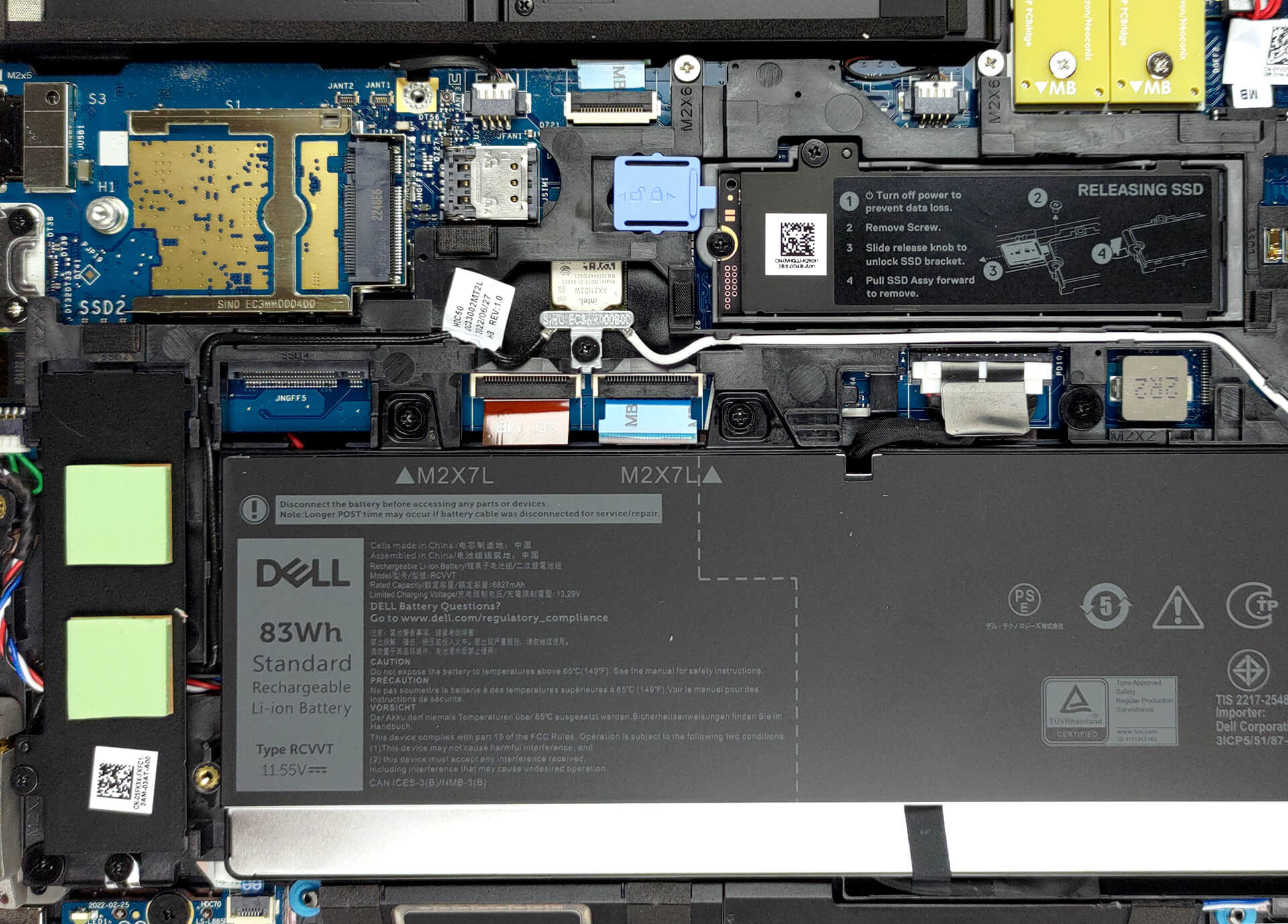
As you can see, this machine comes with a service door. Pry it open with a plastic tool, and you’ll get access to one M.2 PCIe x4 slot.
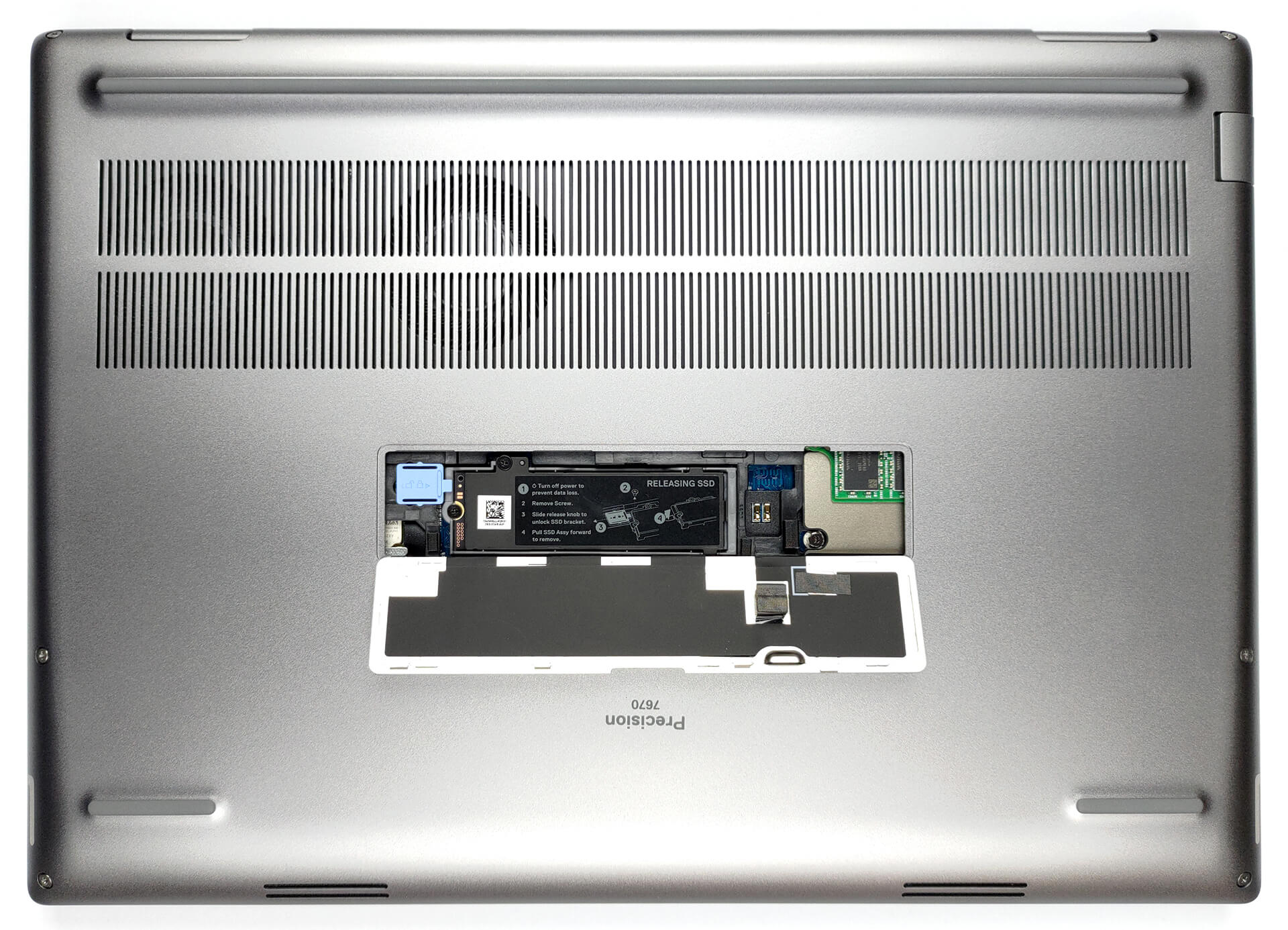
To continue with the disassembly, undo the six captive Phillips-head screws. Then, pry the bottom panel with a plastic tool, starting from the front corners.
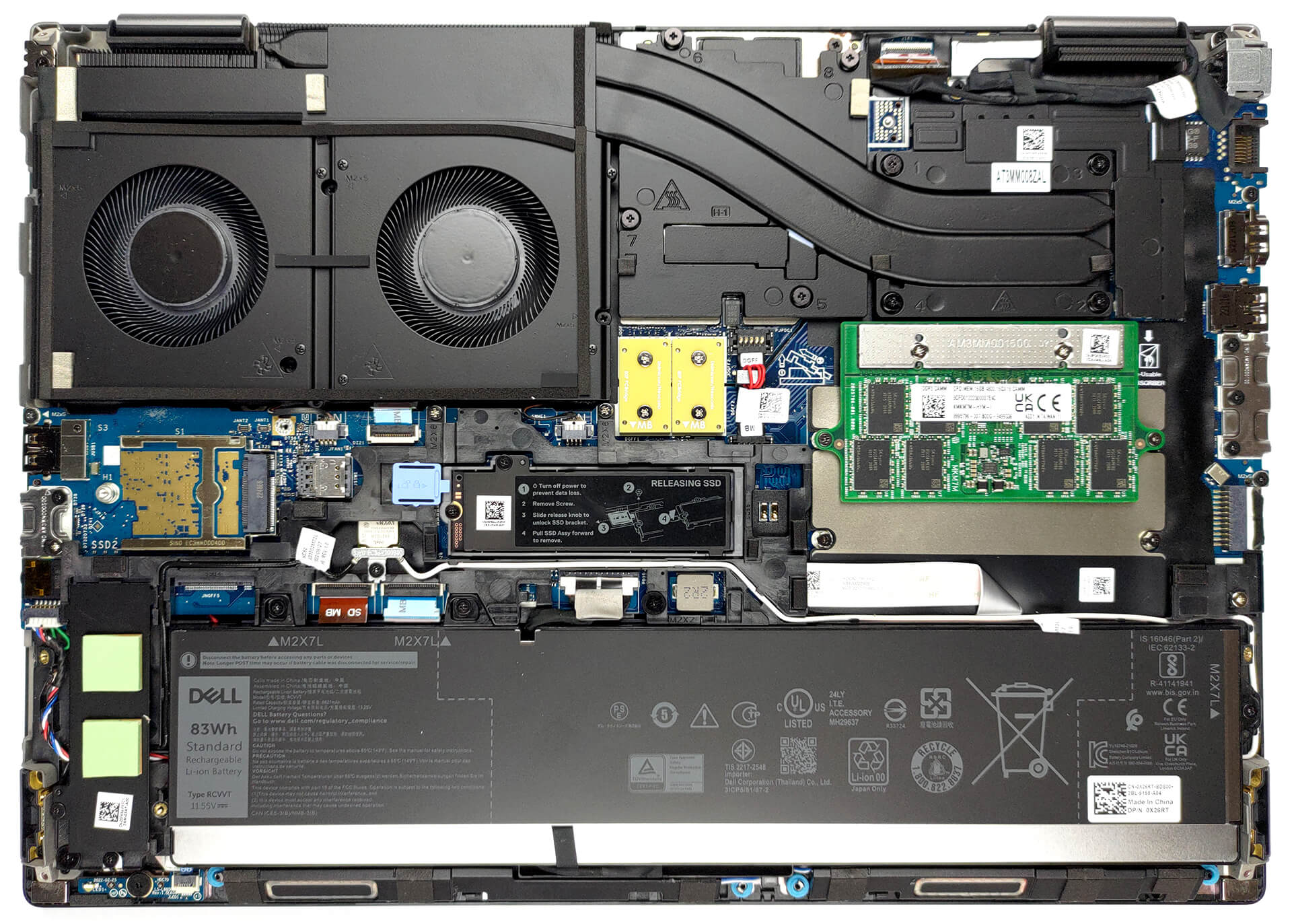
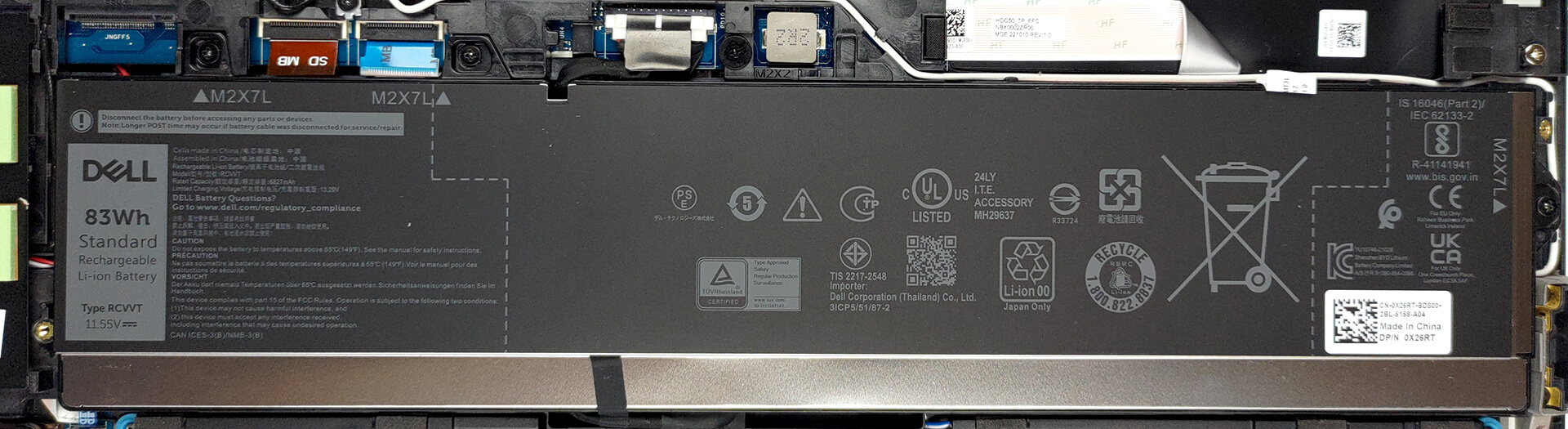
Inside, we find an 83Wh battery pack. To remove it, unplug the connector from the motherboard, and undo the three Phillips-head screws keeping it attached to the
chassis.
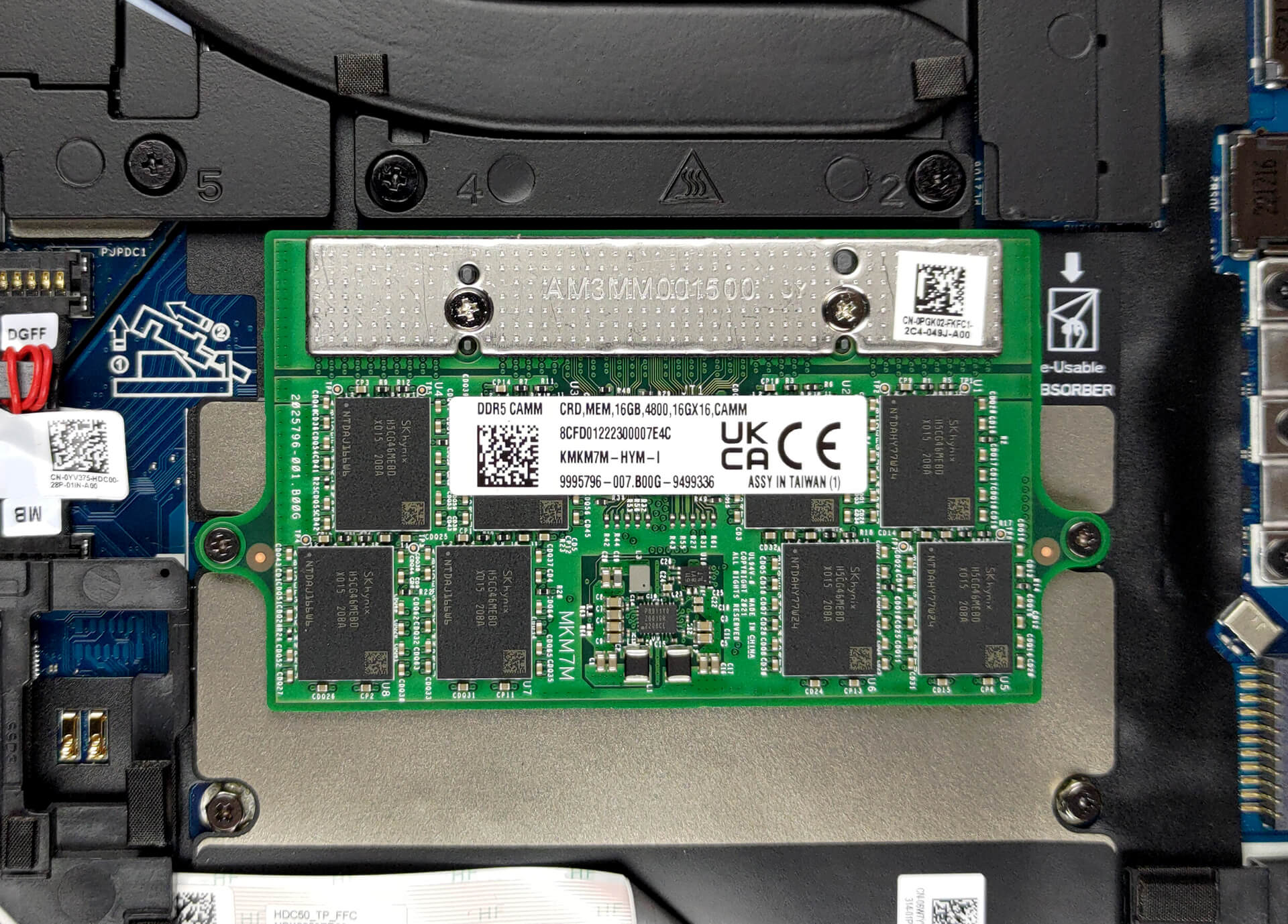
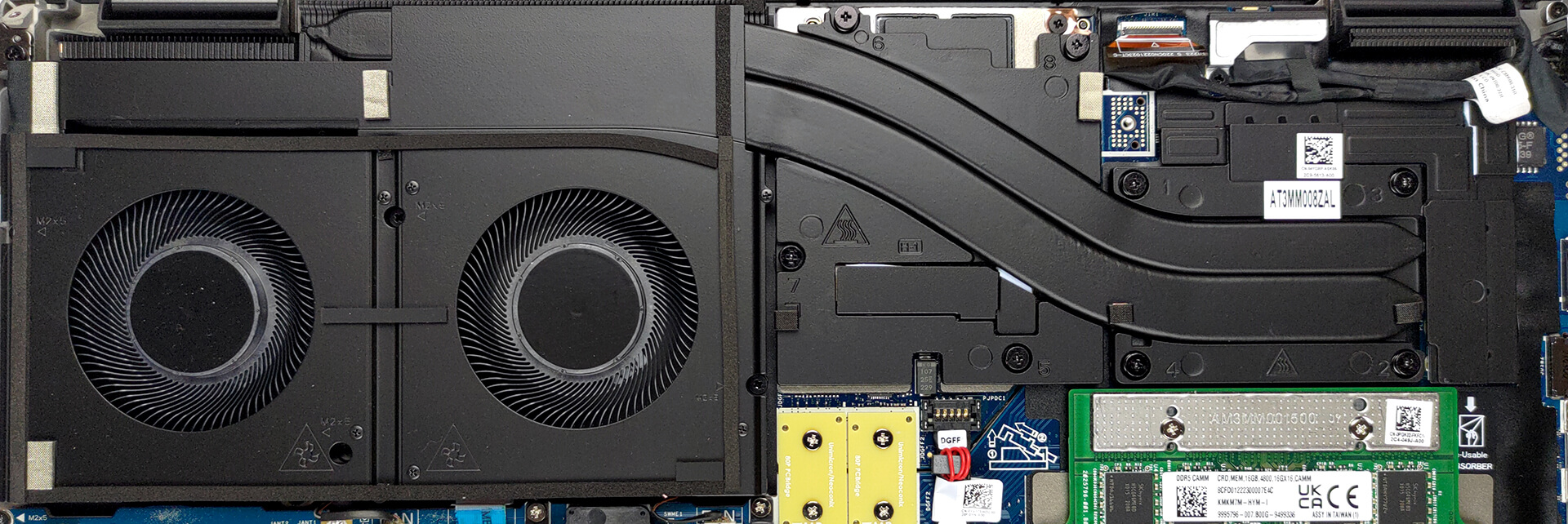
Here, you can see the new CAMM memory Dell introduced to replace SODIMM. It takes less space but has the downside to be more difficult to upgrade. That’s because it is held in place by four screws, two of which are used to mount the CAMM connector module to the system board. Coincidentally, the same connector is used to put a SODIMM adapter, should you prefer the traditional memory type.
The difference is that you can put up to 128GB of CAMM DDR5 RAM inside the laptop, while SODIMM memory is limited to 64GB, but supports ECC RAM. As far as the storage goes, you get two M.2 PCIe x4 slots, which fit Gen 4 SSDs and support RAID mode.
Lastly, the cooling comprises two heat pipes, shared between the CPU and the GPU. They are attached to a long heat sink, which is being cooled down by two beefy fans. Thankfully, the graphics memory and the VRMs are managed by a couple of heat spreaders.
 Author: Alex Iliev
 Author: eng. Kroum NikolovHead of Engineering at LaptopMedia.com, inventor and innovator with 40+ years of experience in electronics and high technology.

![[June 2026] Best-Selling Laptop Brands on Amazon Global – Apple’s Unrivaled Dominance in Units and Revenue](https://laptopmedia.com/wp-content/uploads/2026/07/GLOBAL-Best-Brands-400x225.jpg)
![[June 2026] Amazon Global: Top 10 Best-Selling Laptops – Apple’s New MacBook Neo Storms to #1, Reshaping the Market with Affordability](https://laptopmedia.com/wp-content/uploads/2026/07/Best-Selling-Laptops-GLOBAL-Top-10-400x225.jpg)
![[June 2026] Amazon Global: Top 10 Best-Selling Gaming Laptops – Acer’s Nitro V 16S AI Dominates Sales, While ASUS Leads Overall Revenue](https://laptopmedia.com/wp-content/uploads/2026/07/Best-Selling-Gaming-Laptops-GLOBAL-Top-10-400x225.jpg)
![[June 2026] Global Ranking of Best-Selling Laptop GPUs on Amazon – NVIDIA RTX 5060 is the Top-Selling Dedicated GPU](https://laptopmedia.com/wp-content/uploads/2026/07/Best-Selling-GPUs-GLOBAL-Top-10-400x225.jpg)
![[June 2026] Global Ranking of Best-Selling Laptop CPUs on Amazon – Apple M5 Dominates, AMD Ryzen 7 260 Gets Solid Premium Share](https://laptopmedia.com/wp-content/uploads/2026/07/Best-Selling-CPUs-GLOBAL-Top-10-400x225.jpg)

Try running the 7670 with an RTX A3000… even with the thicker chassis, the cooling system is absolutely demolished by any kind of load that hits the CPU and GPU at the same time. Games are bad enough, but professional 3D workloads are appalling. The CPU wattage and CPU frequency is throttled down so low, the laptop is slower than it’s predecessors (Precision 7550 or 7560). With only 2 heatpipes shared between the CPU and GPU, and the fans at the end of the thermal line, any load on the GPU overwhelms the CPU.
Indeed. There are several gurus (e.g. Tech3D channel on YouTube) discussing the poor job Dell is doing with thermal management on these machines, not to mention using the same old 240 watt adapter which causes these system to be power starved. Inexcusable.
Piggybacking a powerful CPU and GPU this way being questionable in the first place, heat efficiency appears to suffer further by the second heat pipe falling short of covering the entire width of the second fan, seeming to cover only about half the width – alas, the hinge is in the way. The heat sink’s width is also halved in this section to accomodate the hinge. It’s a good example of high quality material put to bad use.