Dell Precision 16 7670 review – is CAMM memory here to stay?
Verdict
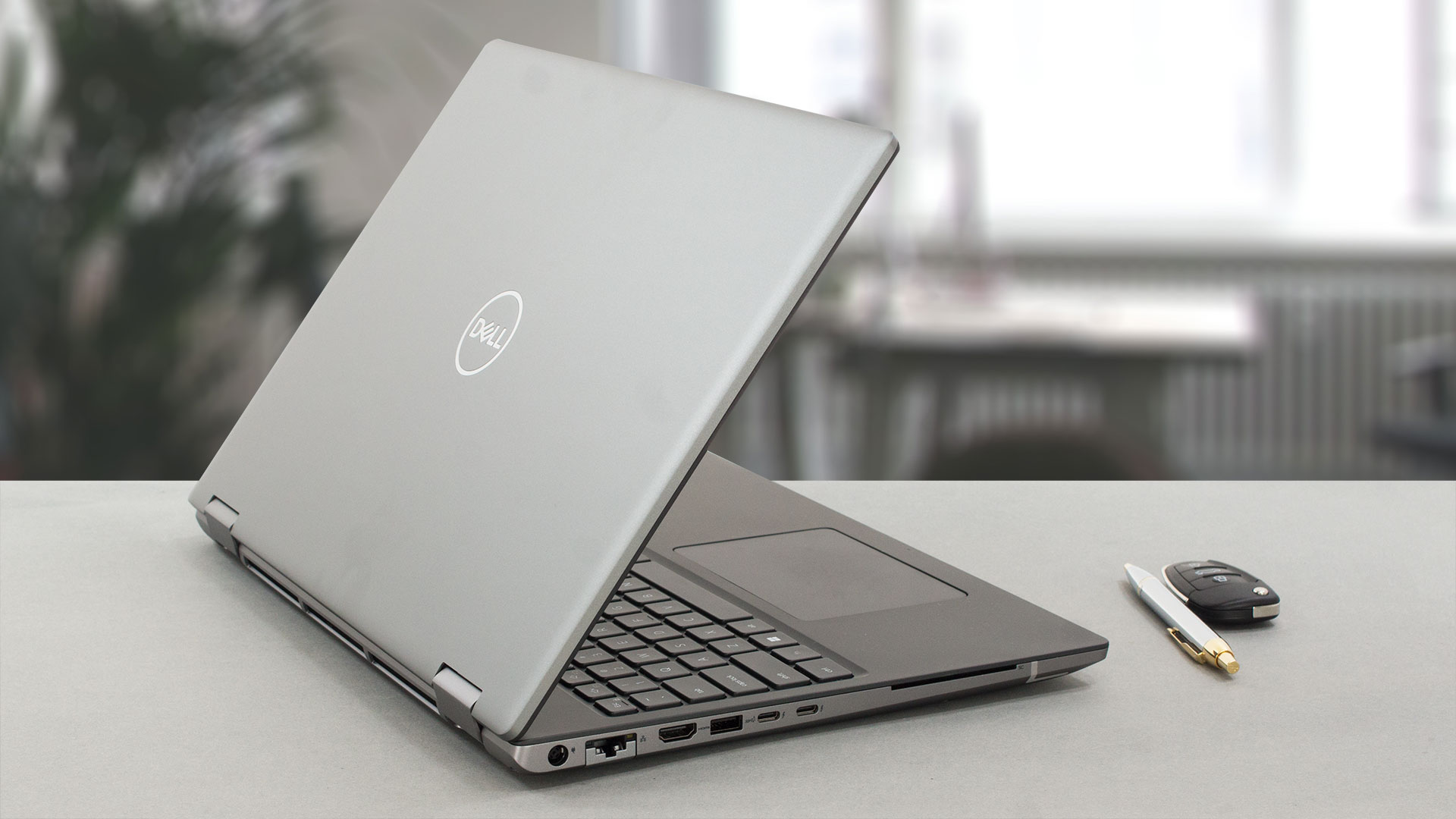 Having this laptop with us was a pleasant experience. It is really comfortable to use thanks to its great keyboard and touchpad. Yes, we would have loved to know that there is spill resistance. This would make drinking coffee or water next to it a bit less frustrating.
The configuration we got, didn’t come with the superior OLED panel. However, its IPS display is really impressive.
Dell Precision 16 7670’s IPS panel has a WUXGA resolution, high maximum brightness, comfortable viewing angles, and a good contrast ratio. Furthermore, its backlight doesn’t use PWM for brightness adjustment, while the full sRGB and 98% DCI-P3 color coverage ensure extremely vibrant colors. They are even somewhat accurate with our Gaming and Web design profile installed.
By choosing this display, you will get the benefit of better battery life. We got about 10 hours and 30 minutes of Web browsing, or nearly 9 hours of video playback.
What is more interesting, is the choice of memory. Here, you do not only get the opportunity to upgrade your RAM, but you also get to pick the memory type. They are all consisting of DDR5 chips, but the way the modules are mounted to the memory sticks differs. Dell tries to push the CAMM type, which provides higher density, but a more difficult installation.
Instead of the “plug and play” SODIMM slots, you need to use a screwdriver. However, for those of you who prefer the tried-and-trusted SODIMM slot, you can do it by either ordering your laptop pre-equipped with the adapter or buying and installing the adapter yourself.
Now, let’s talk about performance. Yes, the new-gen products are already here, but we are pretty happy with what the Precision 16 7670 is capable of doing. Well, it doesn’t manage to maintain the full 95W TGP of its RTX A1000 GPU in gaming. But, as you know, this is not a gaming graphics card. And the needs of a professional GPU are more different, as you would more often need to calculate stuff, not in real-time.
With IR face recognition and an optional 5G connectivity, the laptop establishes itself as a top dog in the branch. However, we have to say that its price quickly creeps up if you add a high-tier CPU and GPU. However, we guess it might be worth it.
You can check the prices and configurations in our Specs System: https://laptopmedia.com/series/dell-precision-16-7670/
Pros
- Up to 128GB of DDR5 (CAMM) + two M.2 slots
- Capable hardware
- Fingerprint reader + optional IR face recognition and 5G connectivity
- SD card reader + 2x Thunderbolt 4 + HDMI 2.1
- Packs good security features
- Great keyboard and touchpad
- Decent battery life
Cons
- High price
- No mention of spill-resistance
 Author: Alex Iliev
 Author: eng. Kroum NikolovHead of Engineering at LaptopMedia.com, inventor and innovator with 40+ years of experience in electronics and high technology.

![[June 2026] Best-Selling Laptop Brands on Amazon Global – Apple’s Unrivaled Dominance in Units and Revenue](https://laptopmedia.com/wp-content/uploads/2026/07/GLOBAL-Best-Brands-400x225.jpg)
![[June 2026] Amazon Global: Top 10 Best-Selling Laptops – Apple’s New MacBook Neo Storms to #1, Reshaping the Market with Affordability](https://laptopmedia.com/wp-content/uploads/2026/07/Best-Selling-Laptops-GLOBAL-Top-10-400x225.jpg)
![[June 2026] Amazon Global: Top 10 Best-Selling Gaming Laptops – Acer’s Nitro V 16S AI Dominates Sales, While ASUS Leads Overall Revenue](https://laptopmedia.com/wp-content/uploads/2026/07/Best-Selling-Gaming-Laptops-GLOBAL-Top-10-400x225.jpg)
![[June 2026] Global Ranking of Best-Selling Laptop GPUs on Amazon – NVIDIA RTX 5060 is the Top-Selling Dedicated GPU](https://laptopmedia.com/wp-content/uploads/2026/07/Best-Selling-GPUs-GLOBAL-Top-10-400x225.jpg)
![[June 2026] Global Ranking of Best-Selling Laptop CPUs on Amazon – Apple M5 Dominates, AMD Ryzen 7 260 Gets Solid Premium Share](https://laptopmedia.com/wp-content/uploads/2026/07/Best-Selling-CPUs-GLOBAL-Top-10-400x225.jpg)

Try running the 7670 with an RTX A3000… even with the thicker chassis, the cooling system is absolutely demolished by any kind of load that hits the CPU and GPU at the same time. Games are bad enough, but professional 3D workloads are appalling. The CPU wattage and CPU frequency is throttled down so low, the laptop is slower than it’s predecessors (Precision 7550 or 7560). With only 2 heatpipes shared between the CPU and GPU, and the fans at the end of the thermal line, any load on the GPU overwhelms the CPU.
Indeed. There are several gurus (e.g. Tech3D channel on YouTube) discussing the poor job Dell is doing with thermal management on these machines, not to mention using the same old 240 watt adapter which causes these system to be power starved. Inexcusable.
Piggybacking a powerful CPU and GPU this way being questionable in the first place, heat efficiency appears to suffer further by the second heat pipe falling short of covering the entire width of the second fan, seeming to cover only about half the width – alas, the hinge is in the way. The heat sink’s width is also halved in this section to accomodate the hinge. It’s a good example of high quality material put to bad use.