HP ProBook 450 G10 review – only a refresh but still one of the best
Disassembly, Upgrade options, and Maintenance
To get inside this notebook, you need to undo a total of five Phillips-head screws. Then, pry the bottom panel, starting from the gap in the back.
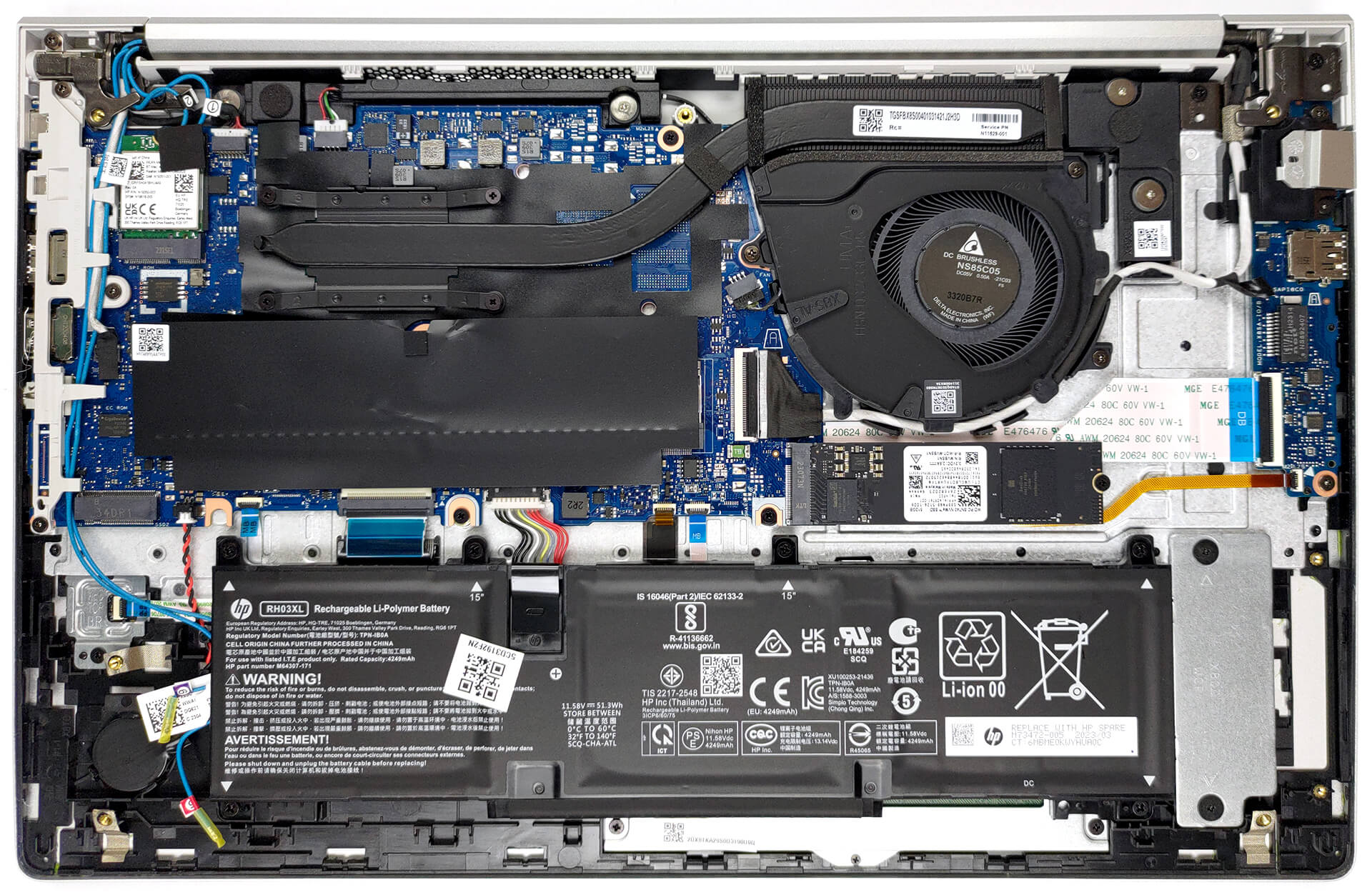
Our configuration is equipped with a 51.3Wh battery pack. To take it out, unplug it from the motherboard, and undo the six Phillips-head screws that keep it attached to the chassis.
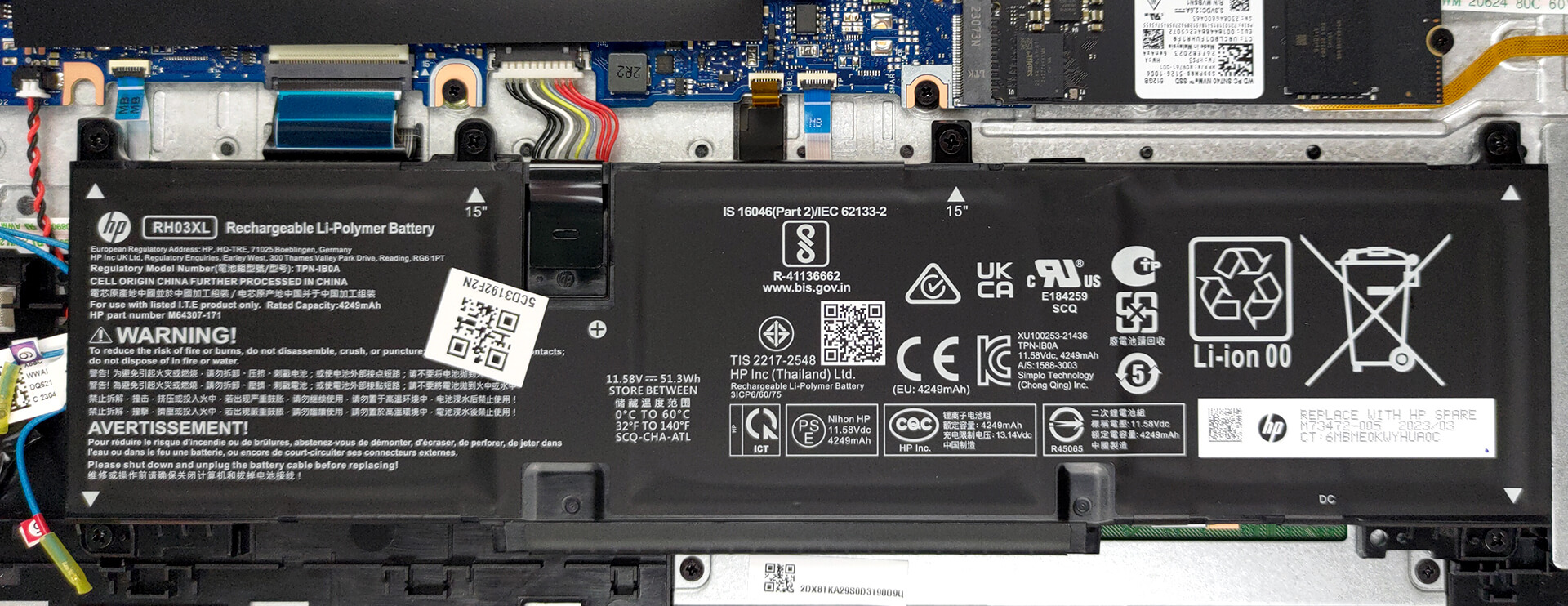
Here, you get two SODIMM slots that work with DDR4 memory in dual-channel mode. As for storage, there are two M.2 PCIe x4 slots, one of which supports Gen 4 SSDs.
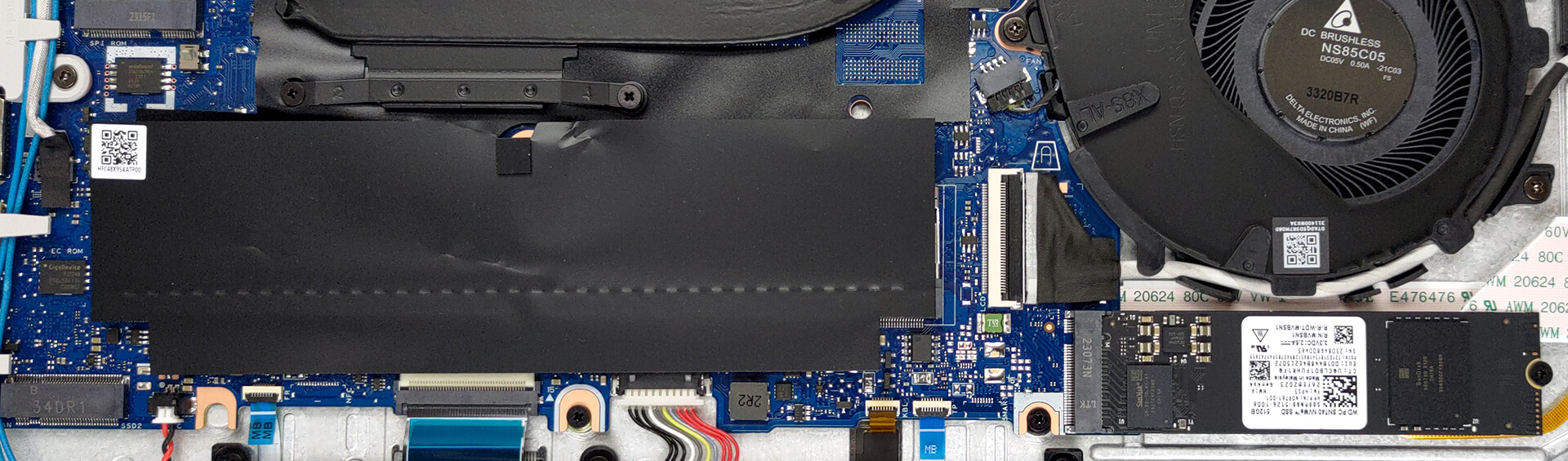
The cooling setup here is pretty simple, as the laptop only has one heat pipe, one heat sink, and a single fan.

 Author: Alex Iliev
 Author: eng. Kroum NikolovHead of Engineering at LaptopMedia.com, inventor and innovator with 40+ years of experience in electronics and high technology.

![[June 2026] Best-Selling Laptop Brands on Amazon Global – Apple’s Unrivaled Dominance in Units and Revenue](https://laptopmedia.com/wp-content/uploads/2026/07/GLOBAL-Best-Brands-400x225.jpg)
![[June 2026] Amazon Global: Top 10 Best-Selling Laptops – Apple’s New MacBook Neo Storms to #1, Reshaping the Market with Affordability](https://laptopmedia.com/wp-content/uploads/2026/07/Best-Selling-Laptops-GLOBAL-Top-10-400x225.jpg)
![[June 2026] Amazon Global: Top 10 Best-Selling Gaming Laptops – Acer’s Nitro V 16S AI Dominates Sales, While ASUS Leads Overall Revenue](https://laptopmedia.com/wp-content/uploads/2026/07/Best-Selling-Gaming-Laptops-GLOBAL-Top-10-400x225.jpg)
![[June 2026] Global Ranking of Best-Selling Laptop GPUs on Amazon – NVIDIA RTX 5060 is the Top-Selling Dedicated GPU](https://laptopmedia.com/wp-content/uploads/2026/07/Best-Selling-GPUs-GLOBAL-Top-10-400x225.jpg)
![[June 2026] Global Ranking of Best-Selling Laptop CPUs on Amazon – Apple M5 Dominates, AMD Ryzen 7 260 Gets Solid Premium Share](https://laptopmedia.com/wp-content/uploads/2026/07/Best-Selling-CPUs-GLOBAL-Top-10-400x225.jpg)

Thanks for review
Could you please clarify – Is there any flex on typing like for Dell Vostro 3530? Or base is solid ?
Thanks!