Acer Predator Helios 18 (PH18-72) review – Desktop Performance in a Mini LED Laptop
Performance: CPU, GPU, Gaming Tests
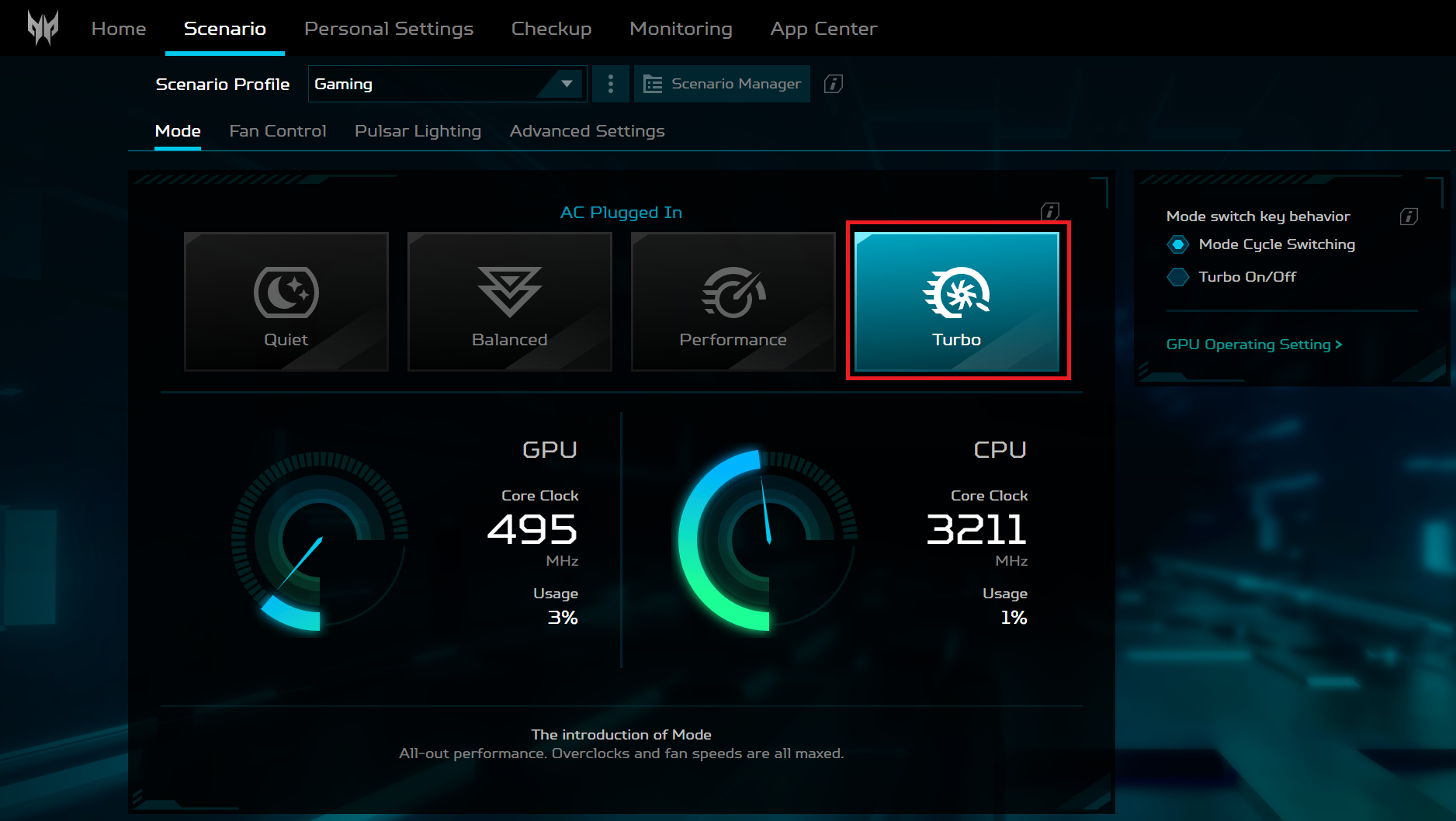
All benchmarks and tests were conducted with the “Turbo” and “NVIDIA GPU-only” modes activated in the PredatorSense app. Also, the “Best Performance” mode is applied in the Windows “Power & Battery” menu.


CPU options
The Intel Core i9-14900HX is the only CPU variant.
Here, we evaluate the CPU's performance using a real-world 3D rendering task, assessing its ability to handle complex computations and rendering workloads efficiently.
Results are from the Cinebench 2024 Multi-Core test (higher is better)


GPU options
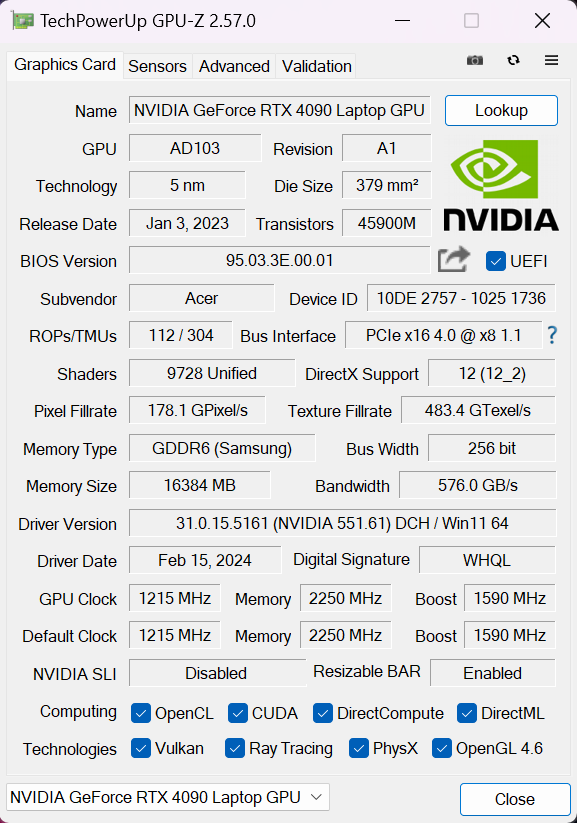
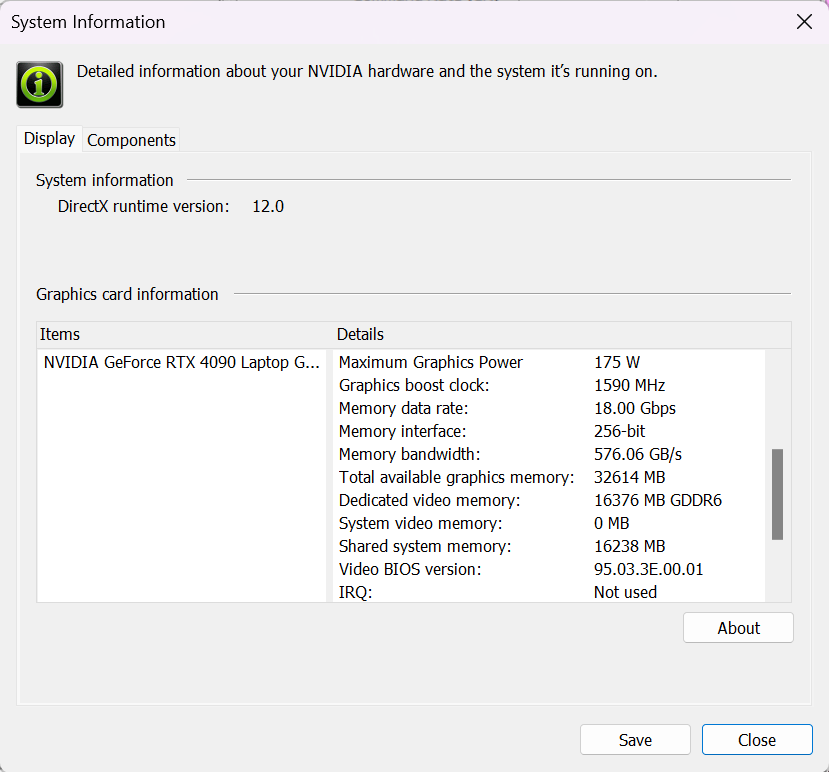
You get nothing but high-end GPU options with 175W TGPs – NVIDIA GeForce RTX 4080 (Laptop) or GeForce RTX 4090 (Laptop).
The results are from 3DMark Time Spy (Graphics). Higher is better.

Results are from 3DMark Fire Strike (Graphics) benchmark (higher the score, the better)
Results are from the Unigine Superposition benchmark (higher the score, the better)
Gaming tests

| Assassin’s Creed Valhalla | Full HD, Low (Check settings) | Full HD, Medium (Check settings) | Full HD, High (Check settings) | Full HD, Ultra (Check settings) |
|---|---|---|---|---|
| Average FPS | 249 fps | 227 fps | 195 fps | 173 fps |

| Borderlands 3 | Full HD, V.Low (Check settings) | Full HD, Medium (Check settings) | Full HD, High (Check settings) | Full HD, Badass (Check settings) |
|---|---|---|---|---|
| Average FPS | 259 fps | 230 fps | 199 fps | 171 fps |

| Gears 5 | Full HD, Low (Check settings) | Full HD, Medium (Check settings) | Full HD, High (Check settings) | Full HD, Ultra (Check settings) |
|---|---|---|---|---|
| Average FPS | 312 fps | 247 fps | 230 fps | 207 fps |
The 175W GeForce RTX 4090 crushes every game even on Ultra details.
 Author: Nikolay Palaozov
 Author: eng. Kroum NikolovHead of Engineering at LaptopMedia.com, inventor and innovator with 40+ years of experience in electronics and high technology.

![[June 2026] Best-Selling Laptop Brands on Amazon Global – Apple’s Unrivaled Dominance in Units and Revenue](https://laptopmedia.com/wp-content/uploads/2026/07/GLOBAL-Best-Brands-400x225.jpg)
![[June 2026] Amazon Global: Top 10 Best-Selling Laptops – Apple’s New MacBook Neo Storms to #1, Reshaping the Market with Affordability](https://laptopmedia.com/wp-content/uploads/2026/07/Best-Selling-Laptops-GLOBAL-Top-10-400x225.jpg)
![[June 2026] Amazon Global: Top 10 Best-Selling Gaming Laptops – Acer’s Nitro V 16S AI Dominates Sales, While ASUS Leads Overall Revenue](https://laptopmedia.com/wp-content/uploads/2026/07/Best-Selling-Gaming-Laptops-GLOBAL-Top-10-400x225.jpg)
![[June 2026] Global Ranking of Best-Selling Laptop GPUs on Amazon – NVIDIA RTX 5060 is the Top-Selling Dedicated GPU](https://laptopmedia.com/wp-content/uploads/2026/07/Best-Selling-GPUs-GLOBAL-Top-10-400x225.jpg)
![[June 2026] Global Ranking of Best-Selling Laptop CPUs on Amazon – Apple M5 Dominates, AMD Ryzen 7 260 Gets Solid Premium Share](https://laptopmedia.com/wp-content/uploads/2026/07/Best-Selling-CPUs-GLOBAL-Top-10-400x225.jpg)

Is this any better than the 4080 i13? Is the cooling system better? Can you undervolt this version?
Could you tell more about RAM thermal pad?
Can thermal pads be reinstalled after being removed from RAM? Or can they not be glued back on effectively?
I would like to buy such thermal pads, but they are hard to come by
What if the lid was left closed, but the laptop didn’t go into sleep mode and got very hot while lying on the bed for 30 minutes? Could this have caused any mechanical damage to the hardware? If so, how can I check this and how can I understand whether there was any damage to the laptop?