Acer Swift Edge (SFX16-61G) review – thin, powerful, and noisy
Design and construction
The laptop is made of aluminum-magnesium alloy. The design is simple yet modern and unobtrusive. The lid can be flexed (but not too much) no matter if it’s closed or opened. The base is more stable. Its only weak spot is around the Space key and the Arrow keys where this zone can be bent if you press the keycaps harder while typing.

The machine weighs 1.995 kg and has a profile of 17.9 mm. Not bad given the strong hardware and the 16″ display.

The lid can be opened with a single hand. The bezels around the panel are narrow which contributes to a modern look. Above the display, you can find a 1080p 60FPS Web camera with Temporal Noise Reduction. The lack of a privacy shutter is a bit strange at this price point.
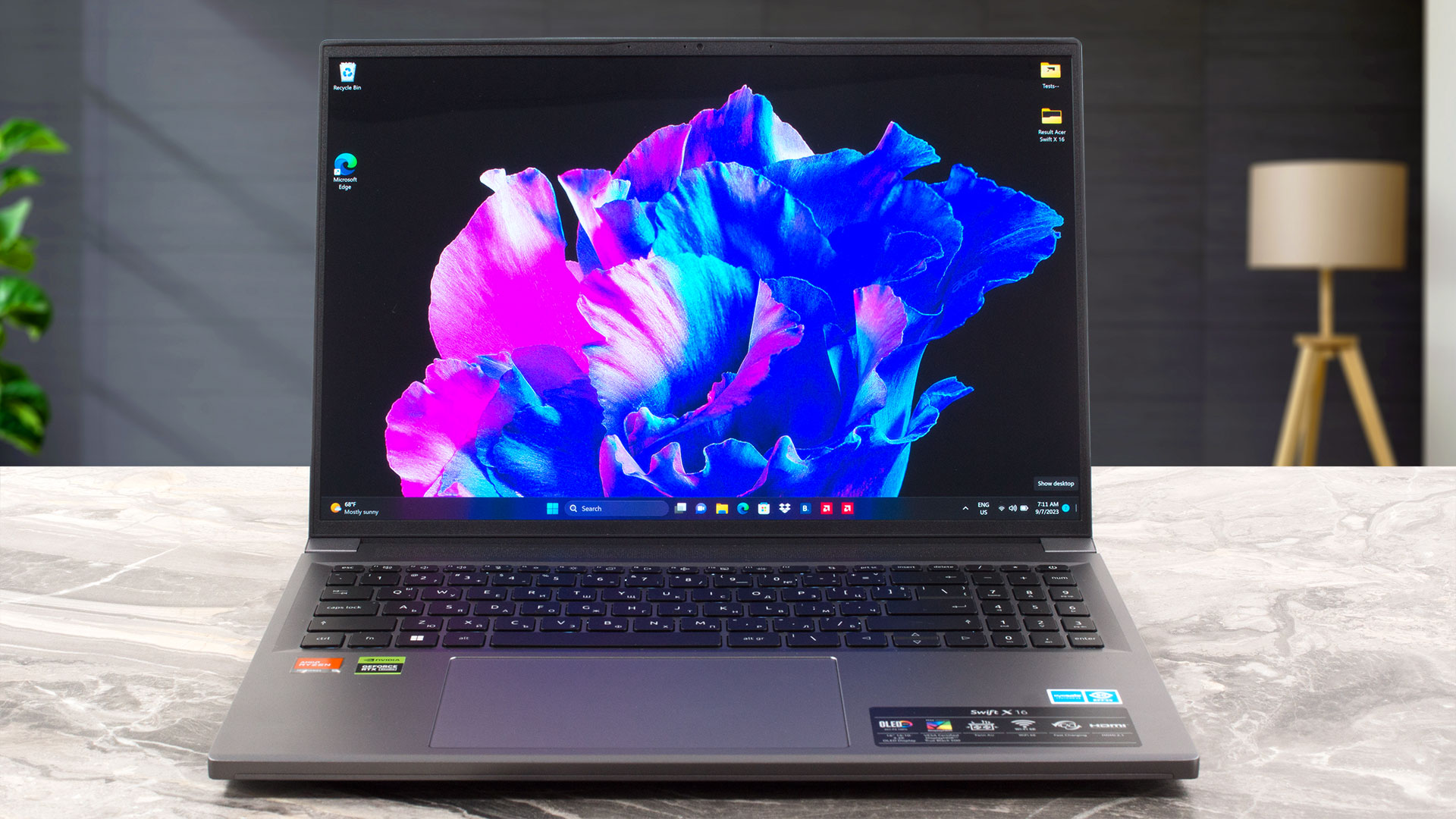
On the base, we can see a backlit keyboard with a NumPad section. Above it is positioned a big ventilation grille. The board has a long key travel while the feedback is averagely clicky. It’s comfortable for typing but we’ve seen better units for sure. The Power button doubles as a fingerprint reader. The cooling fans draw air through the keyboard deck – that’s why the WASD zone is cool during gaming.

The touchpad is enormous! That’s great for work and on top of that, it’s fast, accurate, and has a smooth glass surface.

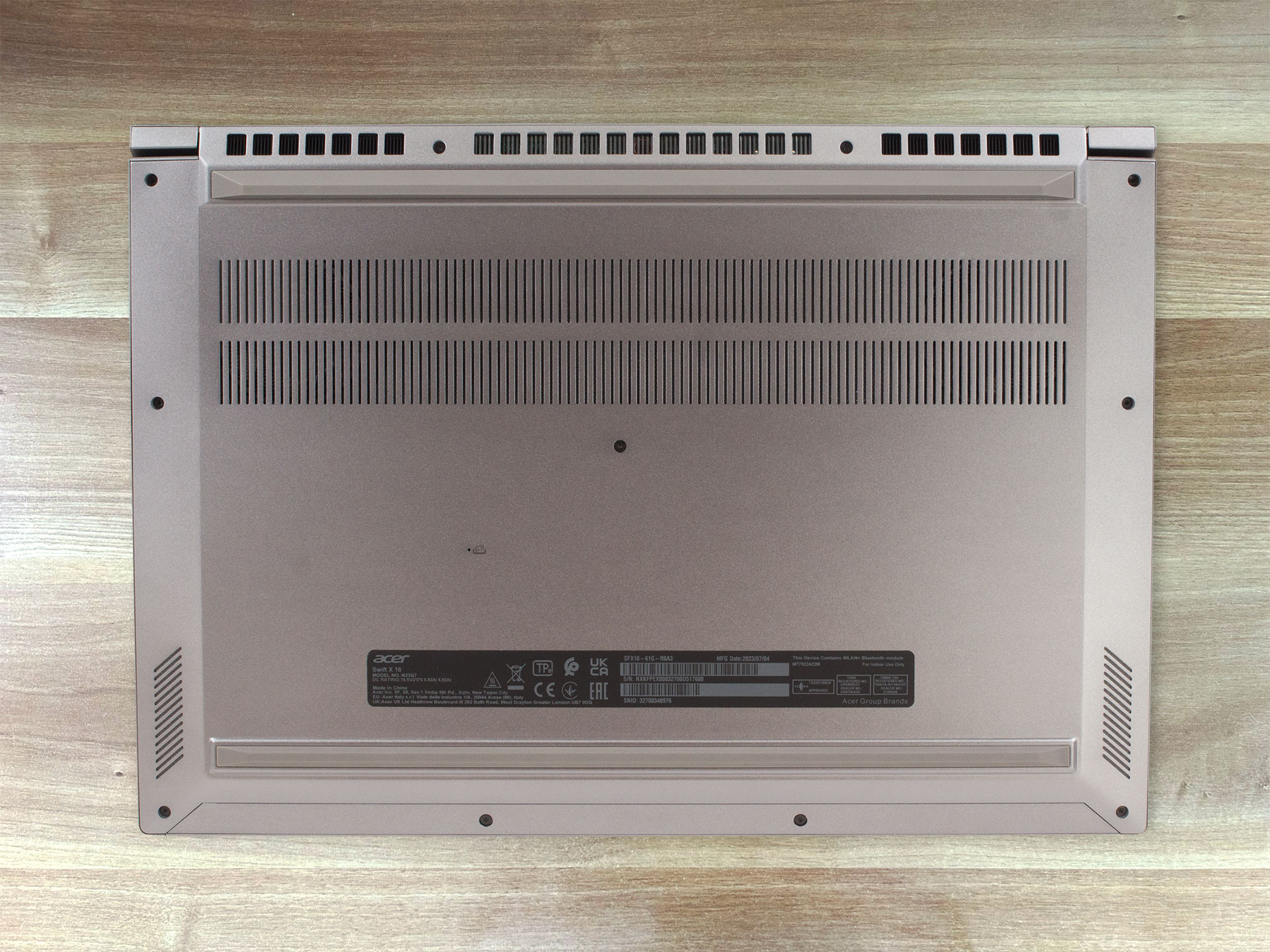
The bottom panel houses two long rubber feet, two speaker cutouts, a battery reset pinhole, and a large ventilation grille. The hot air is pushed through two vents placed close to the back rubber foot. There are two heat exhausts on the sides of the laptop but it seems that most of the heat is guided to the back vents.


Ports
On the left side, there is a power plug, followed by two USB4 ports with Display Port and charging capabilities, and an Audio jack. On the right, we can see a Kensington lock slot, an HDMI 2.1, two USB Type-A 3.2 (Gen. 1) ports (the former comes with power-off charging), and a MicroSD card slot.


 Author: Nikolay Palaozov
 Author: eng. Kroum NikolovHead of Engineering at LaptopMedia.com, inventor and innovator with 40+ years of experience in electronics and high technology.

![[June 2026] Best-Selling Laptop Brands on Amazon Global – Apple’s Unrivaled Dominance in Units and Revenue](https://laptopmedia.com/wp-content/uploads/2026/07/GLOBAL-Best-Brands-400x225.jpg)
![[June 2026] Amazon Global: Top 10 Best-Selling Laptops – Apple’s New MacBook Neo Storms to #1, Reshaping the Market with Affordability](https://laptopmedia.com/wp-content/uploads/2026/07/Best-Selling-Laptops-GLOBAL-Top-10-400x225.jpg)
![[June 2026] Amazon Global: Top 10 Best-Selling Gaming Laptops – Acer’s Nitro V 16S AI Dominates Sales, While ASUS Leads Overall Revenue](https://laptopmedia.com/wp-content/uploads/2026/07/Best-Selling-Gaming-Laptops-GLOBAL-Top-10-400x225.jpg)
![[June 2026] Global Ranking of Best-Selling Laptop GPUs on Amazon – NVIDIA RTX 5060 is the Top-Selling Dedicated GPU](https://laptopmedia.com/wp-content/uploads/2026/07/Best-Selling-GPUs-GLOBAL-Top-10-400x225.jpg)
![[June 2026] Global Ranking of Best-Selling Laptop CPUs on Amazon – Apple M5 Dominates, AMD Ryzen 7 260 Gets Solid Premium Share](https://laptopmedia.com/wp-content/uploads/2026/07/Best-Selling-CPUs-GLOBAL-Top-10-400x225.jpg)

I just bought this laptop and I can confirm that the PWM of this OLED panel is really bad. This is my first oled laptop and for some reason, my eyes get tired easily while using this laptop. I just learned about PWM because I can feel the effects now. I checked my previous Legion Y540 and it has no PWM, no wonder I can stare at it all day and feel ok. I’m also using Samsung Note 20 Ultra but I don’t get eye strain and fatigue even when my brightness is set to below 50%, which is why… Read more »