ASUS TUF Gaming A17 (FA707, 2023) review – nearly 5.00 GHz on all cores during full load
Disassembly, Upgrade options, and Maintenance
To access this notebook’s internals, you need to undo a total of 12 Phillips-head screws, one of which is captive, and lifts the corner of the bottom panel from the chassis. This is where you need to start the prying process from.
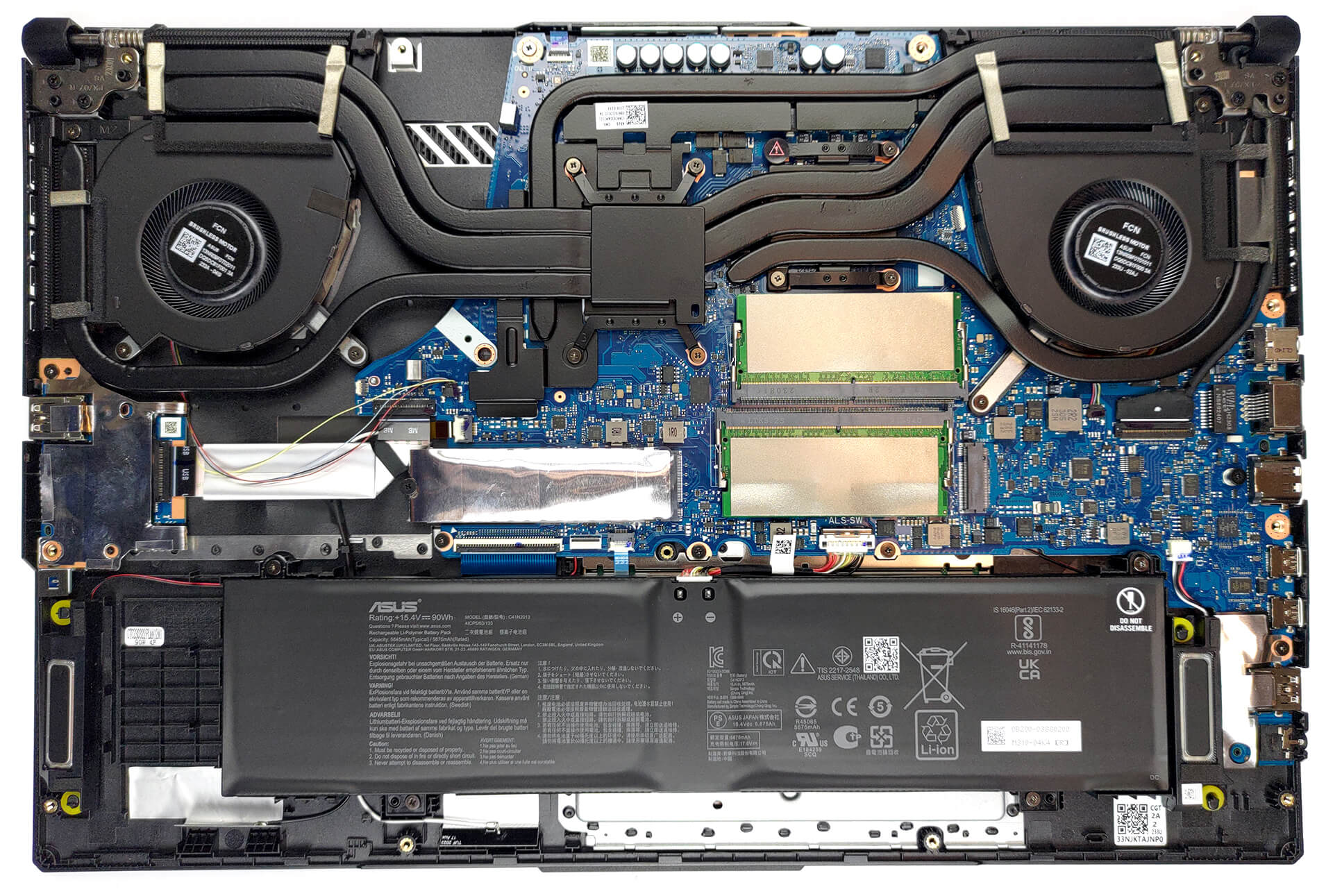
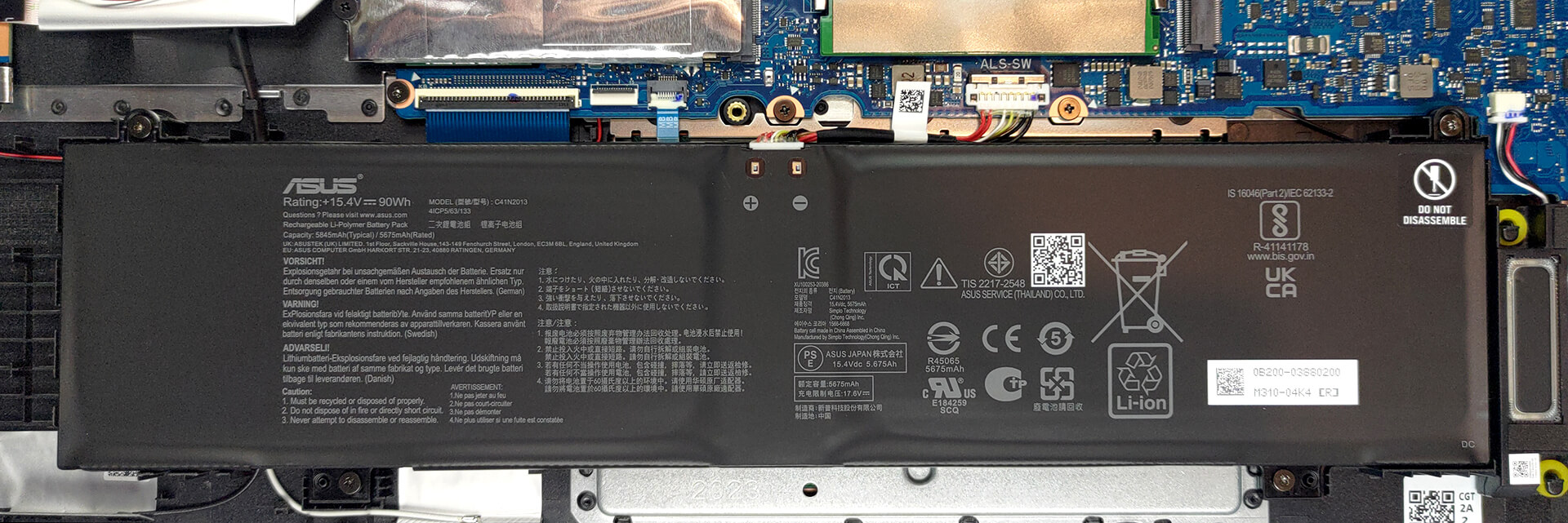
Inside, we see a 90Wh battery pack. To take it out, unplug the battery connector from the motherboard, and undo the four Phillips-head screws.
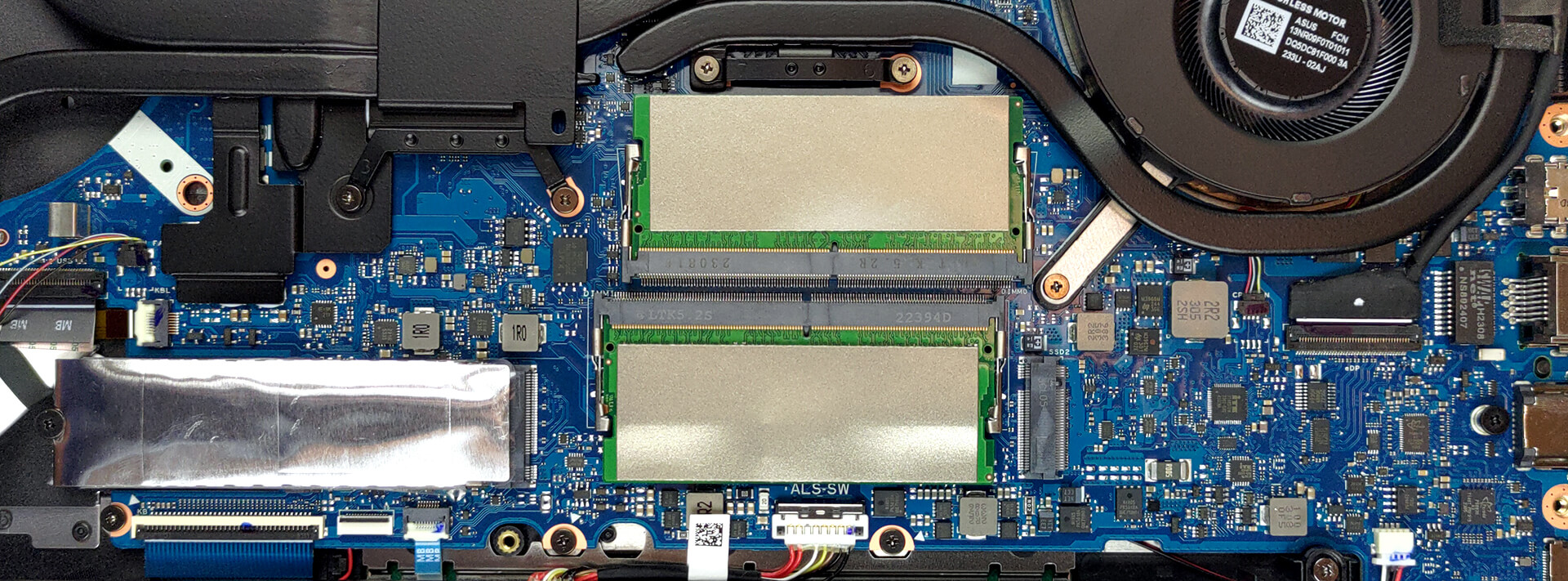
Here, we find two SODIMM slots for memory expansion. They use DDR5 sticks. As for storage, there are two M.2 PCIe x4 slots, both of which support Gen 4 SSDs.
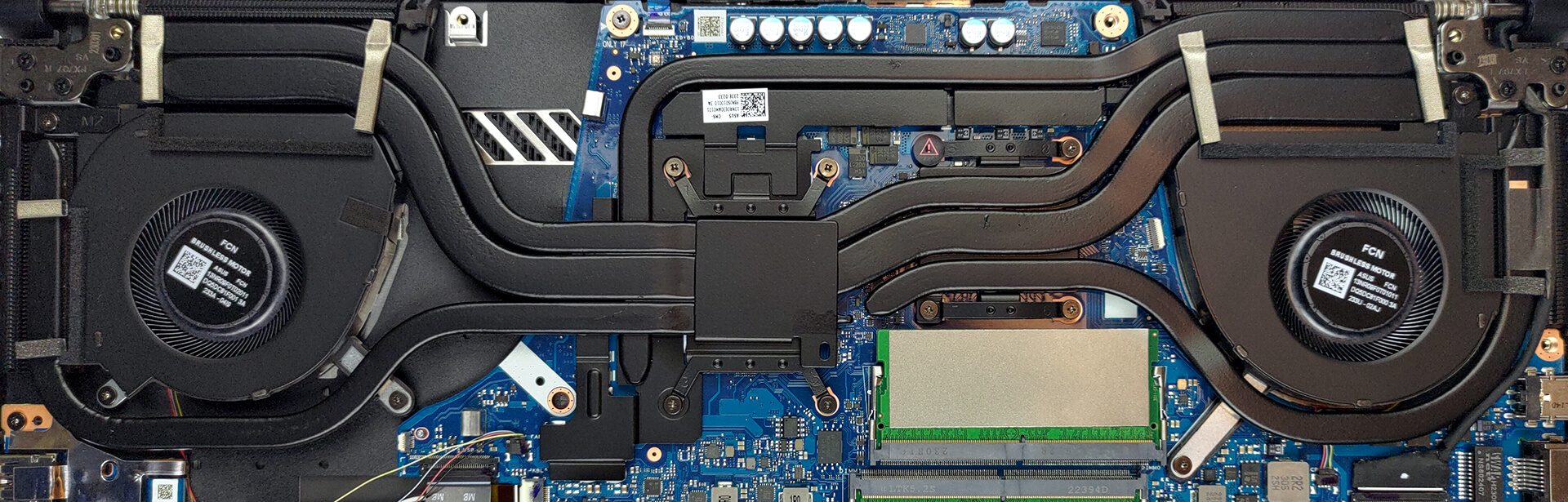
Cooling-wise, there are two heat pipes, shared between the CPU and the GPU. In addition, there is one more dedicated to each of them, as well as a fifth one meant for the graphics memory and the VRMs. Four heat sinks and two fans deal with heat dissipation.
 Author: Alex Iliev
 Author: eng. Kroum NikolovHead of Engineering at LaptopMedia.com, inventor and innovator with 40+ years of experience in electronics and high technology.

![[August 2026] Amazon Global: Top 10 Best-Selling Laptops – Apple MacBook Neo Dominates the Charts as Budget and Mid-Range Windows Portables Fight for Volume](https://laptopmedia.com/wp-content/uploads/2026/09/Best-Selling-Laptops-GLOBAL-Top-10-400x225.jpg)
![[August 2026] Best-Selling Laptop Brands on Amazon Global – Apple Dominates Revenue While HP Leads in Model Variety](https://laptopmedia.com/wp-content/uploads/2026/09/GLOBAL-Best-Brands-400x225.jpg)
![[August 2026] Amazon Global: Top 10 Best-Selling Gaming Laptops – HP Victus 15 Captures the Crown as Budget-Friendly Models Dominate the Charts](https://laptopmedia.com/wp-content/uploads/2026/09/Best-Selling-Gaming-Laptops-GLOBAL-Top-10-400x225.jpg)
![[August 2026] Best-Selling Laptop Brands on Amazon Japan – Apple Dominates Market Share and Revenue Led by Strong Unit Sales](https://laptopmedia.com/wp-content/uploads/2026/09/CO.JP-Best-Brands-1-400x225.jpg)
![[August 2026] Best-Selling Laptop Brands on Amazon USA – Apple Dominates Market Revenue and Volume Despite Lower Model Diversity](https://laptopmedia.com/wp-content/uploads/2026/09/COM-Best-Brands-1-400x225.jpg)

Awesome review! Please review ASUS TUF A16 with Ryzen 7940HS as well!