ASUS TUF Gaming F15 FX507 review – there are too many versions
Temperatures and comfort, Battery Life
Max CPU load
In this test we use 100% on the CPU cores, monitoring their frequencies and chip temperature. The first column shows a computer’s reaction to a short load (2-10 seconds), the second column simulates a serious task (between 15 and 30 seconds), and the third column is a good indicator of how good the laptop is for long loads such as video rendering.
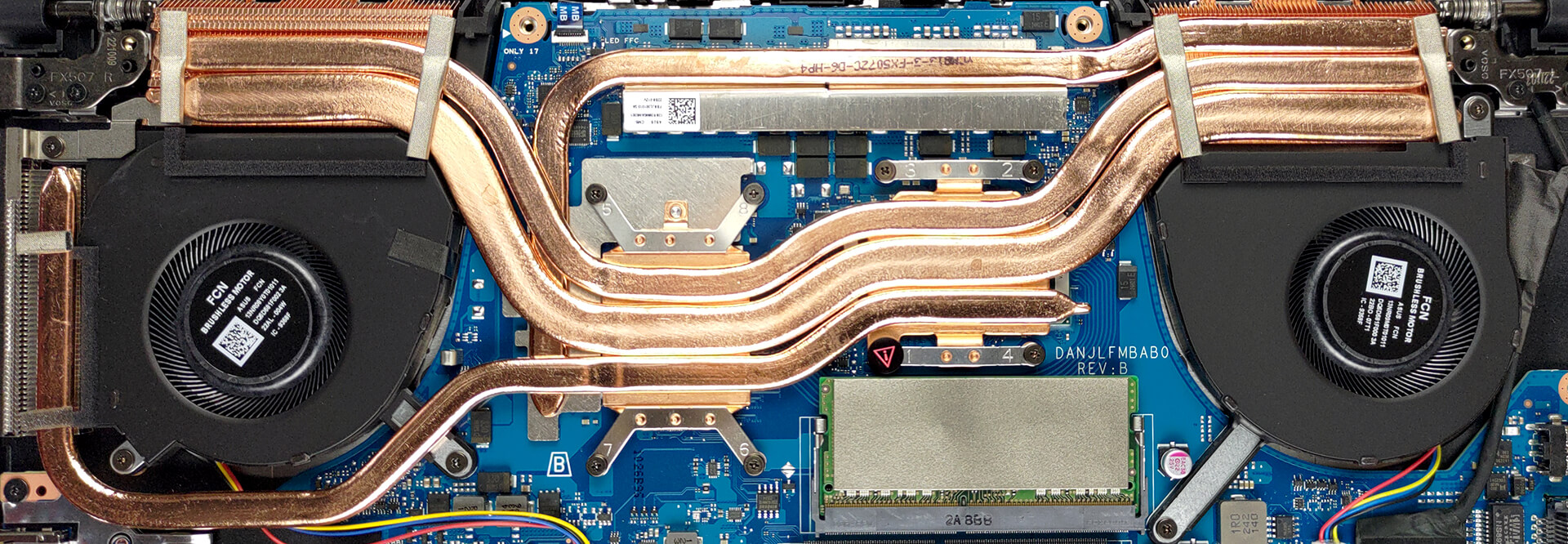
Average P-core frequency; Average E-core frequency; CPU temp.; Package Power
| Intel Core i7-12700H (45W TDP) | 0:02 – 0:10 sec | 0:15 – 0:30 sec | 10:00 – 15:00 min |
|---|---|---|---|
| ASUS TUF Gaming F15 FX507 | 3.28 GHz @ 2.64 GHz @ 69°C @ 99W | 3.48 GHz @ 2.67 GHz @ 82°C @ 98W | 2.28 GHz @ 1.82 GHz @ 61°C @ 45W |
| Lenovo ThinkPad P1 Gen 5 | 3.13 GHz @ 2.52 GHz @ 89°C @ 82W | 2.92 GHz @ 2.40 GHz @ 89°C @ 69W | 2.72 GHz @ 2.30 GHz @ 89°C @ 60W |
| ASUS Vivobook Pro 15 OLED (K6502) | 3.08 GHz @ 2.69 GHz @ 89°C @ 85W | 2.65 GHz @ 2.43 GHz @ 90°C @ 63W | 2.34 GHz @ 2.22 GHz @ 74°C @ 50W |
| ASUS Vivobook Pro 14X OLED (N7401) | 3.00 GHz @ 2.61 GHz @ 76°C @ 80W | 2.99 GHz @ 2.59 GHz @ 84°C @ 80W | 2.60 GHz @ 2.37 GHz @ 72°C @ 60W |
| HP Envy 16 (16-h0000) | 3.40 GHz @ 2.63 GHz @ 74°C @ 115W | 2.36 GHz @ 1.96 GHz @ 62°C @ 61W | 2.29 GHz @ 1.91 GHz @ 67°C @ 55W |
| Dell G15 5520 | 3.62 GHz @ 2.78 GHz @ 90°C @ 111W | 3.41 GHz @ 2.68 GHz @ 91°C @ 98W | 3.18 GHz @ 2.49 GHz @ 83°C @ 87W |
| Lenovo Yoga Slim 7i Pro X (14″) | 2.26 GHz @ 2.05 GHz @ 68°C @ 60W | 0.97 GHz @ 1.29 GHz @ 60°C @ 21W | 1.48 GHz @ 1.33 GHz @ 66°C @ 34W |
| HP Victus 16 (16-d1000) | 3.72 GHz @ 2.85 GHz @ 76°C @ 115W | 3.33 GHz @ 2.58 GHz @ 78°C @ 96W | 2.37 GHz @ 1.89 GHz @ 65°C @ 45W |
| Dell Vostro 16 7620 | 2.83 GHz @ 2.38 GHz @ 64°C @ 71W | 2.73 GHz @ 2.24 GHz @ 70°C @ 66W | 2.42 GHz @ 1.80 GHz @ 72°C @ 52W |
| Dell XPS 15 9520 | 3.18 GHz @ 2.56 GHz @ 95°C @ 87W | 2.52 GHz @ 2.10 GHz @ 92°C @ 57W | 2.11 GHz @ 1.70 GHz @ 81°C @ 45W |
| Dell Precision 17 5770 | 3.34 GHz @ 2.69 GHz @ 78°C @ 95W | 3.30 GHz @ 2.66 GHz @ 87°C @ 92W | 2.54 GHz @ 2.10 GHz @ 75°C @ 55W |
| MSI Pulse GL76 (12Ux) | 3.29 GHz @ 2.76 GHz @ 77°C @ 97W | 3.27 GHz @ 2.75 GHz @ 83°C @ 95W | 3.14 GHz @ 2.68 GHz @ 86°C @ 85W |
| MSI Crosshair 15 (B12Ux) | 3.27 GHz @ 2.67 GHz @ 84°C @ 97W | 3.19 GHz @ 2.65 GHz @ 91°C @ 94W | 3.05 GHz @ 2.47 GHz @ 88°C @ 80W |
| Acer Predator Helios 300 (PH317-56) | 3.39 GHz @ 2.84 GHz @ 64°C @ 103W | 3.53 GHz @ 2.76 GHz @ 71°C @ 100W | 2.66 GHz @ 2.86 GHz @ 87°C @ 102W |
| MSI Stealth GS66 (12Ux) | 3.84 GHz @ 2.82 GHz @ 83°C @ 124W | 3.55 GHz @ 2.67 GHz @ 85°C @ 107W | 3.19 GHz @ 2.42 GHz @ 83°C @ 85W |
| MSI Vector GP66 (12Ux) | 3.81 GHz @ 2.91 GHz @ 81°C @ 116W | 3.54 GHz @ 2.72 GHz @ 83°C @ 98W | 3.30 GHz @ 2.57 GHz @ 79°C @ 86W |
| Acer Predator Triton 500 SE (PT516-52s) | 3.25 GHz @ 2.52 GHz @ 89°C @ 80W | 3.10 GHz @ 2.46 GHz @ 90°C @ 73W | 2.93 GHz @ 2.38 GHz @ 91°C @ 66W |
Weirdly, the TUF Gaming F15 FX507 shows pretty poor performance in longer runs. We used all available performance enhancers from the Armoury Crate, but nothing really worked out. The CPU still wanted to fall down to 2.30 GHz on the P-cores after no more than 1 minute of constant stress. This might really be a driver issue and could be fixed in the future.
Real-life gaming
| NVIDIA GeForce RTX 3050 | GPU frequency/ Core temp (after 2 min) | GPU frequency/ Core temp (after 30 min) | GPU frequency/ Core temp (Max Fan) |
|---|---|---|---|
| ASUS TUF Gaming F15 FX507 | 1954 MHz @ 77°C @ 95W | 1935 MHz @ 81°C @ 95W | – |
| Acer Nitro 5 (AN515-47) | 2018 MHz @ 71°C @ 91W | 2003 MHz @ 75°C @ 91W | – |
| ASUS Vivobook Pro 15 OLED (K6502) | 1755 MHz @ 70°C @ 62W | 1755 MHz @ 70°C @ 62W | – |
| Lenovo IdeaPad 5 Pro (16″, 2022) | 1702 MHz @ 71°C @ 61W | 1695 MHz @ 73°C @ 62W | – |
| Lenovo IdeaPad Gaming 3 (15″, 2022) | 2002 MHz @ 70°C @ 84W | 1985 MHz @ 72°C @ 85W | – |
| Lenovo IdeaPad Gaming 3i (15″, 2022) | 1910 MHz @ 73°C @ 82W | 1912 MHz @ 71°C @ 82W | – |
| Acer Nitro 5 (AN515-58) | 2021 MHz @ 70°C @ 94W | 2009 MHz @ 73°C @ 94W | – |
| Lenovo IdeaPad Gaming 3 (15″, 2021) | 1885 MHz @ 76°C @ 85W | 1866 MHz @ 82°C @ 85W | – |
| Lenovo IdeaPad Gaming 3i (15″, 2021) | 2004 MHz @ 82°C @ 88W | 1991 MHz @ 86°C @ 88W | – |
| ASUS Vivobook Pro 15 OLED (K3500) | 1605 MHz @ 69°C @ 49W | 1610 MHz @ 68°C @ 50W | – |
| Dell Vostro 15 7510 | 1729 MHz @ 74°C @ 64W | 1710 MHz @ 78°C @ 65W | – |
| ASUS VivoBook Pro 16X OLED (N7600) | 1576 MHz @ 68°C @ 50W | 1571 MHz @ 69°C @ 50W | – |
| Lenovo IdeaPad 5 Pro (16″) | 1651 MHz @ 72°C @ 55W | 1636 MHz @ 75°C @ 55W | – |
| HP Victus 16 (16-e0000) | 1824 MHz @ 73°C @ 75W | 1814 MHz @ 73°C @ 75W | 1822 MHz @ 73°C @ 75W |
| MSI Katana GF66 | 1675 MHz @ 73°C @ 60W | 1660 MHz @ 78°C @ 60W | 1699 MHz @ 67°C @ 60W |
Interestingly, the cooling solution can’t really handle the RTX 3050 and runs it at high temperatures. While it still gives you high clocks, the fan noise is a bit loud. In contrast to the RTX 3060 and RTX 3070 models, this one lacks a dedicated heat pipe and a heat sink, which apparently proves crucial.
Gaming comfort
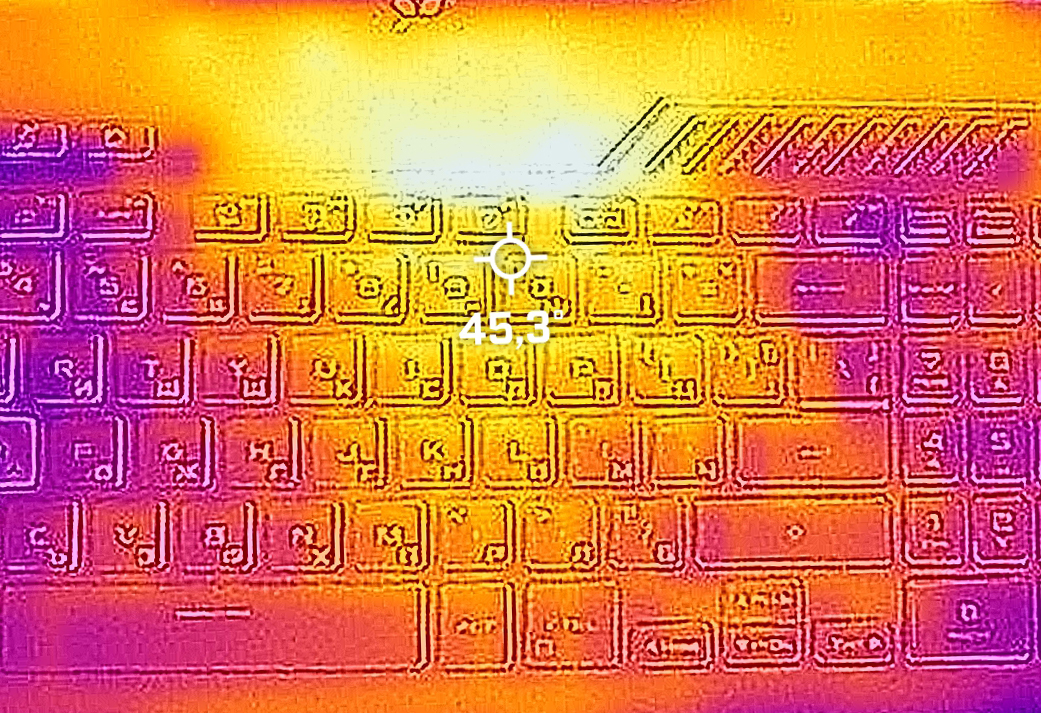
As we already mentioned, the fan noise is a bit high, but the keyboard remains pretty cool even in long gaming sessions.
Battery
Now, we conduct the battery tests with the Windows Better performance setting turned on, screen brightness adjusted to 120 nits and all other programs turned off except for the one we are testing the notebook with. This device’s 56Wh battery pack lasts for 7 hours and 48 minutes of Web browsing, or 5 hours and 50 minutes of video playback.
Brightness: 180 nits; Display Mode: SDR
Time to Full Discharge: Higher is Better



In order to simulate real-life conditions, we used our own script for automatic web browsing through over 70 websites.
 Author: Alex Iliev
 Author: eng. Kroum NikolovHead of Engineering at LaptopMedia.com, inventor and innovator with 40+ years of experience in electronics and high technology.

![[August 2026] Best-Selling Laptop Brands on Amazon Japan – Apple Dominates Market Share and Revenue Led by Strong Unit Sales](https://laptopmedia.com/wp-content/uploads/2026/09/CO.JP-Best-Brands-1-400x225.jpg)
![[August 2026] Best-Selling Laptop Brands on Amazon USA – Apple Dominates Market Revenue and Volume Despite Lower Model Diversity](https://laptopmedia.com/wp-content/uploads/2026/09/COM-Best-Brands-1-400x225.jpg)
![[August 2026] Amazon Germany: Top 8 Best-Selling Gaming Laptops – Acer Dominates the Market as the Premium Nitro V 17 AI Takes the #1 Spot](https://laptopmedia.com/wp-content/uploads/2026/09/Best-Selling-Gaming-Laptops-DE-Top-10-1-400x225.jpg)
![[August 2026] Best-Selling Laptop Brands on Amazon France – Apple Dominates Revenue Despite Lenovo and HP Leading in Catalog Breadth and Volume](https://laptopmedia.com/wp-content/uploads/2026/09/FR-Best-Brands-1-400x225.jpg)
![[August 2026] Amazon Italy: Top 10 Best-Selling Laptops – Apple MacBook Neo Claims the Crown as Budget and Mid-Range Windows Machines Dominate Volume](https://laptopmedia.com/wp-content/uploads/2026/09/Best-Selling-Laptops-IT-Top-10-400x225.jpg)

View these reviews, performance very good (not poor in long runs of 15 or 30 minutes)
https://www.tomshardware.com/reviews/asus-tuf-gaming-f15-2022
https://www.laptopmag.com/reviews/asus-tuf-gaming-f15
https://www.notebookcheck.net/Asus-TUF-Gaming-F15-FX507-Series.623521.0.html
Why in the ‘CPU variants’ it shows a score of 13770 for the Intel Core i7-12700H while in the Cinebench R23 CPU test it shows a score of 15062 for the same test.
Is that a mistake in your article?
Thank you.