ASUS TUF Gaming F15 FX507 review – there are too many versions
Disassembly, Upgrade options, and Maintenance
To access this notebook’s internals, you have to undo 12 Phillips-head screws. The one in the bottom right corner is captive and lifts the bottom panel, so you can start the prying process from there.

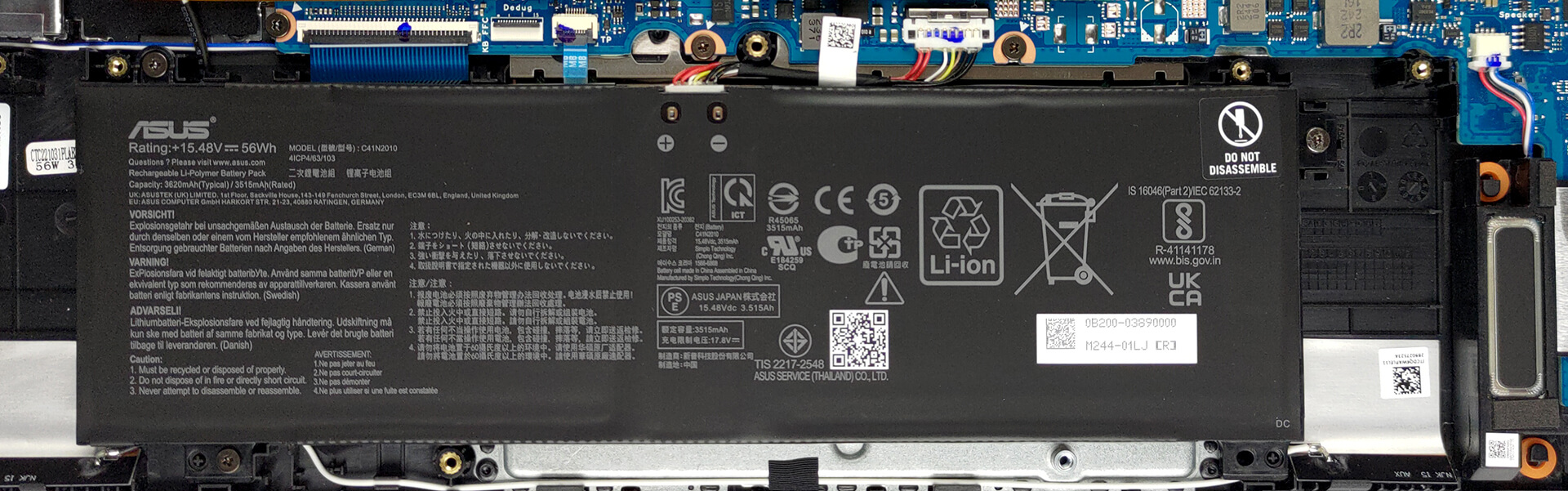
Here, we see a 56Wh battery pack. Before you continue, unplug the connector from the motherboard. It is held in place by three Phillips-head screws, which you’ll need to undo to take the battery out of the chassis.
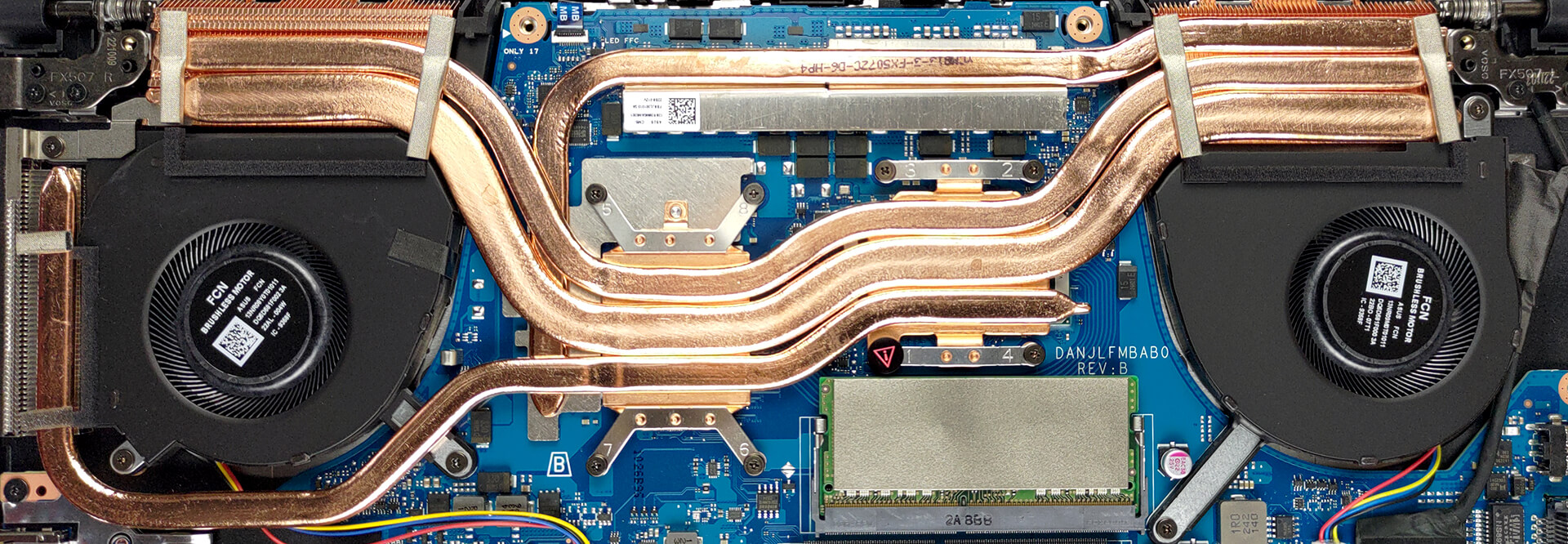
This device comes in configurations with either DDR4 or DDR5 RAM. Our unit features two SODIMM slots, which work with the older DDR4 type. Storage-wise, there are two M.2 PCIe x4 slots. They support both Gen 3 and Gen 4 SSDs.

There are three heat pipes shared between the CPU and the GPU. You will find a fourth one dealing with the graphics memory and the VRMs, while three heat sinks and two fans complete the cooling setup of the laptop.
 Author: Alex Iliev
 Author: eng. Kroum NikolovHead of Engineering at LaptopMedia.com, inventor and innovator with 40+ years of experience in electronics and high technology.

![[August 2026] Best-Selling Laptop Brands on Amazon Japan – Apple Dominates Market Share and Revenue Led by Strong Unit Sales](https://laptopmedia.com/wp-content/uploads/2026/09/CO.JP-Best-Brands-1-400x225.jpg)
![[August 2026] Best-Selling Laptop Brands on Amazon USA – Apple Dominates Market Revenue and Volume Despite Lower Model Diversity](https://laptopmedia.com/wp-content/uploads/2026/09/COM-Best-Brands-1-400x225.jpg)
![[August 2026] Amazon Germany: Top 8 Best-Selling Gaming Laptops – Acer Dominates the Market as the Premium Nitro V 17 AI Takes the #1 Spot](https://laptopmedia.com/wp-content/uploads/2026/09/Best-Selling-Gaming-Laptops-DE-Top-10-1-400x225.jpg)
![[August 2026] Best-Selling Laptop Brands on Amazon France – Apple Dominates Revenue Despite Lenovo and HP Leading in Catalog Breadth and Volume](https://laptopmedia.com/wp-content/uploads/2026/09/FR-Best-Brands-1-400x225.jpg)
![[August 2026] Amazon Italy: Top 10 Best-Selling Laptops – Apple MacBook Neo Claims the Crown as Budget and Mid-Range Windows Machines Dominate Volume](https://laptopmedia.com/wp-content/uploads/2026/09/Best-Selling-Laptops-IT-Top-10-400x225.jpg)

View these reviews, performance very good (not poor in long runs of 15 or 30 minutes)
https://www.tomshardware.com/reviews/asus-tuf-gaming-f15-2022
https://www.laptopmag.com/reviews/asus-tuf-gaming-f15
https://www.notebookcheck.net/Asus-TUF-Gaming-F15-FX507-Series.623521.0.html
Why in the ‘CPU variants’ it shows a score of 13770 for the Intel Core i7-12700H while in the Cinebench R23 CPU test it shows a score of 15062 for the same test.
Is that a mistake in your article?
Thank you.