Dell Latitude 15 3540 Review – Not for Designers but Here’s How to Make It an Office MVP
Verdict
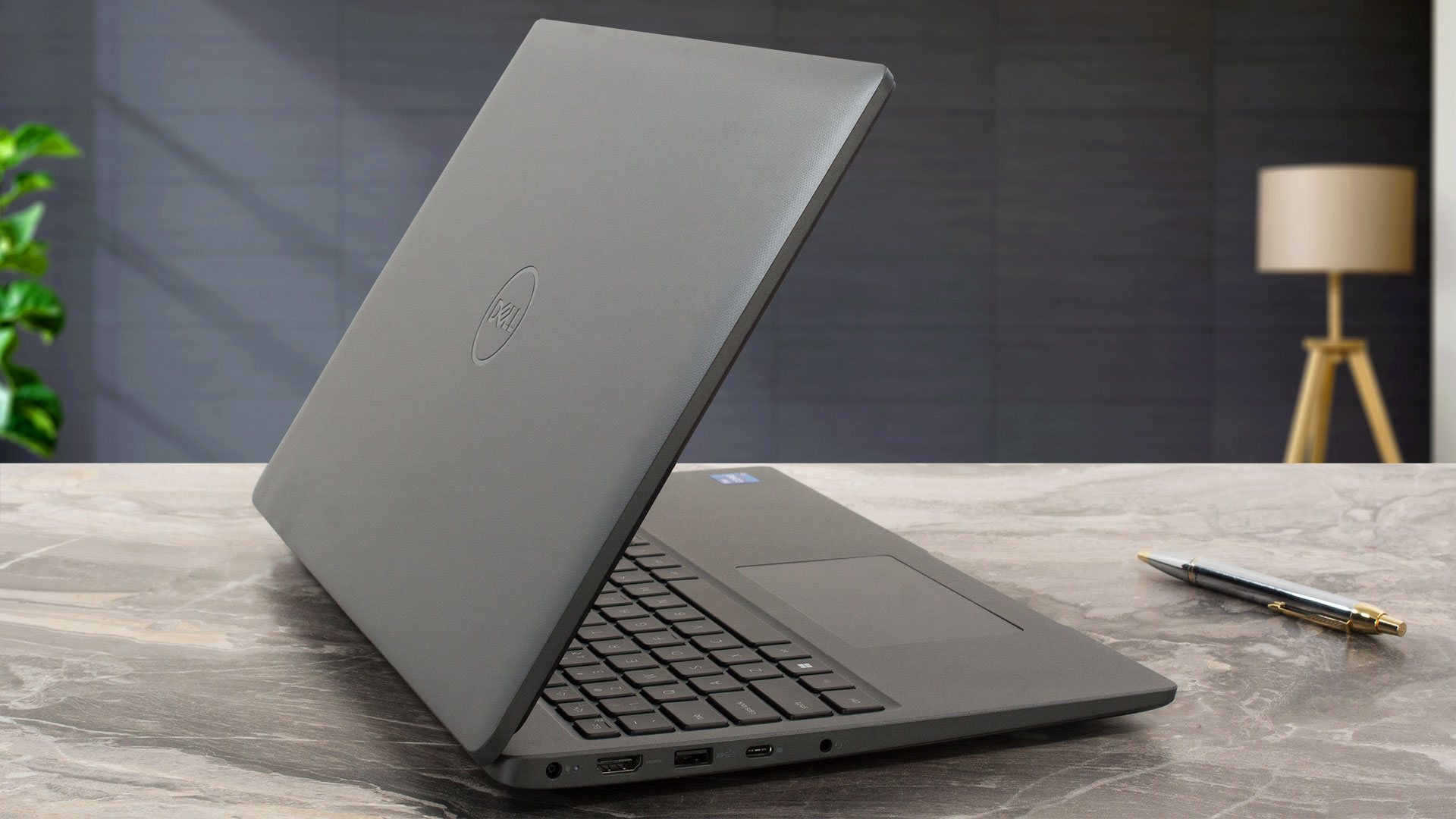 The Dell Latitude 15 3540 is suitable for office or home usage because of the comfortable keyboard and the optional PWM-free IPS display (AUO MCX7D-B156HAN (AUO4599)). The latter has wide viewing angles and a good contrast ratio. The sRGB coverage and the color accuracy are nothing to write home about but that’s fine since the laptop isn’t meant for content creation of color-sensitive work.
We bought a machine with the top-end CPU option for the series which is the Core i7-1355U. During long max loads, the Team Blue chip can maintain 2.37 GHz for the P cores and 69°C temperature which is good enough for normal tasks. The fan isn’t quiet but it’s not too noisy either. By the way, the overall performance of our machine is a bit limited by the fact that there is just one 8GB RAM stick installed that works in a single-channel mode. As always, if you want to see the full potential of the notebook, dual-channel memory is a must.
Speaking of which, there is no soldered RAM here which is great. You can rely on two SODIMMs for future upgrades and on a single M.2 slot for Gen 4 SSDs. The I/O is fine for the class – four USB ports + LAN connector. The optional 54Wh battery lasts for around 9 hours of Web browsing and that’s a good result.
The Dell Latitude 15 3540 is intended for regular work and thanks to the decently high CPU clocks during max processor loads you can expect snappy performance. The machine could attract future buyers with its good battery life, decent port selection, and PWM-free IPS panel.
You can check the prices and configurations in our Specs System: https://laptopmedia.com/series/dell-latitude-15-3540-2/
Pros
- Good cooling
- Decently high P and E core clocks during full CPU load
- The fan isn’t too noisy
- 2x SODIMM slots
- PWM-free (AUO MCX7D-B156HAN (AUO4599))
- Wide viewing angles (AUO MCX7D-B156HAN (AUO4599))
- Four USB ports + optional fingerprint reader
- Good battery life
- Comfortable keyboard with optional backlight
- Has a privacy shutter
- Offers optional IR camera and e-SIM functionality
Cons
- Just one M.2 slot
- Low sRGB coverage and unimpressive color accuracy (AUO MCX7D-B156HAN (AUO4599))
- The touchpad quality is average at best
 Author: Nikolay Palaozov
 Author: eng. Kroum NikolovHead of Engineering at LaptopMedia.com, inventor and innovator with 40+ years of experience in electronics and high technology.

![[August 2026] Best-Selling Laptop Brands on Amazon Japan – Apple Dominates Market Share and Revenue Led by Strong Unit Sales](https://laptopmedia.com/wp-content/uploads/2026/09/CO.JP-Best-Brands-1-400x225.jpg)
![[August 2026] Best-Selling Laptop Brands on Amazon USA – Apple Dominates Market Revenue and Volume Despite Lower Model Diversity](https://laptopmedia.com/wp-content/uploads/2026/09/COM-Best-Brands-1-400x225.jpg)
![[August 2026] Amazon Germany: Top 8 Best-Selling Gaming Laptops – Acer Dominates the Market as the Premium Nitro V 17 AI Takes the #1 Spot](https://laptopmedia.com/wp-content/uploads/2026/09/Best-Selling-Gaming-Laptops-DE-Top-10-1-400x225.jpg)
![[August 2026] Best-Selling Laptop Brands on Amazon France – Apple Dominates Revenue Despite Lenovo and HP Leading in Catalog Breadth and Volume](https://laptopmedia.com/wp-content/uploads/2026/09/FR-Best-Brands-1-400x225.jpg)
![[August 2026] Amazon Italy: Top 10 Best-Selling Laptops – Apple MacBook Neo Claims the Crown as Budget and Mid-Range Windows Machines Dominate Volume](https://laptopmedia.com/wp-content/uploads/2026/09/Best-Selling-Laptops-IT-Top-10-400x225.jpg)

I have used a 3540 with a Intel 1335u and 16Gb RAM for about a year now. Its not disappointing in any way, but it does not excel at anything either. Its a basic business laptop that has the basic down pretty good. It looks bland and cheap like a Inspiron does at the base models. Decent selection of ports, battery life good but not great, could have used a bigger capacity battery. Performance is good but it produces more heat then I would expect for a low powered CPU. Fan ramps up pretty good with multiple apps running. With… Read more »