Genesis ASTAT 700 G2 review – meant for long gaming sessions
Installation, Features, Setup, and Testing
The first thing to do is to assemble the chair. This is one of the areas where Genesis is ahead of its competitors. The entire assembly process is easy, convenient, and can be completed in a short period of time, even by one person. This is great news for people who are always in a hurry. Or if you want to enjoy your new laptop as fast as possible, the Genesis ASTAT 700 G2 will make this happen quickly and comfortably. Have a look at the dedicated video in the introduction of this article; it contains all the details for assembling all the parts together.
Let’s say that the chair is already ready to use. Now, when you’re in front of your notebook or monitor, it’s time to find the best sitting position for you. Yep, everybody is different, so finding the correct posture can take a bit more time; be patient for a couple of minutes. Genesis describes the ability to tweak the chair’s form as “adjust whatever you want.” Actually, we can clearly say that’s true because the product can be fine-tuned in many different ways to be comfortable for your specific needs.
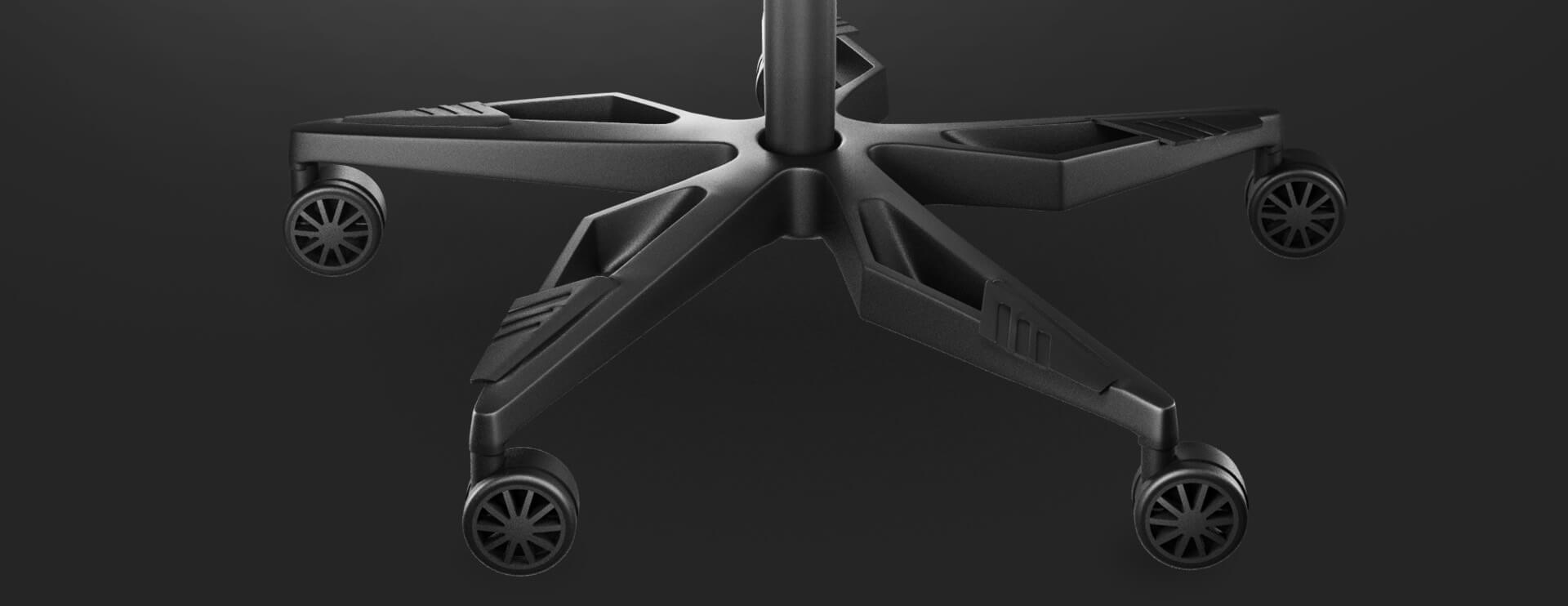
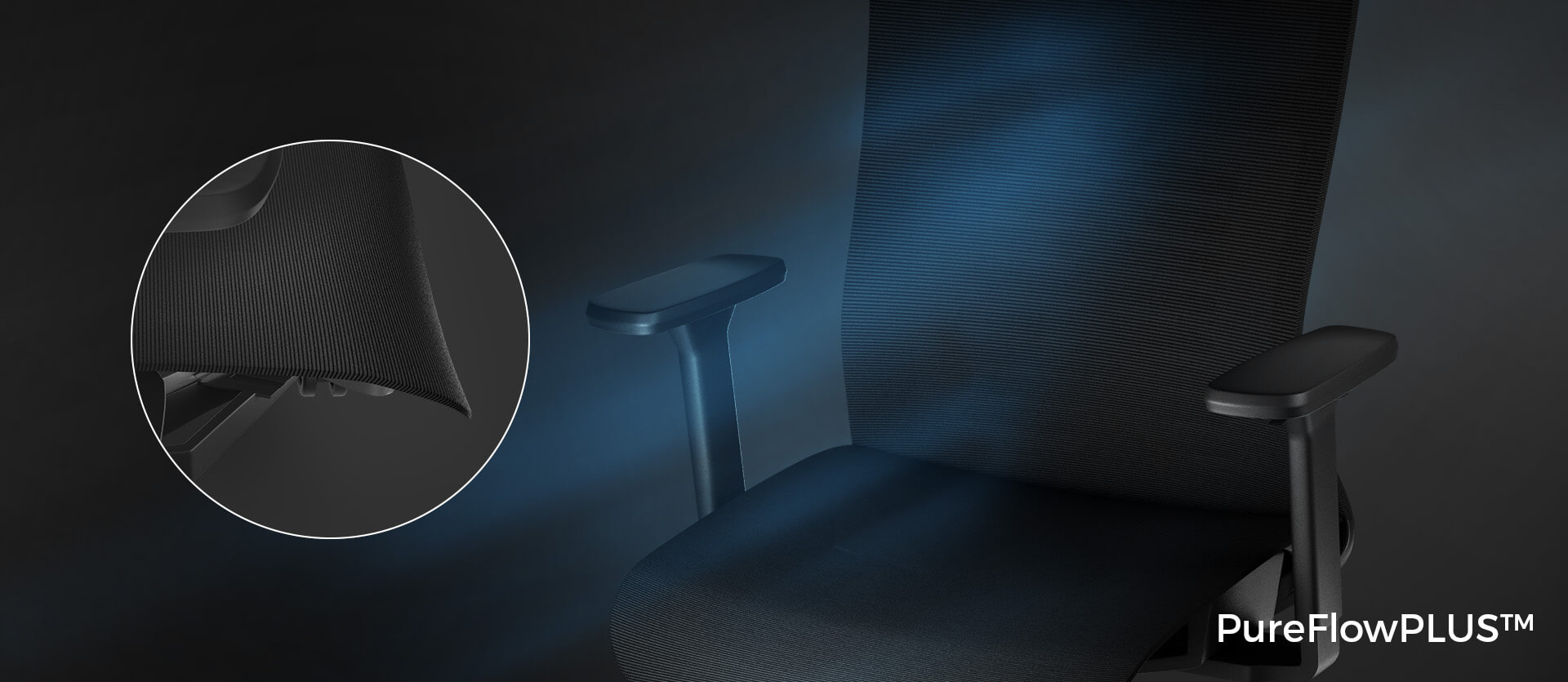

The Mesh PureFlow Plus is a lifesaver in hot weather because it allows better “breathing” compared to a chair covered with eco/vegan leather. With the latter, even if you have an air conditioner in your room, you can still sense some level of heat slowly building up over time. On the other hand, that’s not a problem at all with the Genesis ASTAT 700 G2, even after long hours of use, so you can play your favorite game without discomfort due to a hot seat. Speaking of the seat, the “cloth” it’s made of is also sturdy and very easy to clean, which is always appreciated. As we already informed you, your floor is also safe because the wheels are covered with a layer that prevents scratching the ground.
Now, let’s focus on the level of adjustment that this chair can offer. The Exo base, with its 8-rib construction and three levels of adjustment, provides good support for your spine, and the base can follow the natural shape of your back if you adjust the position of the “exoskeleton” correctly. This is very important if you want a pain-free experience after long hours of gaming (of course, you should take short breaks from time to time). Seat depth can be modified, and this is a key feature for everyone, no matter how tall you are. You can extend or shorten the seat in the blink of an eye, and the frontal cushioning adds even more comfort to the overall picture.
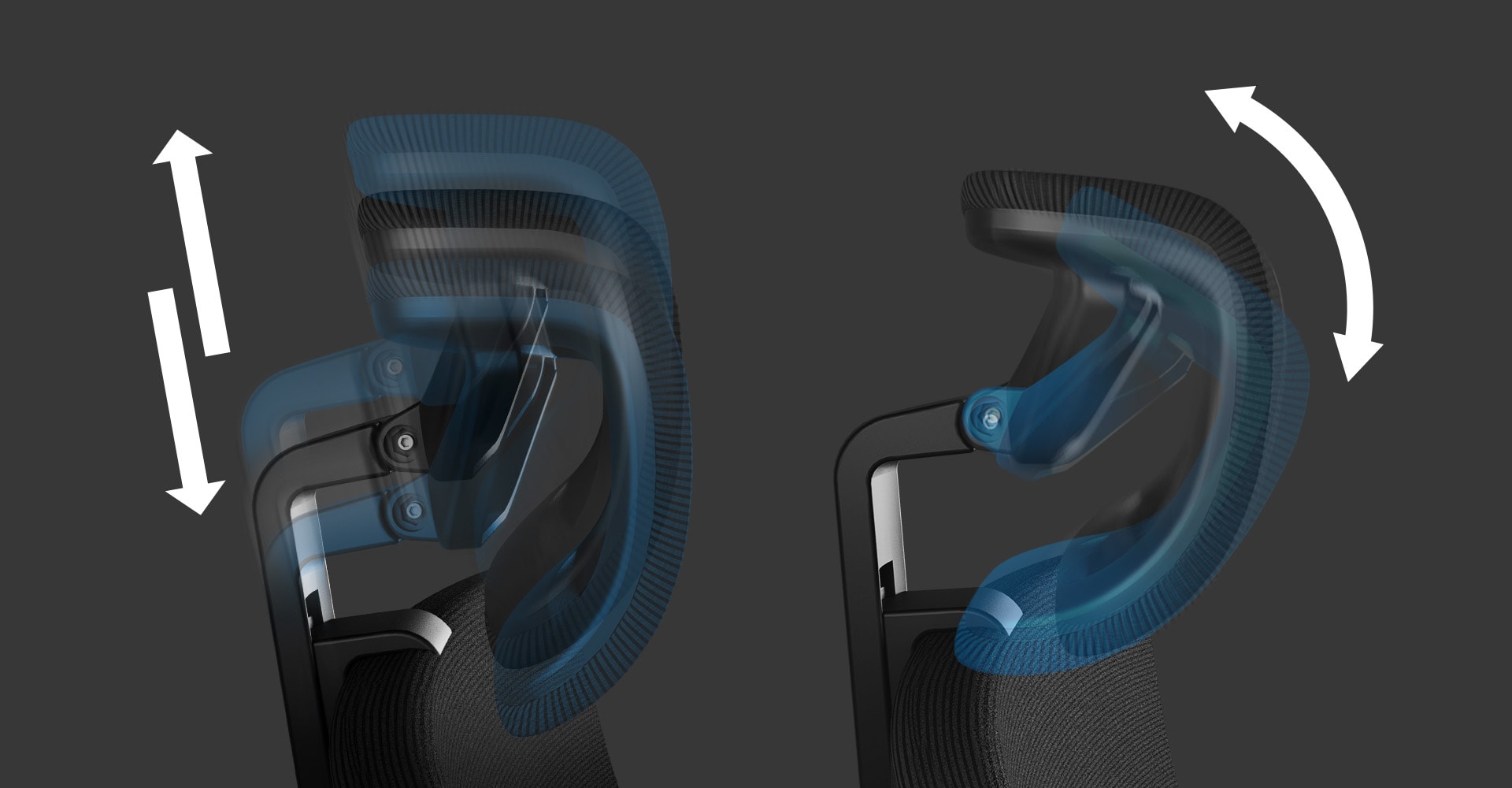
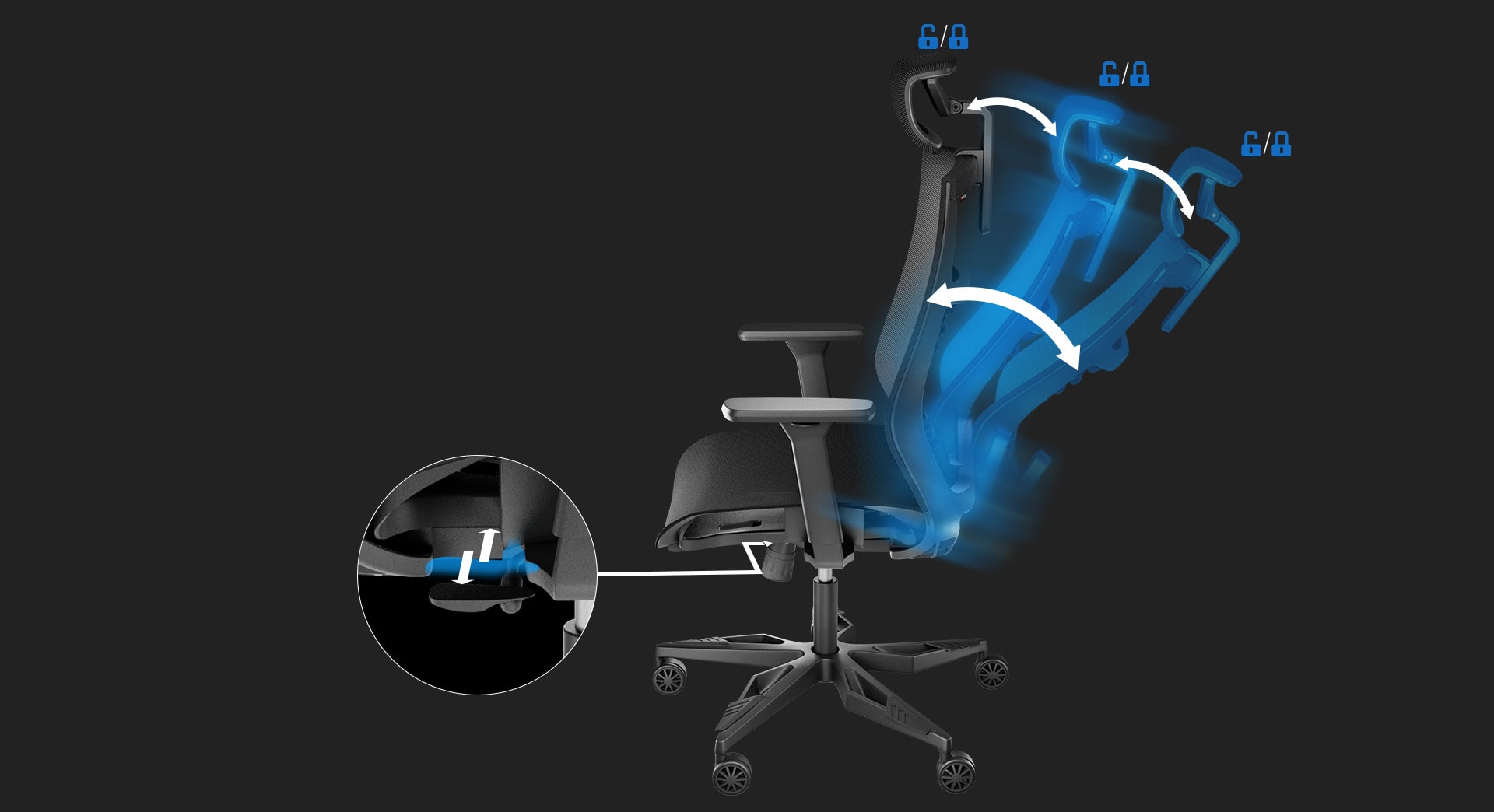
The angle of inclination of the backrest can be adjusted and locked, which is great when you want to take a break and recline on the chair. When it’s time for work or maybe gaming, you can quickly revert the backrest to a 90-degree angle or whatever you like. The neck position is also crucial, and if you want to avoid the so-called “tech neck,” the adjustable headrest of the chair is a welcome addition. You can set the level of inclination and tune the height, which is very good because if you are not looking straight at your monitor, this can lead to lengthening of neck muscles, and you definitely don’t want that.
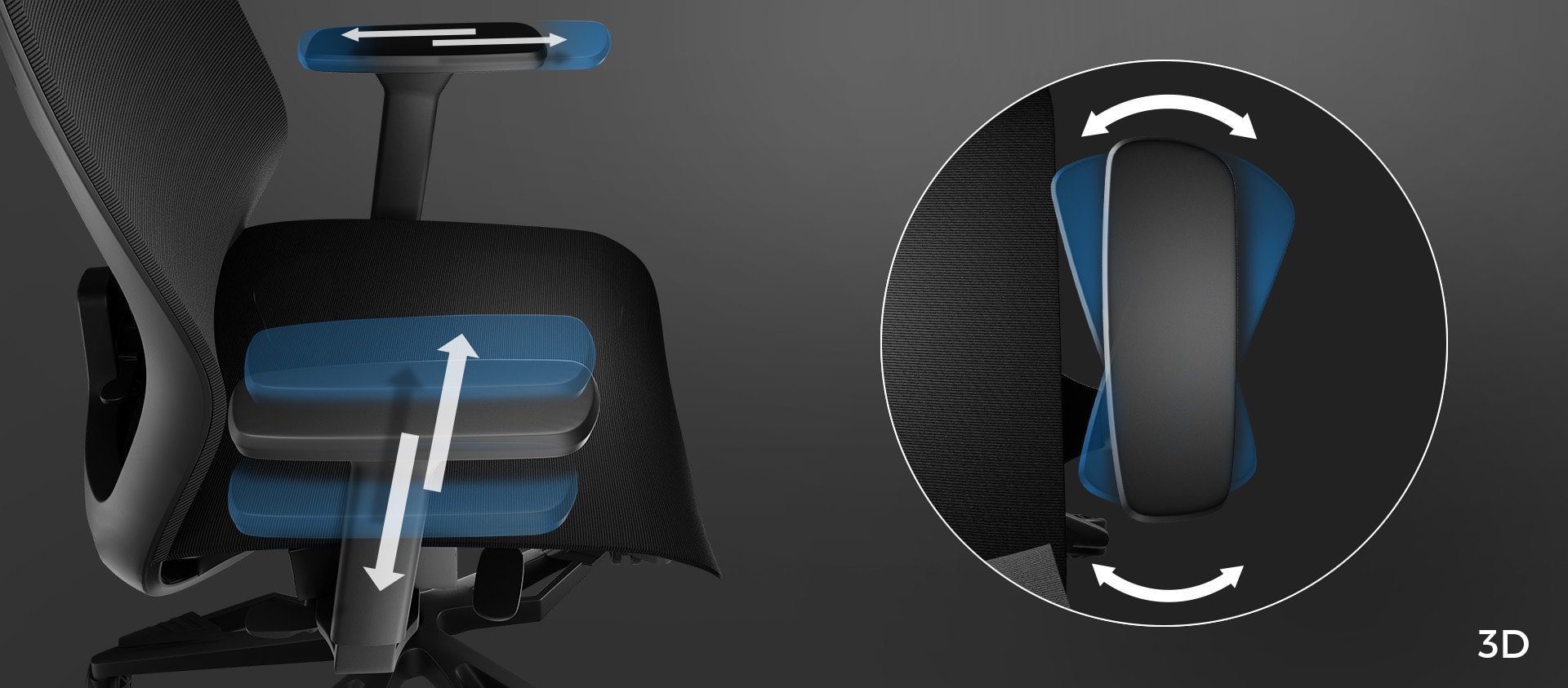
Last but not least, the armrests are also a major factor when it comes to finding the best posture. The 3D armrests here are “flexible” – you can set the desired height, extend them, and also control their position. By the way, they are very sturdy, which is nice to see because they won’t wobble when you rest your elbows on them. Also, the armrests feel nice to the touch and are perfectly soft – not too spongy and not too hard at the same time.
The Class 4 gas lift is doing its job well; when you move while sitting in any direction, it happens smoothly without strange noises and vibrations. This also applies when you are using the rocking function or adjusting the tilt angle of the backrest. All in all, we can say that with so many ways to adjust your position, the chair is very comfortable.
 Author: Nikolay Palaozov

![[August 2026] Best-Selling Laptop Brands on Amazon Japan – Apple Dominates Market Share and Revenue Led by Strong Unit Sales](https://laptopmedia.com/wp-content/uploads/2026/09/CO.JP-Best-Brands-1-400x225.jpg)
![[August 2026] Best-Selling Laptop Brands on Amazon USA – Apple Dominates Market Revenue and Volume Despite Lower Model Diversity](https://laptopmedia.com/wp-content/uploads/2026/09/COM-Best-Brands-1-400x225.jpg)
![[August 2026] Amazon Germany: Top 8 Best-Selling Gaming Laptops – Acer Dominates the Market as the Premium Nitro V 17 AI Takes the #1 Spot](https://laptopmedia.com/wp-content/uploads/2026/09/Best-Selling-Gaming-Laptops-DE-Top-10-1-400x225.jpg)
![[August 2026] Best-Selling Laptop Brands on Amazon France – Apple Dominates Revenue Despite Lenovo and HP Leading in Catalog Breadth and Volume](https://laptopmedia.com/wp-content/uploads/2026/09/FR-Best-Brands-1-400x225.jpg)
![[August 2026] Amazon Italy: Top 10 Best-Selling Laptops – Apple MacBook Neo Claims the Crown as Budget and Mid-Range Windows Machines Dominate Volume](https://laptopmedia.com/wp-content/uploads/2026/09/Best-Selling-Laptops-IT-Top-10-400x225.jpg)
