HP ZBook Fury 16 G10 review – near-silent powerful workstation that is built like a tank
Design and construction
The design is almost identical to the HP ZBook Fury 16 G9. This is an aluminum sleek-looking device with minimal branding on the chassis. As you can see, it’s not thin at all which is expected considering the top-of-the-line hardware and the vapor chamber cooling solution under the bonnet. The WWAN-enabled devices have a 27.7 mm profile (the 5G module has to be configured at the factory). The machines with a WLAN are even a bit thicker – 28.6 mm. The starting weight for the iGPU-only notebooks is 2.35 kg.

The lid can be opened easily with one hand and the hinge mechanism is smooth. The lid can be pressed down slightly in the middle and you can also flex it a bit but nothing serious. The base is built like a tank – we spot a small amount of flex on the top, between the “F9” and “F10” keys.

The bezels around the display are thin, even the lower one.

Curiously, you can find this laptop without a Web camera. If you need one, you get a 5MP IR unit with a privacy shutter.
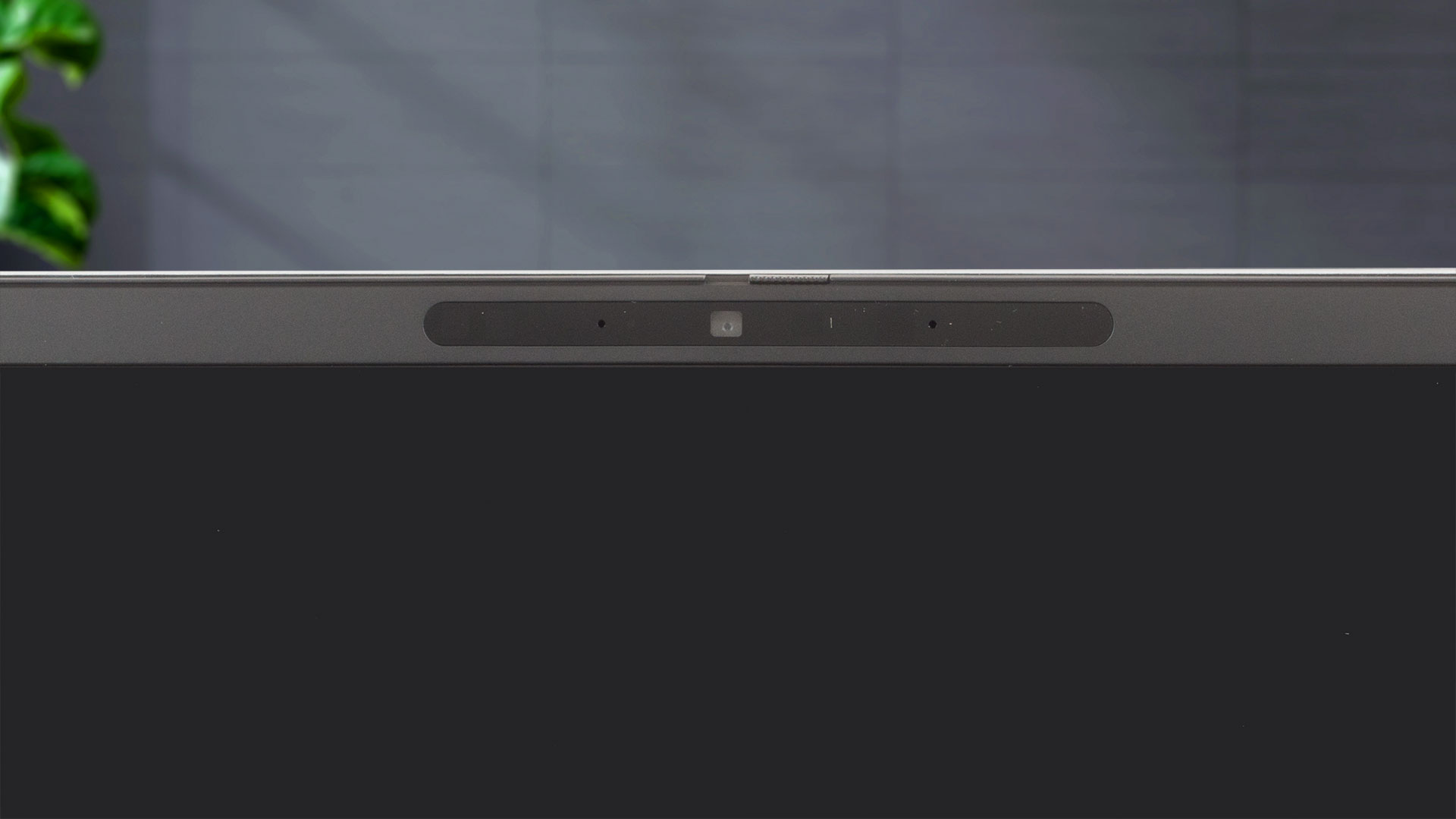

The maximum angle of opening is wide but it can’t reach the 180-degree mark.

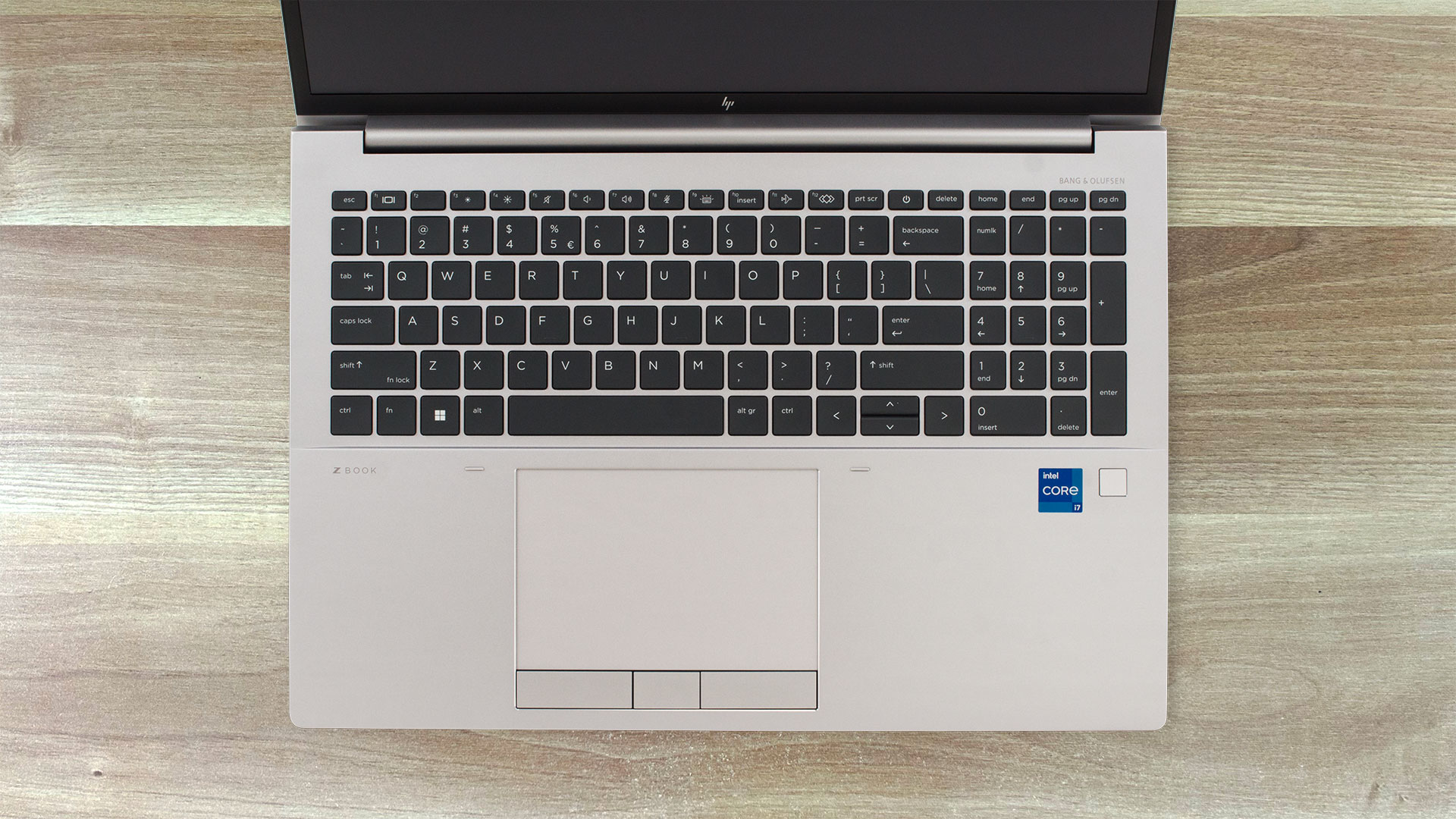
Two spill-resistant keyboard variants are available. The one that we have here glows in a single color and it’s called “HP Premium Quiet Keyboard”. The key travel is long and the feedback is clicky, this makes the board comfortable for work. However, the unit doesn’t offer the most silent typing experience out there. We are happy to see a NumPad but we don’t like the half-sized “Up” and “Down” Arrows keys. The optional fingerprint reader is placed on the right palm rest area. You can also opt for the per-key “HP RGB Keyboard”.

The board backlight and effects can be controlled via the “Z Light Space” app.

The large touchpad with a smooth glass surface and quiet physical buttons is a joy to use. The accuracy is just great.
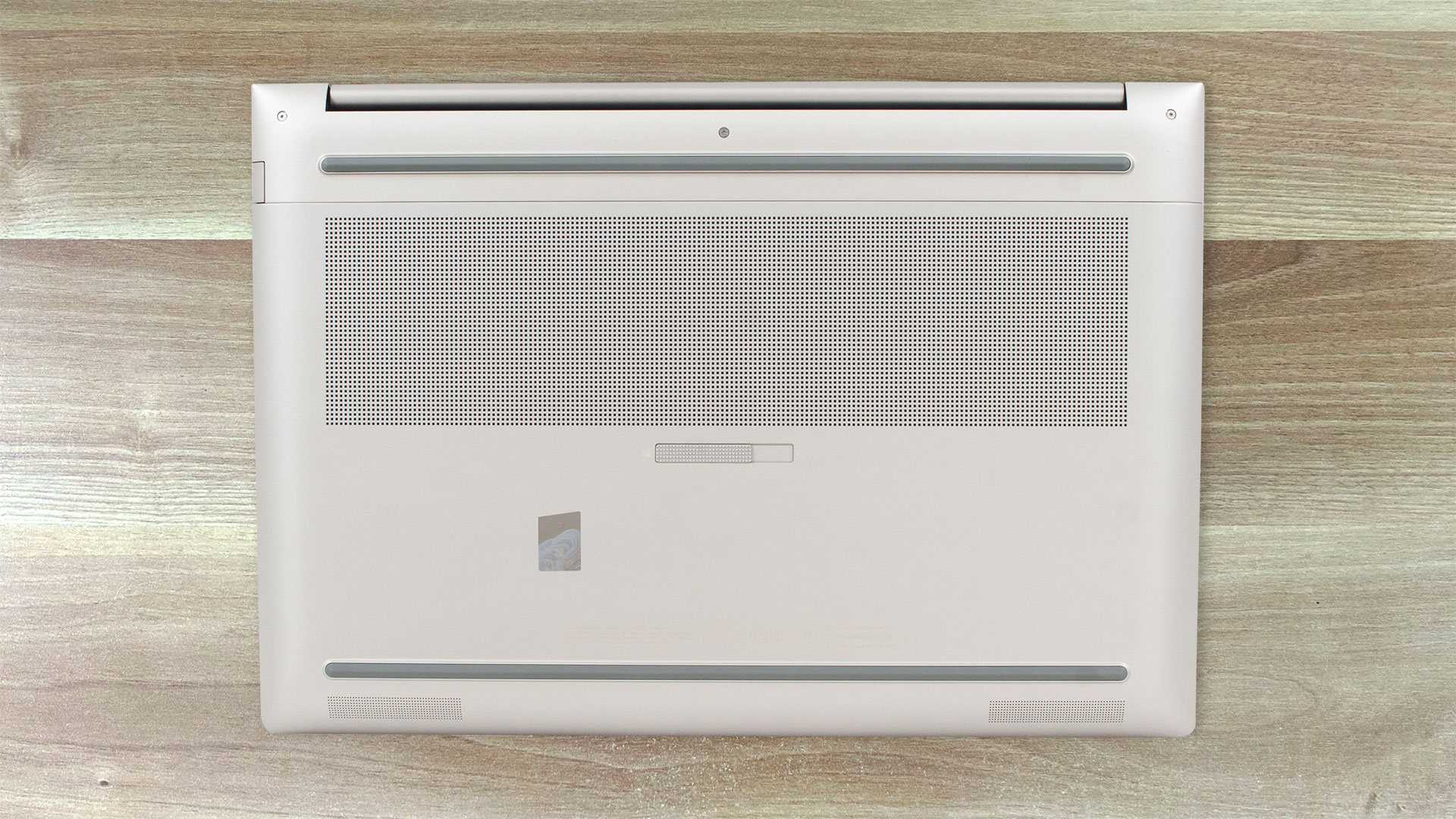
On the bottom plate, we can see a sizable ventilation grill, two long rubber feet, a service door latch, and two speaker cutouts. The hot air is pushed through a vent on the back of the laptop. Some amount of heat reaches the display under heavy CPU or GPU loads.

Ports
On the left side of the device, we can spot the charging plug, two Thunderbolt 4 / USB4 40Gbps ports (both support USB Power Delivery, DisplayPort 1.4, and HP Sleep and Charge functions), a Mini DisplayPort 1.4, an HDMI 2.1 connector, and an SD 7.1 card reader. On the right, you get a Nano Security Lock slot, a LAN port, two USB Type-A 3.2 (Gen. 1) ports (the latter has charging capabilities), an Audio combo jack, and a Smart Card reader.


 Author: Nikolay Palaozov
 Author: eng. Kroum NikolovHead of Engineering at LaptopMedia.com, inventor and innovator with 40+ years of experience in electronics and high technology.

![[June 2026] Best-Selling Laptop Brands on Amazon Global – Apple’s Unrivaled Dominance in Units and Revenue](https://laptopmedia.com/wp-content/uploads/2026/07/GLOBAL-Best-Brands-400x225.jpg)
![[June 2026] Amazon Global: Top 10 Best-Selling Laptops – Apple’s New MacBook Neo Storms to #1, Reshaping the Market with Affordability](https://laptopmedia.com/wp-content/uploads/2026/07/Best-Selling-Laptops-GLOBAL-Top-10-400x225.jpg)
![[June 2026] Amazon Global: Top 10 Best-Selling Gaming Laptops – Acer’s Nitro V 16S AI Dominates Sales, While ASUS Leads Overall Revenue](https://laptopmedia.com/wp-content/uploads/2026/07/Best-Selling-Gaming-Laptops-GLOBAL-Top-10-400x225.jpg)
![[June 2026] Global Ranking of Best-Selling Laptop GPUs on Amazon – NVIDIA RTX 5060 is the Top-Selling Dedicated GPU](https://laptopmedia.com/wp-content/uploads/2026/07/Best-Selling-GPUs-GLOBAL-Top-10-400x225.jpg)
![[June 2026] Global Ranking of Best-Selling Laptop CPUs on Amazon – Apple M5 Dominates, AMD Ryzen 7 260 Gets Solid Premium Share](https://laptopmedia.com/wp-content/uploads/2026/07/Best-Selling-CPUs-GLOBAL-Top-10-400x225.jpg)

Thanks for the comprehensive review, it’s one of the few quality reviews out there. I’m glad HP kept the physical touchpad buttons. I suppose the laptop designers have no idea how IMPORTANT these physical buttons can be to the design & engineering industries (e.g. architectural and urban design, and perhaps the entire creative industry). We need the middle button to quickly pan/rotate views in 3D modelling / simulation software, and the physical left/right keys for fast, precise clicking without any sluggishness / accidental clicking and dragging. Not everyone wants to carry around a mouse and separate keyboard. After all, this is… Read more »
I don´t think people are doing 3d modeling at a café or in a plane, and need full control of the camera all the time. They have a standard usb mouse or a 3d connexion if they need that feature. I get it, I’use middle mouse drag and even more complex gestures in SideFX Houdini, but when you’re on your laptop on the go, you do with what you have.