Lenovo Yoga 6 (13, Gen 8) review – compact 2-in-1 laptop that offers great comfort during any kind of load
Temperatures and comfort, Battery Life
Max CPU load
In this test we use 100% on the CPU cores, monitoring their frequencies and chip temperature. The first column shows a computer’s reaction to a short load (2-10 seconds), the second column simulates a serious task (between 15 and 30 seconds), and the third column is a good indicator of how good the laptop is for long loads such as video rendering.
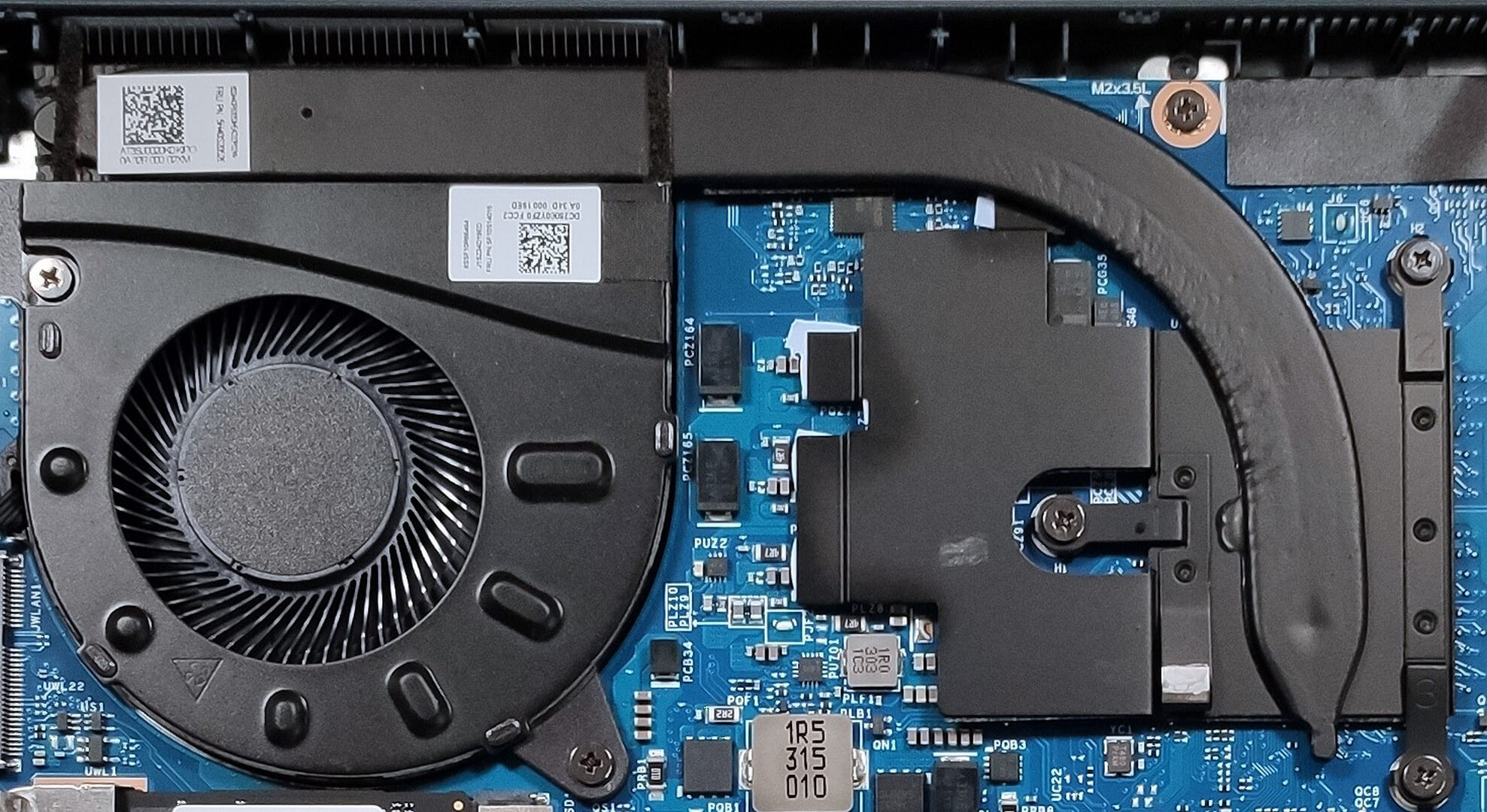
Average core frequency (base frequency + X); CPU temp.
| AMD Ryzen 5 7530U (15W TDP) | 0:02 – 0:10 sec | 0:15 – 0:30 sec | 10:00 – 15:00 min |
|---|---|---|---|
| Lenovo Yoga 6 (13″, Gen 8) | 3.06 GHz @ 70°C @ 30W | 2.85 GHz @ 77°C @ 25W | 2.37 GHz @ 71°C @ 15W |
| Lenovo IdeaPad Flex 5 (16″, Gen 8) | 3.57 GHz @ 73°C @ 48W | 3.57 GHz @ 89°C @ 48W | 3.00 GHz @ 72°C @ 25W |
| Lenovo IdeaPad Flex 5 (14″, Gen 8) | 3.64 GHz @ 79°C @ 48W | 3.59 GHz @ 95°C @ 46W | 3.18 GHz @ 88°C @ 27W |
| Lenovo IdeaPad Slim 5 (16″, 2023) | 3.52 GHz @ 90°C @ 44W | 3.34 GHz @ 92°C @ 37W | 2.93 GHz @ 83°C @ 24W |
The basic cooling of the Lenovo Yoga 6 (13″, Gen 8) is doing an okay job in any kind of load. For a compact laptop, the results are good – the frequencies are always above the official base clock of 2.00GHz and the power limit reaches 15W in prolonged periods of stress (that is the default TDP value of the CPU). Of course, the other three Lenovo devices in the table above are performing better when it comes to processor clocks but they also have more potent cooling solutions and larger bases.
However, the tested 13-incher is definitely tuned for comfort over performance because the CPU temperatures are very good for such a thin profile.
Comfort during full load
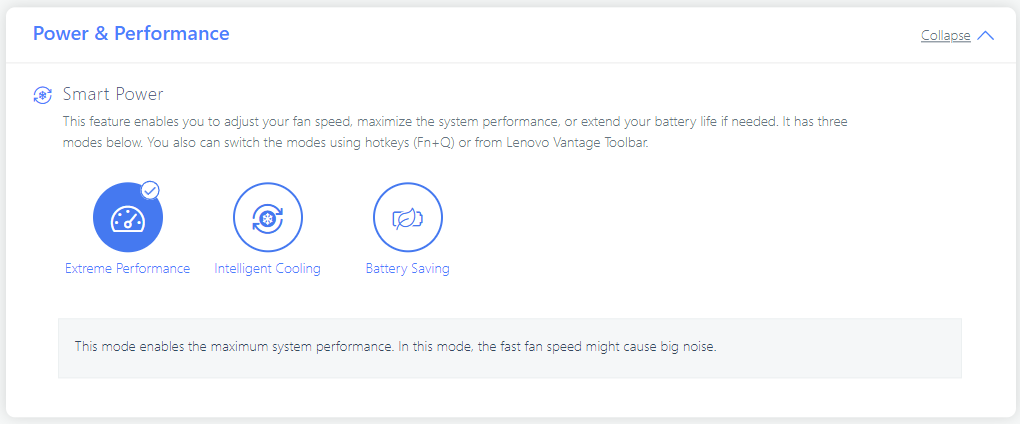
In addition to the pleasant processor temperatures, we can say that the fan isn’t noisy at all even in “Extreme Performance” mode. You can hear that the fan is working but the noise levels are low. The outside thermals are under control. Under 100% CPU stress, the WASD section and the center of the keyboard are getting a bit warm but that’s all. The Lenovo Yoga 6 (13″, Gen 8) is definitely a comfortable device for any kind of usage.
Battery
Now, we conduct the battery tests with the Windows Better performance setting turned on, screen brightness adjusted to 120 nits and all other programs turned off except for the one we are testing the notebook with. Our laptop is equipped with a 59Wh battery unit. It got us through 11 hours and 7 minutes of Web browsing or 8 hours and 20 minutes of video playback. That’s a good result.
Brightness: 180 nits; Display Mode: SDR
Time to Full Discharge: Higher is Better



In order to simulate real-life conditions, we used our own script for automatic web browsing through over 70 websites.
 Author: Nikolay Palaozov
 Author: eng. Kroum NikolovHead of Engineering at LaptopMedia.com, inventor and innovator with 40+ years of experience in electronics and high technology.

![[August 2026] Amazon USA: Top 10 Best-Selling Laptops – Apple MacBook Neo Dominates the Market with Massive Unit Sales!](https://laptopmedia.com/wp-content/uploads/2026/09/Best-Selling-Laptops-COM-Top-10-400x225.jpg)
![[August 2026] Amazon USA: Top 10 Best-Selling Gaming Laptops – ASUS ROG Strix G16 Dominates the Market with Massive Unit Sales](https://laptopmedia.com/wp-content/uploads/2026/09/Best-Selling-Gaming-Laptops-COM-Top-10-400x225.jpg)
![[July 2026] Amazon Global: Top 10 Best-Selling Laptops – Apple MacBook Neo Dominates the Charts as Budget and Premium Notebooks Split the Market](https://laptopmedia.com/wp-content/uploads/2026/08/Best-Selling-Laptops-GLOBAL-Top-10-400x225.jpg)
![[July 2026] Amazon Global: Top 10 Best-Selling Gaming Laptops – ASUS ROG Strix G16 Dominates the Global Market with Record-Breaking Unit Sales](https://laptopmedia.com/wp-content/uploads/2026/08/Best-Selling-Gaming-Laptops-GLOBAL-Top-10-400x225.jpg)
![[July 2026] Global Ranking of Best-Selling Laptop GPUs on Amazon – RTX 5060 Dominate Premium, Intel Still Rules Budget](https://laptopmedia.com/wp-content/uploads/2026/08/Best-Selling-GPUs-GLOBAL-Top-10-400x225.jpg)
