MSI Pulse 15 (B13V) review – climbing up through the ranks
Disassembly, Upgrade options, and Maintenance
To access this notebook’s internals, you need to undo 13 Phillips-head screws. Then, pry the bottom panel with a plastic tool, and remove it from the device.
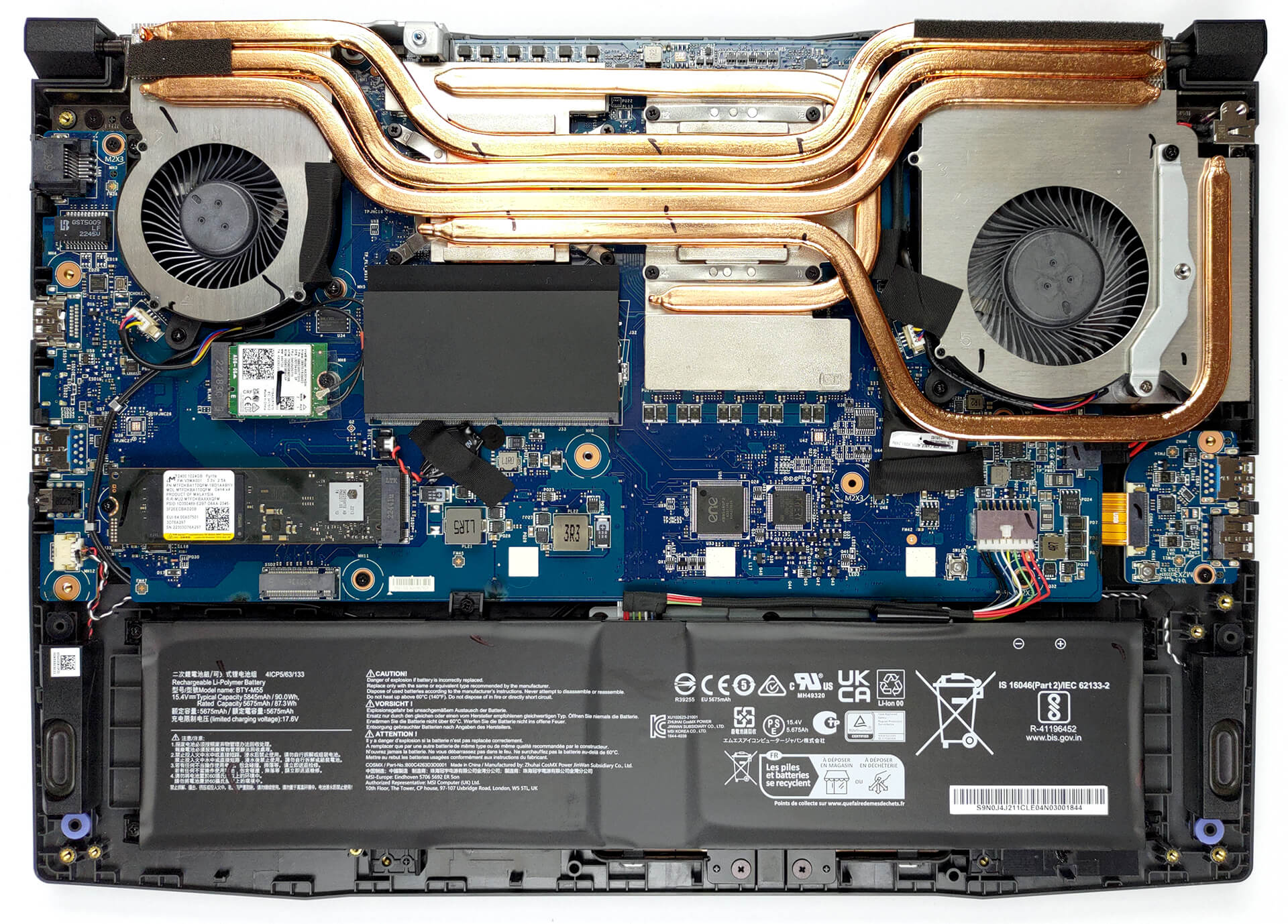
Inside, you get a 90Wh battery pack. To take it out, unplug the connector from the motherboard, and undo the 5 Phillips-head screws, keeping the battery in place.
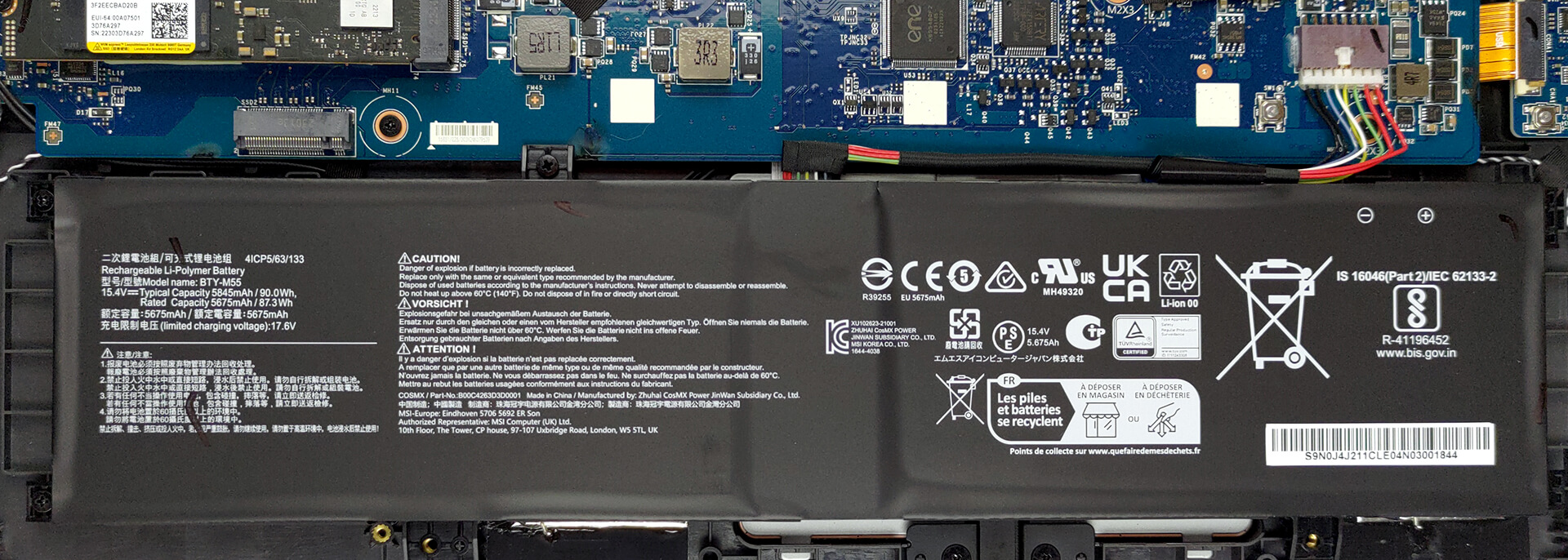
Thankfully, you get two SODIMM slots, which work with DDR5 RAM. You can fit up to 64GB in total. As for the storage, there is one usable M.2 PCIe x4 slot, which supports Gen 4 SSDs.
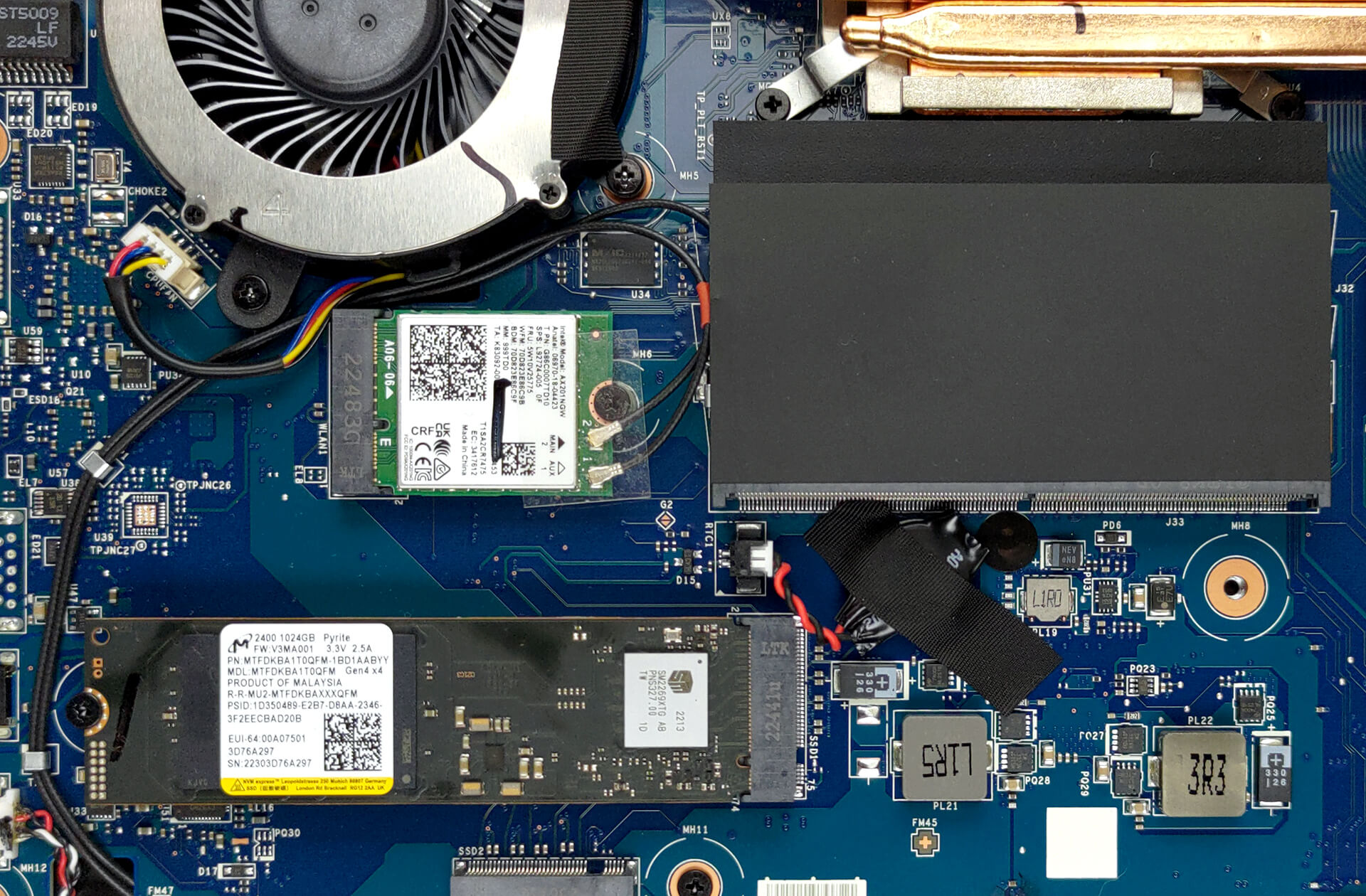
Moving to the cooling, we see a total of four heat pipes shared between the CPU and the GPU. There are three heat sinks, and two fans that dissipate the heat, while one heat pipe and a couple of spreaders take care of the graphics memory and the VRMs.

 Author: Alex Iliev
 Author: eng. Kroum NikolovHead of Engineering at LaptopMedia.com, inventor and innovator with 40+ years of experience in electronics and high technology.

![[June 2026] Best-Selling Laptop Brands on Amazon Global – Apple’s Unrivaled Dominance in Units and Revenue](https://laptopmedia.com/wp-content/uploads/2026/07/GLOBAL-Best-Brands-400x225.jpg)
![[June 2026] Amazon Global: Top 10 Best-Selling Laptops – Apple’s New MacBook Neo Storms to #1, Reshaping the Market with Affordability](https://laptopmedia.com/wp-content/uploads/2026/07/Best-Selling-Laptops-GLOBAL-Top-10-400x225.jpg)
![[June 2026] Amazon Global: Top 10 Best-Selling Gaming Laptops – Acer’s Nitro V 16S AI Dominates Sales, While ASUS Leads Overall Revenue](https://laptopmedia.com/wp-content/uploads/2026/07/Best-Selling-Gaming-Laptops-GLOBAL-Top-10-400x225.jpg)
![[June 2026] Global Ranking of Best-Selling Laptop GPUs on Amazon – NVIDIA RTX 5060 is the Top-Selling Dedicated GPU](https://laptopmedia.com/wp-content/uploads/2026/07/Best-Selling-GPUs-GLOBAL-Top-10-400x225.jpg)
![[June 2026] Global Ranking of Best-Selling Laptop CPUs on Amazon – Apple M5 Dominates, AMD Ryzen 7 260 Gets Solid Premium Share](https://laptopmedia.com/wp-content/uploads/2026/07/Best-Selling-CPUs-GLOBAL-Top-10-400x225.jpg)

but what is the cpu wat ?
4060’s sit at about 97 watts and 4070’s at 110 watts
I was completely surprised (in a good way) by MSI Pulse 15 B13V. I had never thought about buying an MSI laptop as it’s brand is not among the top famous in the category. I bought it at a computer store in Chicago and the sales person was skilfull enough to convince me it would be the best option when you’re looking for performance at an afordable price. The cost-effectiveness is the highest. The new Intel 13th generation CPU with 2 types of cores delivers an astonishing performance in all kinds of situations/uses. The MSI software embedded with the factory… Read more »
How many ohm can the motherboard provide at maximum ?