MSI Stealth 16 Studio (A13V) review – it has the power and it has the bling
Disassembly, Upgrade options, and Maintenance
To open this machine, you need to undo 7 Phillips-head screws. After that, pry the bottom panel with a plastic tool, and lift it away from the chassis.
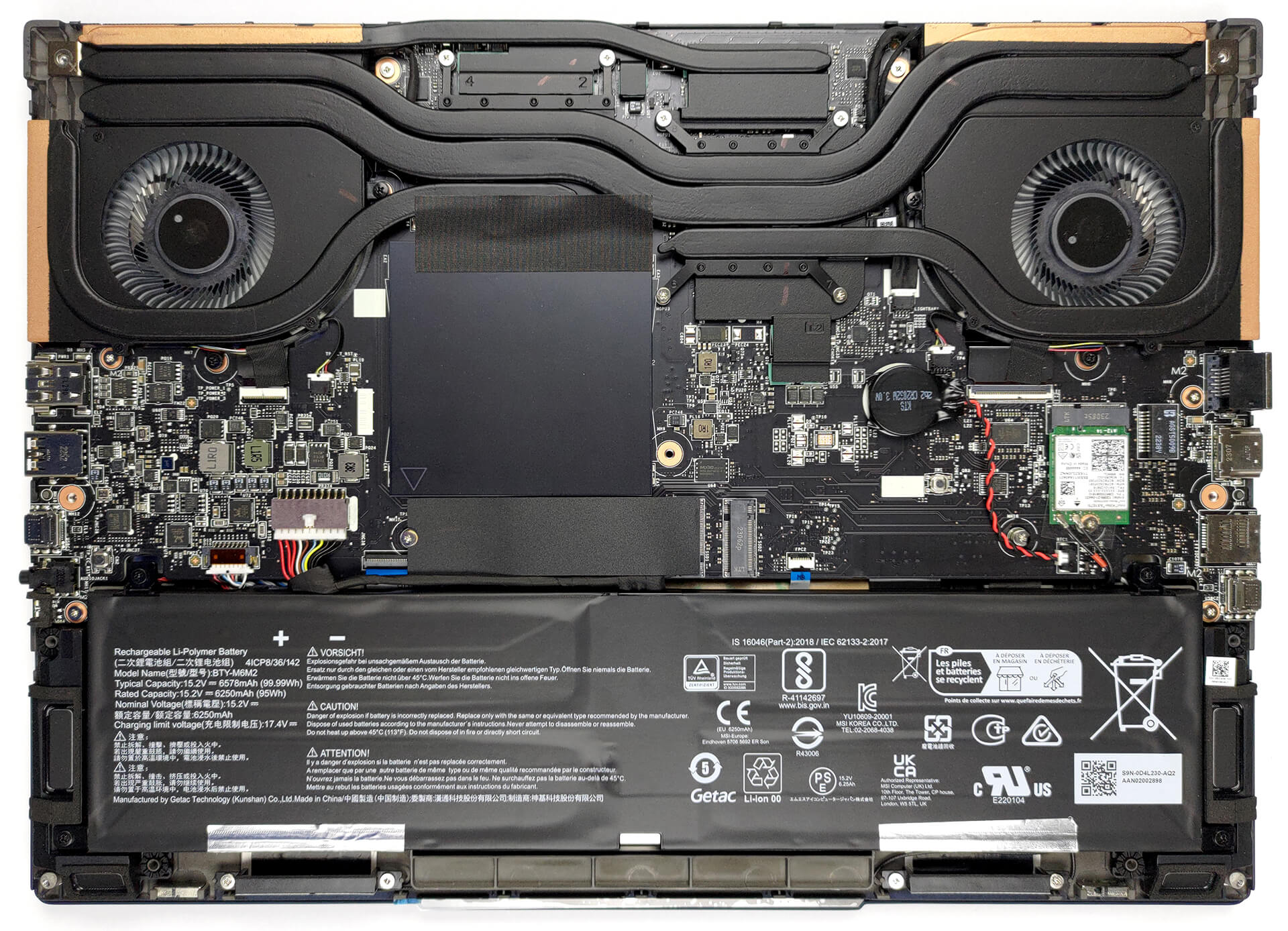
This unit comes with a 99.9Wh battery pack. It lasts for 9 hours of either Web browsing or video playback. To remove it undo 4 Phillips-head screws that hold it to the chassis, and unplug the battery connector from the motherboard.
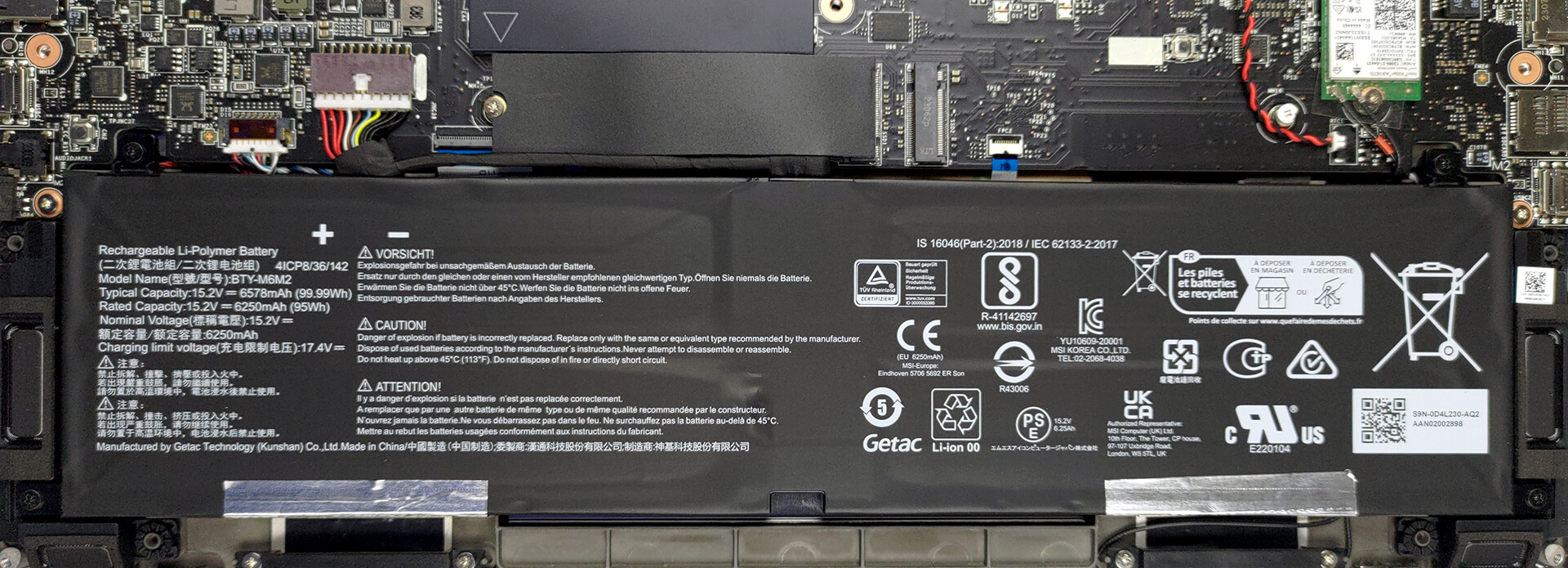
Here, you see two SODIMM slots, which support up to 64GB of DDR5 RAM in total. As for storage, there are two M.2 PCIe x4 slots, both of which support Gen 4 SSDs.
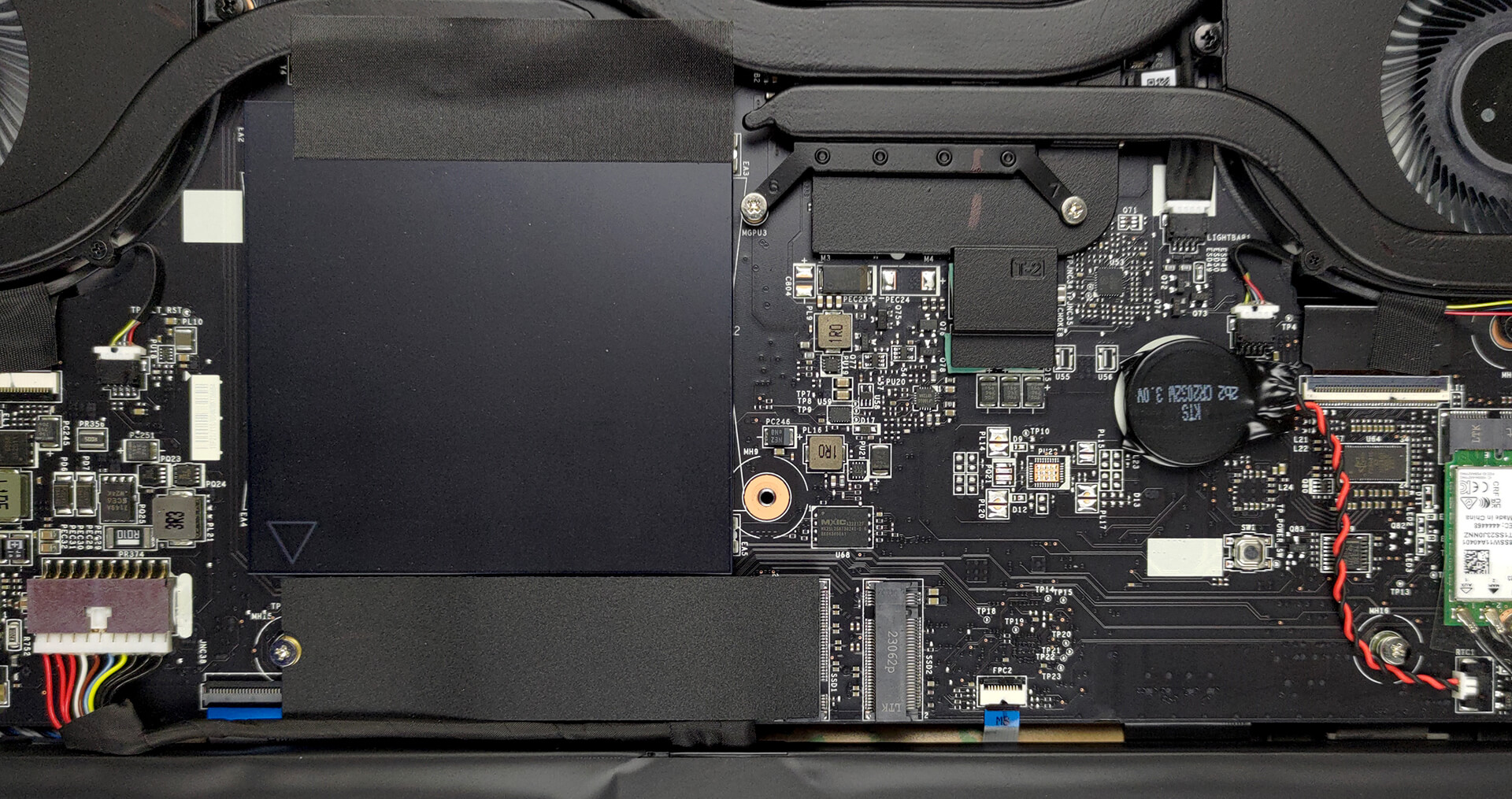
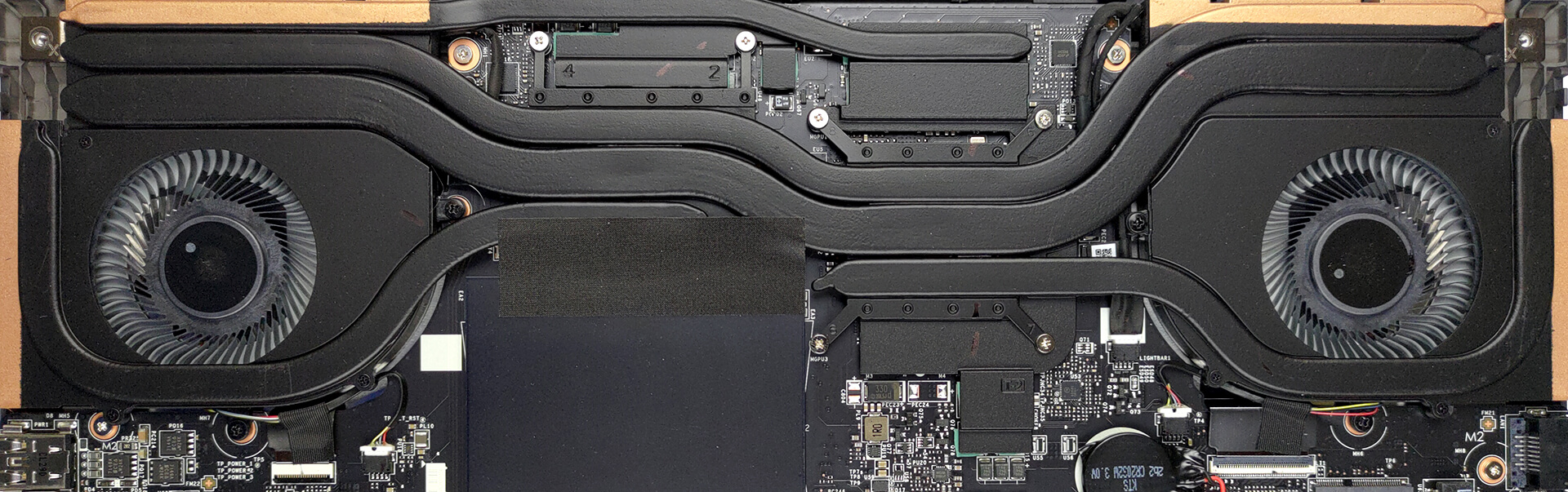
Cooling-wise, there are two heat pipes shared between the CPU and the GPU, with one more dedicated to each of them. In addition, there is one more heat pipe dedicated to the VRMs and the graphics memory. Furthermore, there are two fans and four heat sinks.
 Author: Alex Iliev
 Author: eng. Kroum NikolovHead of Engineering at LaptopMedia.com, inventor and innovator with 40+ years of experience in electronics and high technology.

![[August 2026] Amazon Italy: Top 10 Best-Selling Laptops – Apple MacBook Neo Claims the Crown as Budget and Mid-Range Windows Machines Dominate Volume](https://laptopmedia.com/wp-content/uploads/2026/09/Best-Selling-Laptops-IT-Top-10-400x225.jpg)
![[August 2026] Amazon Italy: Top 7 Best-Selling Gaming Laptops – ASUS V16 Claims the #1 Spot Amid Strong Mid-Range Demand](https://laptopmedia.com/wp-content/uploads/2026/09/Best-Selling-Gaming-Laptops-IT-Top-10-400x225.jpg)
![[August 2026] Best-Selling Laptop Brands on Amazon Italy – Lenovo Dominates Market Share and Revenue Leadership](https://laptopmedia.com/wp-content/uploads/2026/09/IT-Best-Brands-400x225.jpg)
![[August 2026] Amazon India: Top 10 Best-Selling Laptops – Apple MacBook Neo Dominates the Charts with Massive Sales Lead](https://laptopmedia.com/wp-content/uploads/2026/09/Best-Selling-Laptops-IN-Top-10-400x225.jpg)
![[August 2026] Amazon India: Top 10 Best-Selling Gaming Laptops – HP Victus 15 Dominates the Market with Massive Unit Lead](https://laptopmedia.com/wp-content/uploads/2026/09/Best-Selling-Gaming-Laptops-IN-Top-10-400x225.jpg)

Una pregunta: cómo se puede activar la pantalla a 60hz?
Nvidia panel.
Hi, could you please help me. do set the GPU to hybrid mode or only integrated mode. I simply cant replicate the 9 hours of web browsing