ASUS ExpertBook B1 (B1502) review – business features on the budget
Disassembly, Upgrade options, and Maintenance
To access this notebook’s internals, you need to undo 10 Phillips-head screws. Then, pry the bottom panel, starting from one of the front corners.
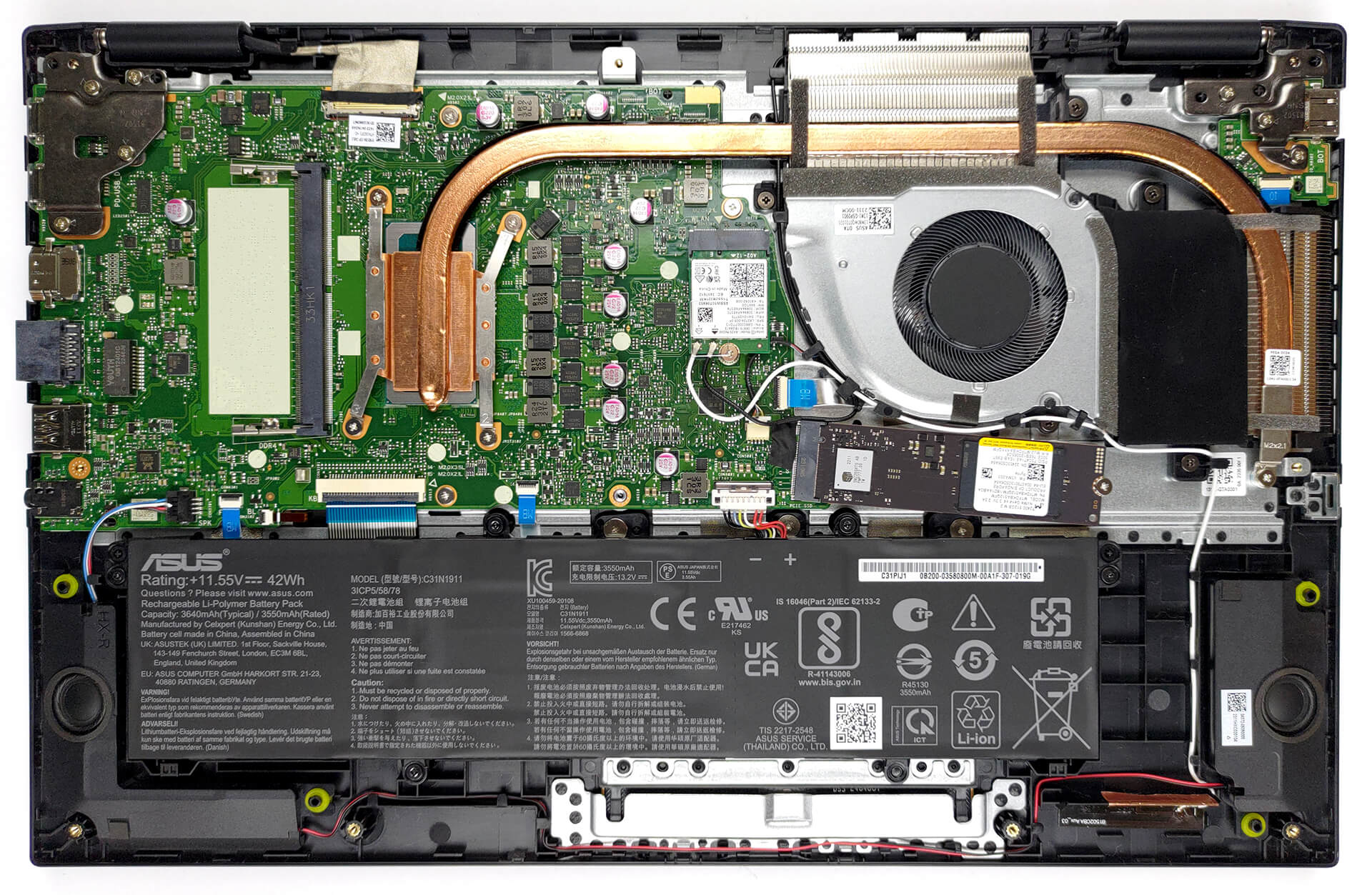
Inside, we see a 42Wh battery pack. To remove it, unplug the battery connector and undo the 5 Phillips-head screws that hold the battery to the chassis.
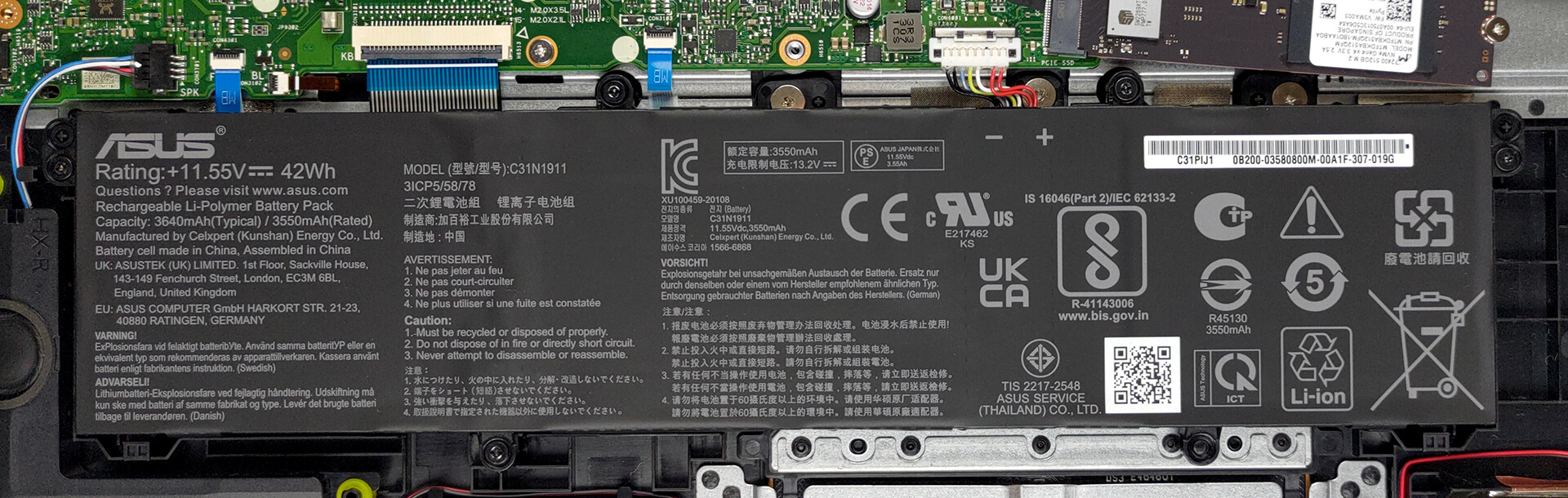
Memory-wise, you can get either 4, 8, or 16GB of memory soldered to the motherboard with one DDR4 SODIMM slot for further expansion. As for storage, there is one M.2 PCIe x4 slot, which supports both Gen 3 and Gen 4 SSDs.
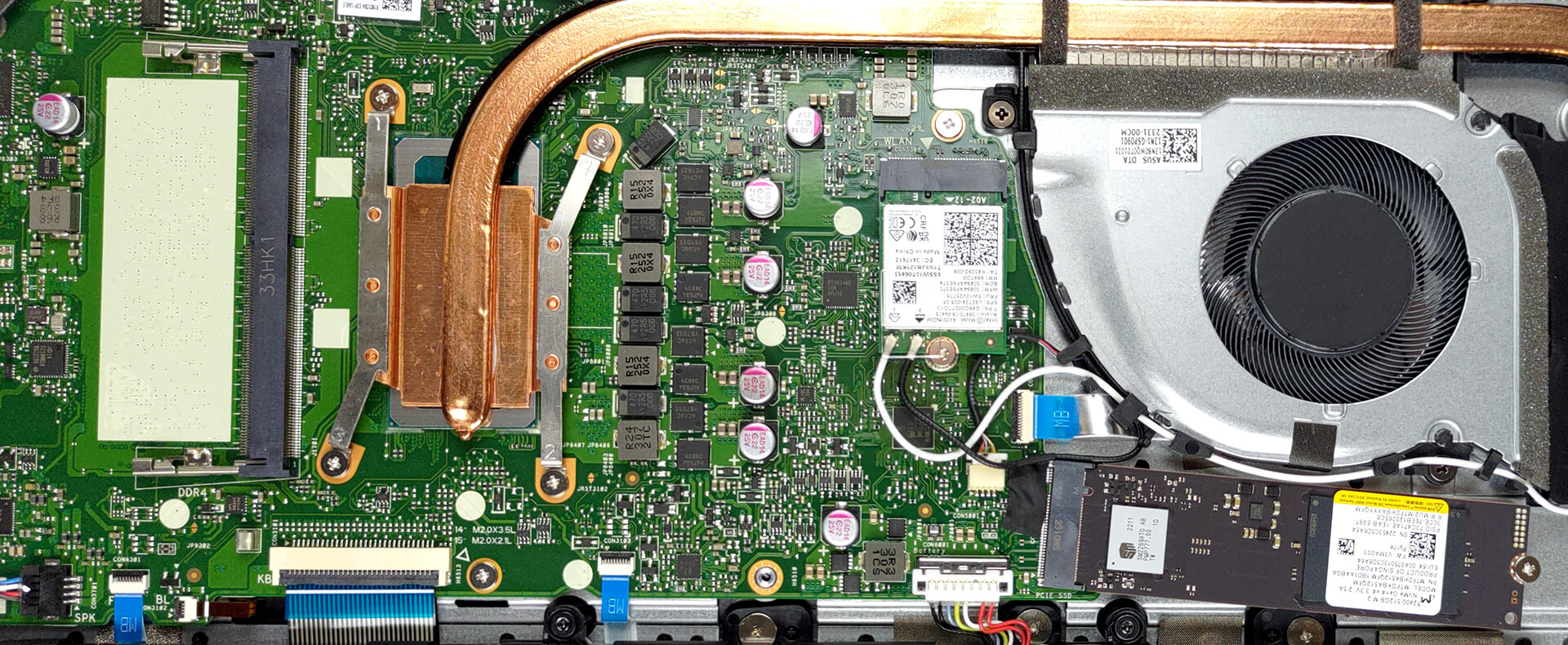
For cooling, there is one heat pipe, connected to two heat sinks, where one fan blows the heat away.

 Author: Alex Iliev
 Author: eng. Kroum NikolovHead of Engineering at LaptopMedia.com, inventor and innovator with 40+ years of experience in electronics and high technology.

![[June 2026] Best-Selling Laptop Brands on Amazon Global – Apple’s Unrivaled Dominance in Units and Revenue](https://laptopmedia.com/wp-content/uploads/2026/07/GLOBAL-Best-Brands-400x225.jpg)
![[June 2026] Amazon Global: Top 10 Best-Selling Laptops – Apple’s New MacBook Neo Storms to #1, Reshaping the Market with Affordability](https://laptopmedia.com/wp-content/uploads/2026/07/Best-Selling-Laptops-GLOBAL-Top-10-400x225.jpg)
![[June 2026] Amazon Global: Top 10 Best-Selling Gaming Laptops – Acer’s Nitro V 16S AI Dominates Sales, While ASUS Leads Overall Revenue](https://laptopmedia.com/wp-content/uploads/2026/07/Best-Selling-Gaming-Laptops-GLOBAL-Top-10-400x225.jpg)
![[June 2026] Global Ranking of Best-Selling Laptop GPUs on Amazon – NVIDIA RTX 5060 is the Top-Selling Dedicated GPU](https://laptopmedia.com/wp-content/uploads/2026/07/Best-Selling-GPUs-GLOBAL-Top-10-400x225.jpg)
![[June 2026] Global Ranking of Best-Selling Laptop CPUs on Amazon – Apple M5 Dominates, AMD Ryzen 7 260 Gets Solid Premium Share](https://laptopmedia.com/wp-content/uploads/2026/07/Best-Selling-CPUs-GLOBAL-Top-10-400x225.jpg)

que voltaje tienen los altavoces? en la pagina oficial no aparecen
Sorry but I find the backlit keyboard pathetically dim. Tried forcing the registry key to a higher level but didn’t work. Called support…they said this laptop only has on or off…but you’ll see that when restarting the notebook the intensity is decent but then fades. Will need to buy another laptop for my client.