ASUS TUF Gaming A16 FA607 (2024) review – This Budget Gaming Laptop Packs a Surprise
Temperatures and comfort, Battery Life
Max CPU load
In this test we use 100% on the CPU cores, monitoring their frequencies and chip temperature. The first column shows a computer’s reaction to a short load (2-10 seconds), the second column simulates a serious task (between 15 and 30 seconds), and the third column is a good indicator of how good the laptop is for long loads such as video rendering.
Average core frequency (base frequency + X); CPU temp.
| AMD Ryzen 9 7845HX (55W TDP) | 0:02 – 0:10 sec | 0:15 – 0:30 sec | 10:00 – 15:00 min |
|---|---|---|---|
| ASUS TUF Gaming A16 FA607 (2024) | 4.34 GHz @ 78°C @ 121W | 4.16 GHz @ 76°C @ 102W | 3.96 GHz @ 85°C @ 93W |
| ASUS ROG Strix G17 G713P (2023) | 4.57 GHz @ 80°C @ 128W | 4.52 GHz @ 90°C @ 128W | 4.37 GHz @ 93°C @ 117W |
The Ryzen 9 7845HX inside the TUF Gaming A16 FA607 (2024) can maintain high clocks under any kind of usage. Sure, the Strix G17 G713P is doing a bit better job, especially in the long run, but it’s a 17.3″ device while the FA607 is a smaller 16-inch laptop.
Real-life gaming
| NVIDIA GeForce RTX 4060 | GPU frequency/ Core temp (after 2 min) | GPU frequency/ Core temp (after 30 min) |
|---|---|---|
| ASUS TUF Gaming A16 FA607 (2024) | 2610 MHz @ 76°C @ 111W | 2610 MHz @ 80°C @ 113W |
| HP OMEN Transcend 16 (u1000) | 2625 MHz @ 75°C @ 113W | 2625 MHz @ 76°C @ 114W |
| ASUS Vivobook Pro 15 OLED (N6506) “Full-speed fan mode” | 2540 MHz @ 84°C @ 109W | 2564 MHz @ 82°C @ 108W |
| ASUS Vivobook Pro 15 OLED (N6506) “Performance fan mode” | 2247 MHz @ 76°C @ 85W | 2306 MHz @ 76°C @ 89W |
| Lenovo Legion 5i (16, Gen 9) | 2715 MHz @ 73°C @ 111W | 2715 MHz @ 71°C @ 110W |
| Acer Nitro 16 (AN16-41) | 2580 MHz @ 68°C @ 102W | 2595 MHz @ 66°C @ 102W |
| Acer Nitro 17 (AN17-51) “Turbo” preset | 2520 MHz @ 78°C @ 112W | 2520 MHz @ 81°C @ 111W |
| Acer Nitro 17 (AN17-51) “Performance” preset | 2490 MHz @ 73°C @ 108W | 2490 MHz @ 73°C @ 108W |
| ASUS TUF Gaming A15 (FA507, 2023) | 2520 MHz @ 78°C @ 112W | 2520 MHz @ 81°C @ 111W |
| Lenovo ThinkBook 16p Gen 4 | 2475 MHz @ 76°C @ 107W | 2475 MHz @ 77°C @ 108W |
| HP Victus 16 (16-r0000) | 2520 MHz @ 77°C @ 107W | 2520 MHz @ 76°C @ 107W |
The GPU performance is good because the mobile GeForce RTX 4060 can sustain 2610 MHz + 113W after 30 minutes of gaming.
Comfort during full load
Just like many other laptops from the same manufacturer, you get three power presets and a manual mode. The fans are loud in “Turbo” mode but the noise during max CPU / GPU loads is acceptable when the “Performance” preset is applied. On the outside, the keyboard feels a bit warm in the middle and that’s comfortable enough for work.
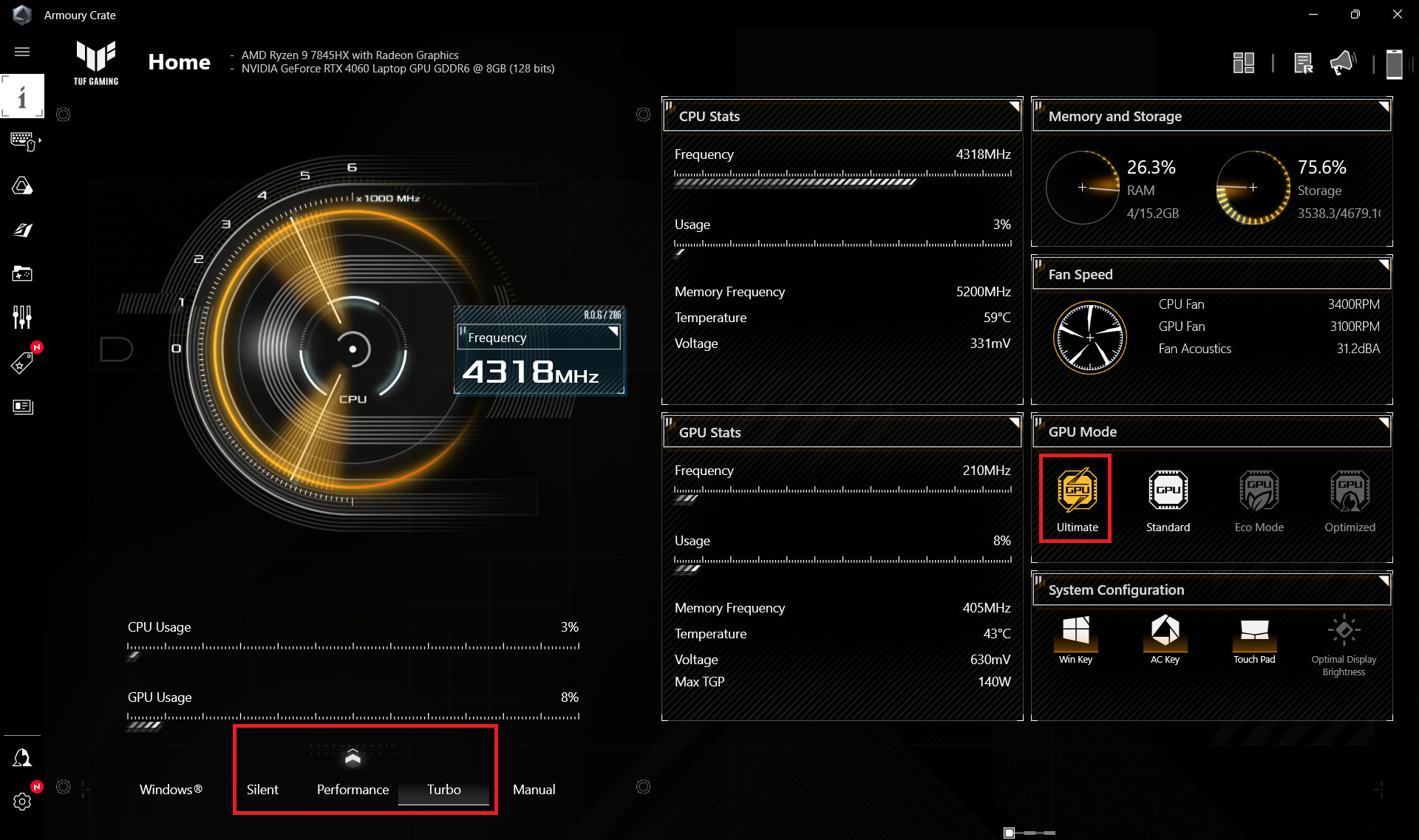

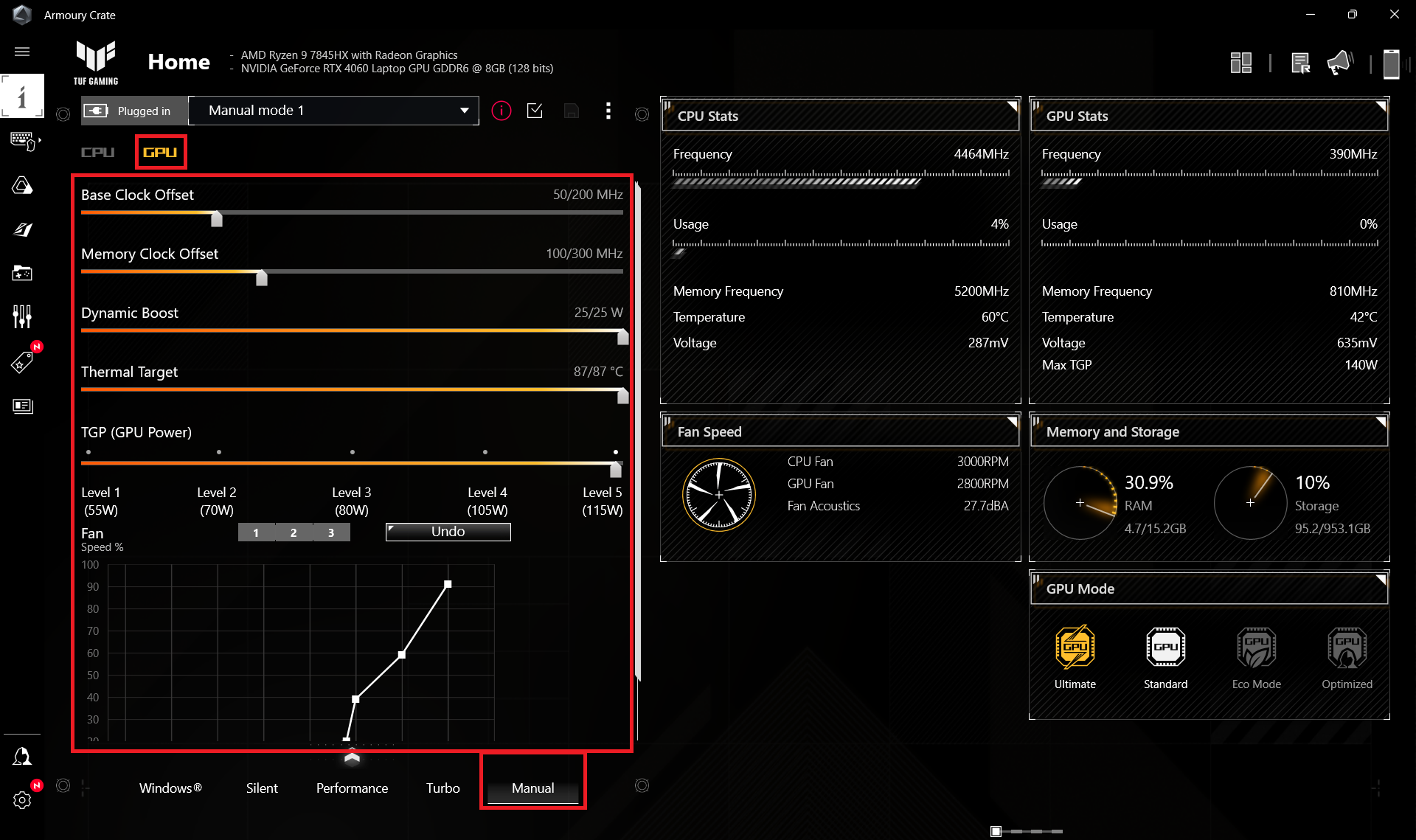
When the processor is doing the heavy lifting, the rotation speed of the fans is ~6000 RPM in “Turbo” mode and that’s loud. In “Performance”, the speed is a bit above 3000 RPM and interestingly, you can expect the same rotation speed even in “Silent”.
 Max CPU Load “Turbo”
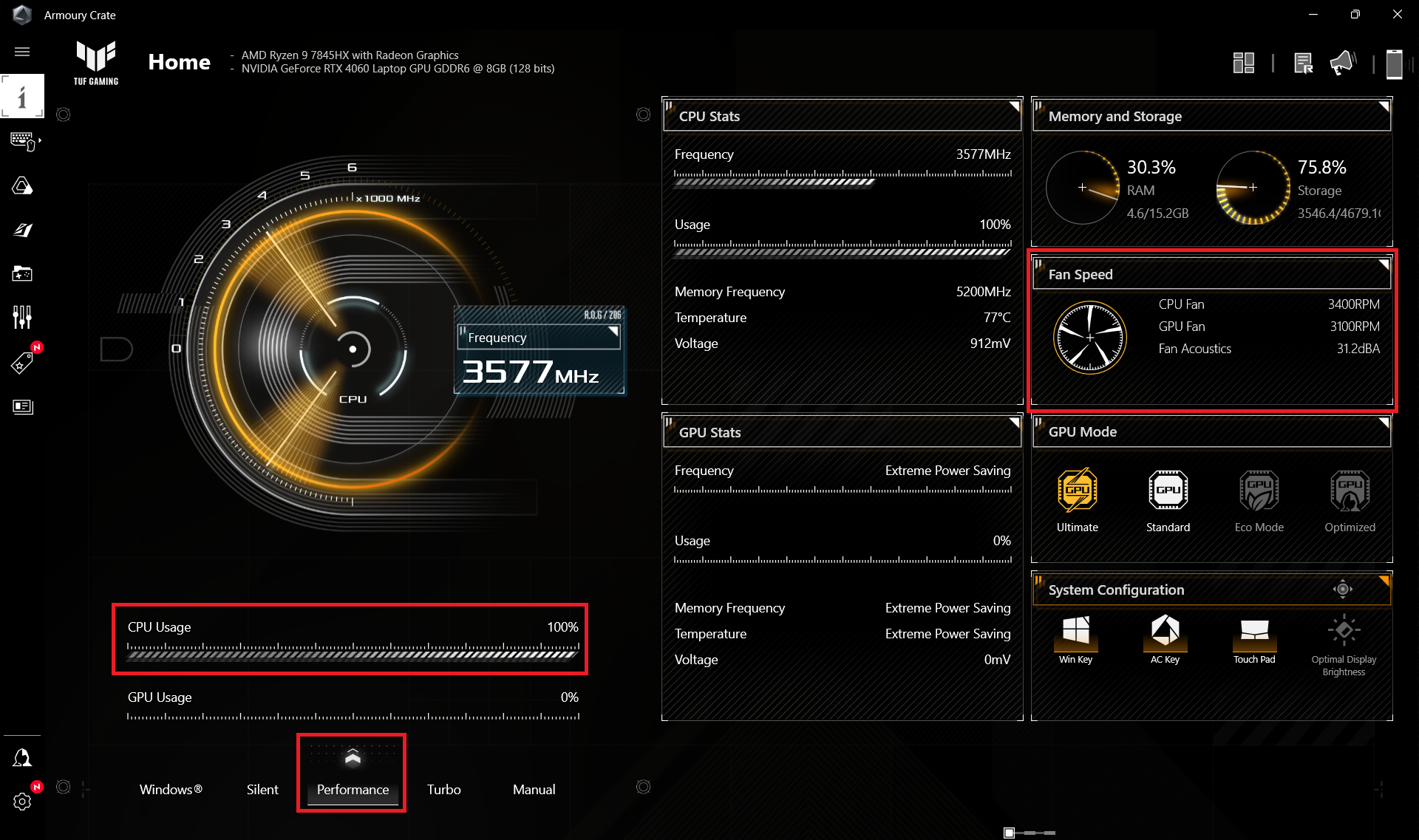 Max CPU Load “Performance”
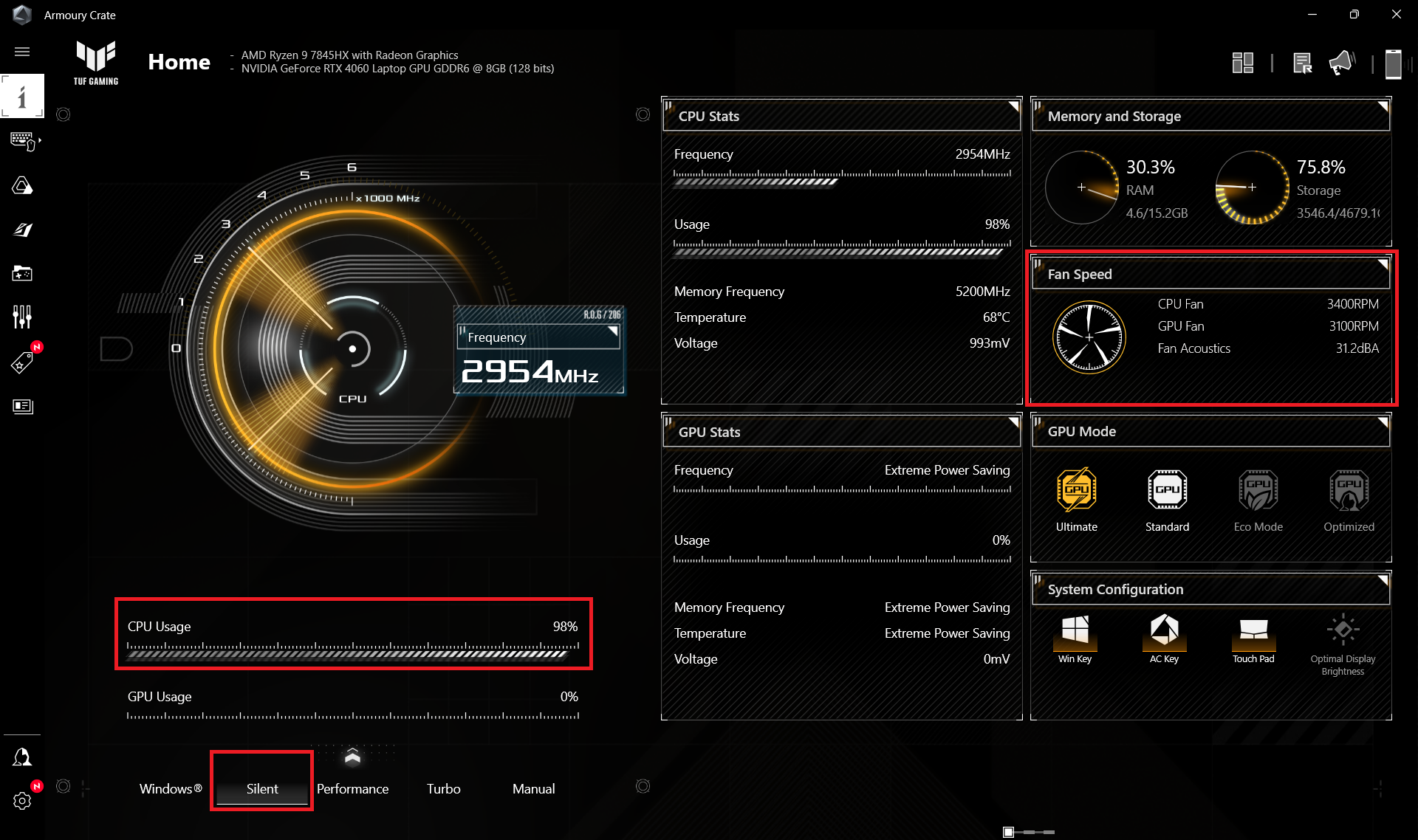 Max CPU Load “Silent”
During gaming in “Turbo” mode the fans are even more aggressive (6600 RPM) while the GPU TGP is ~110W. The graphics card power limit hits ~80W alongside a 2175MHz core clock and 3900 – 4300 RPM for the fans when the “Performance” preset is applied. This is enough for acceptable performance in heavy games and much lower system noise. The “Silent” mode offers around 53W TGP.
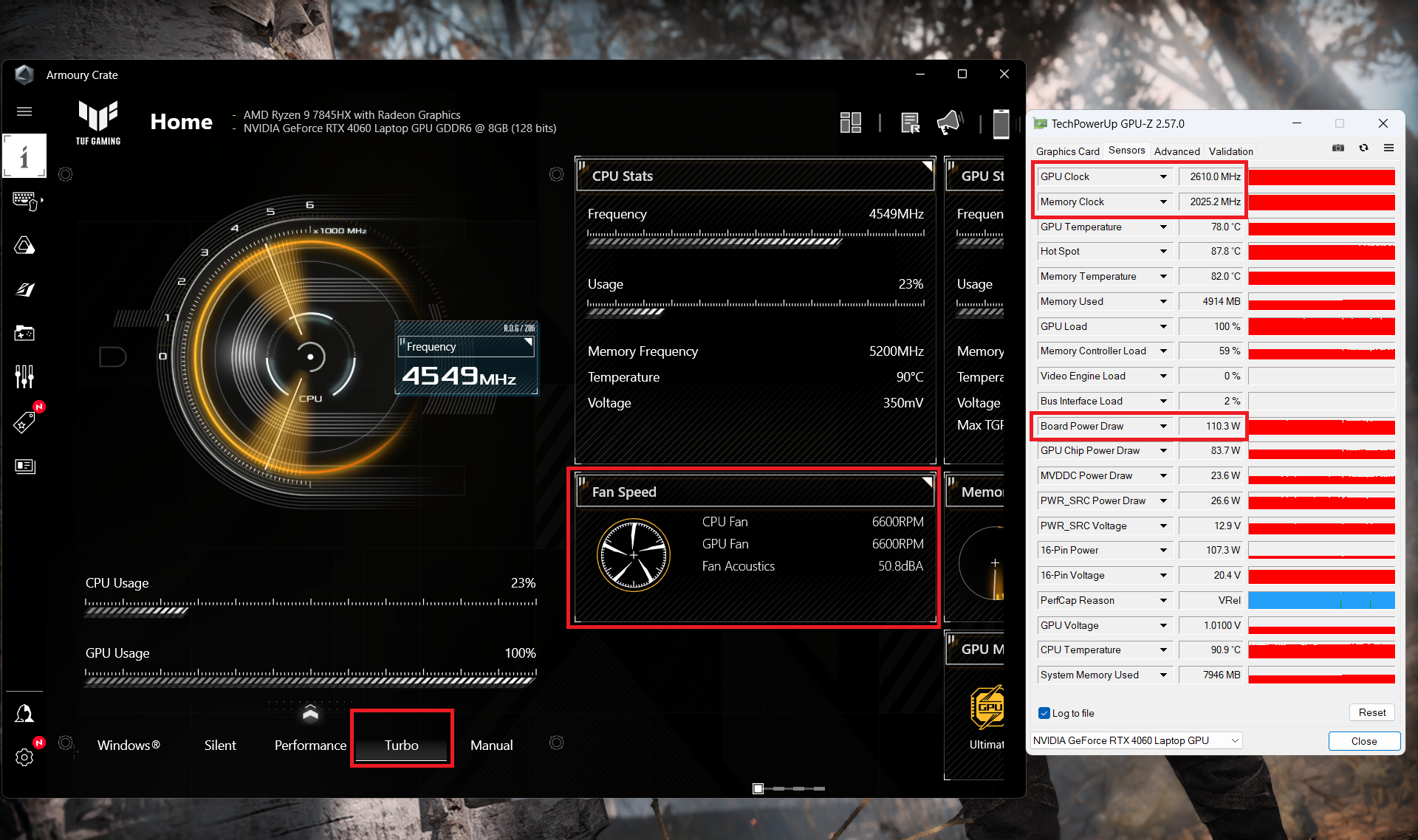 Gaming “Turbo”
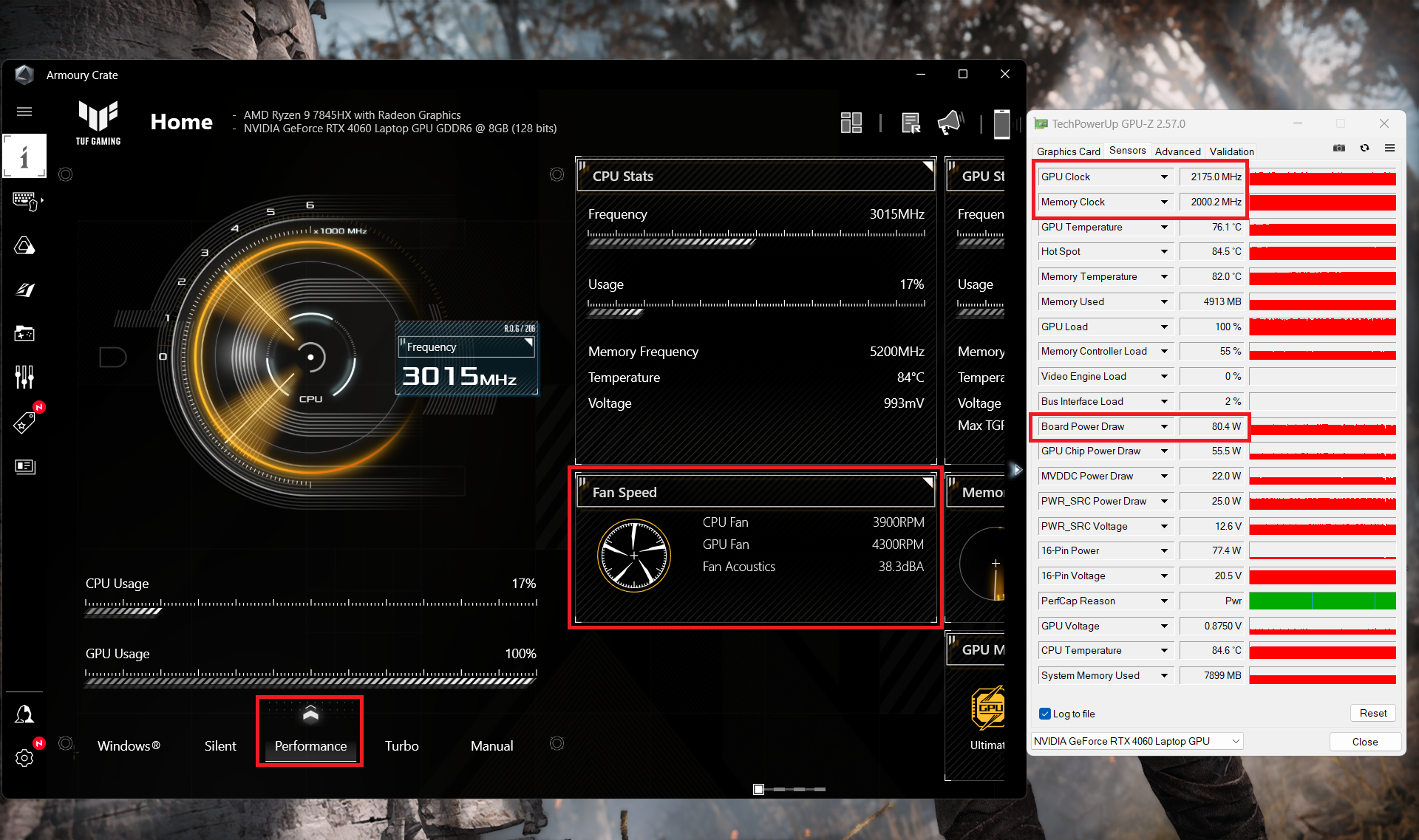 Gaming “Performance”
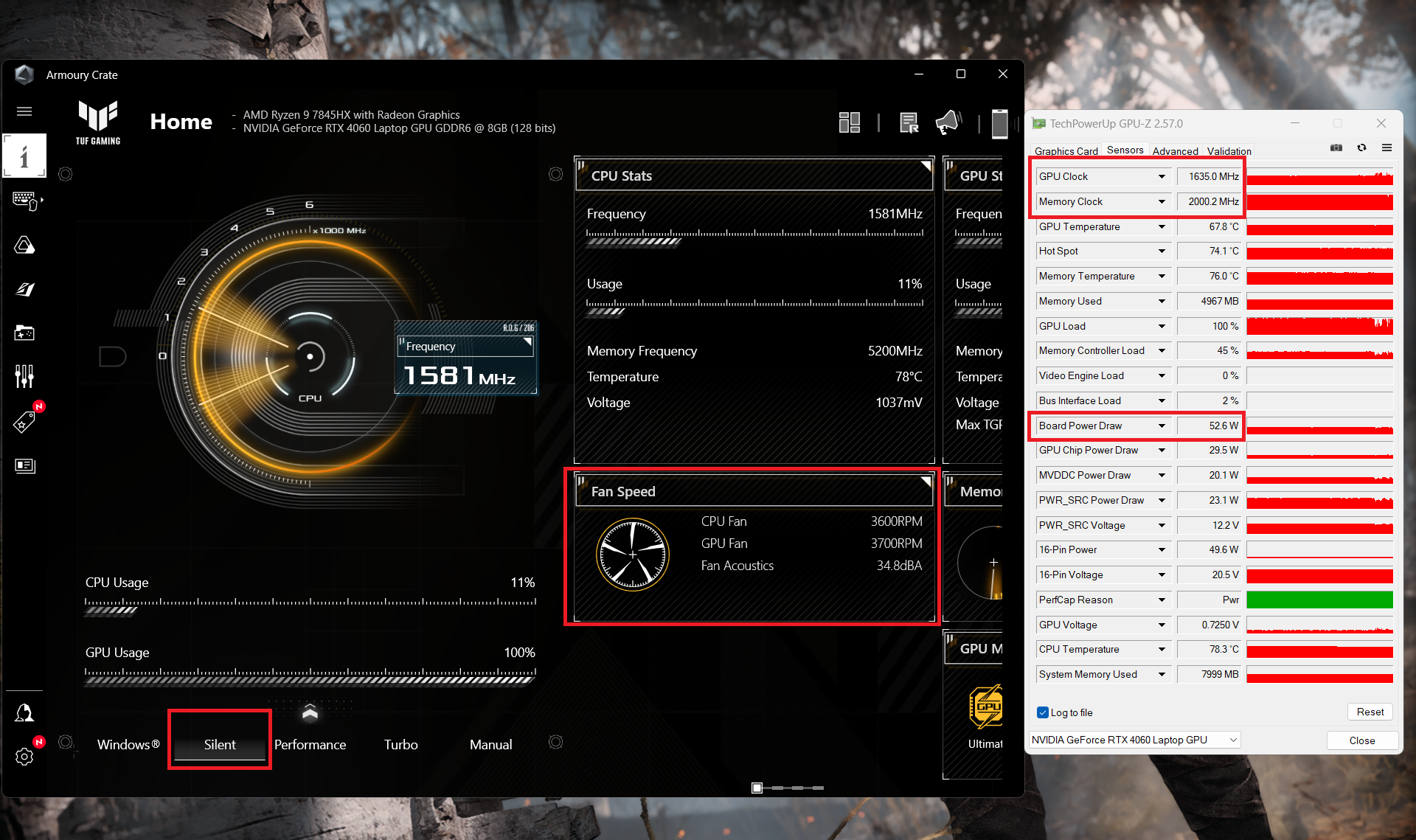 Gaming “Silent”
Battery
Now, we conduct the battery tests with the Windows Better performance setting turned on, screen brightness adjusted to 120 nits and all other programs turned off except for the one we are testing the notebook with. This notebook’s 90Wh battery lasts for 7 hours and 42 minutes of Web browsing, or 4 hours and 33 minutes of video playback. To achieve that, select the “Performance” mode in the Armoury Crate app. There, apply the “Eco” mode to use the iGPU. In addition, the DC fan operation mode is set to “Windows” preset. You also may turn off the “AI Noise Canceling for the speaker and microphone.
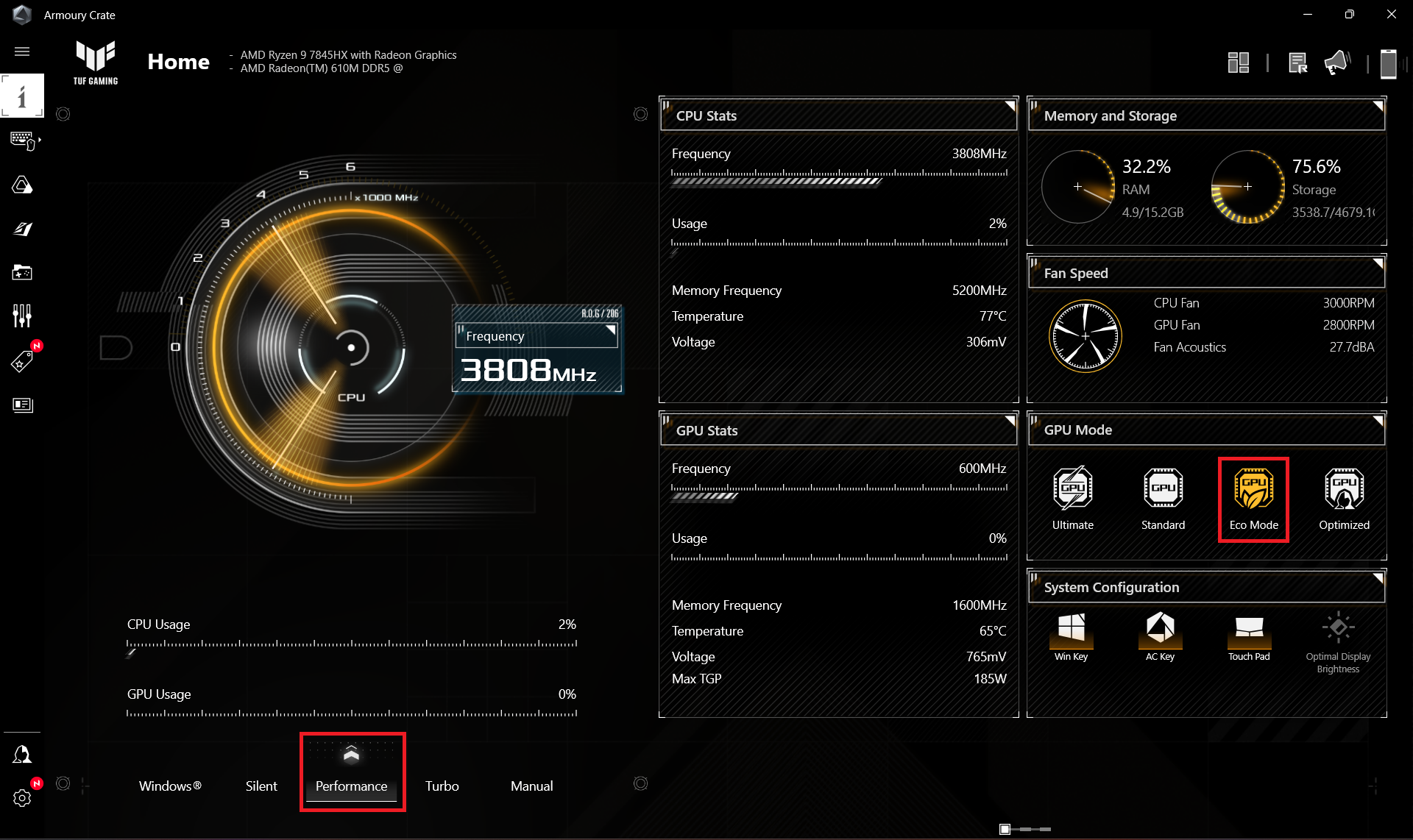
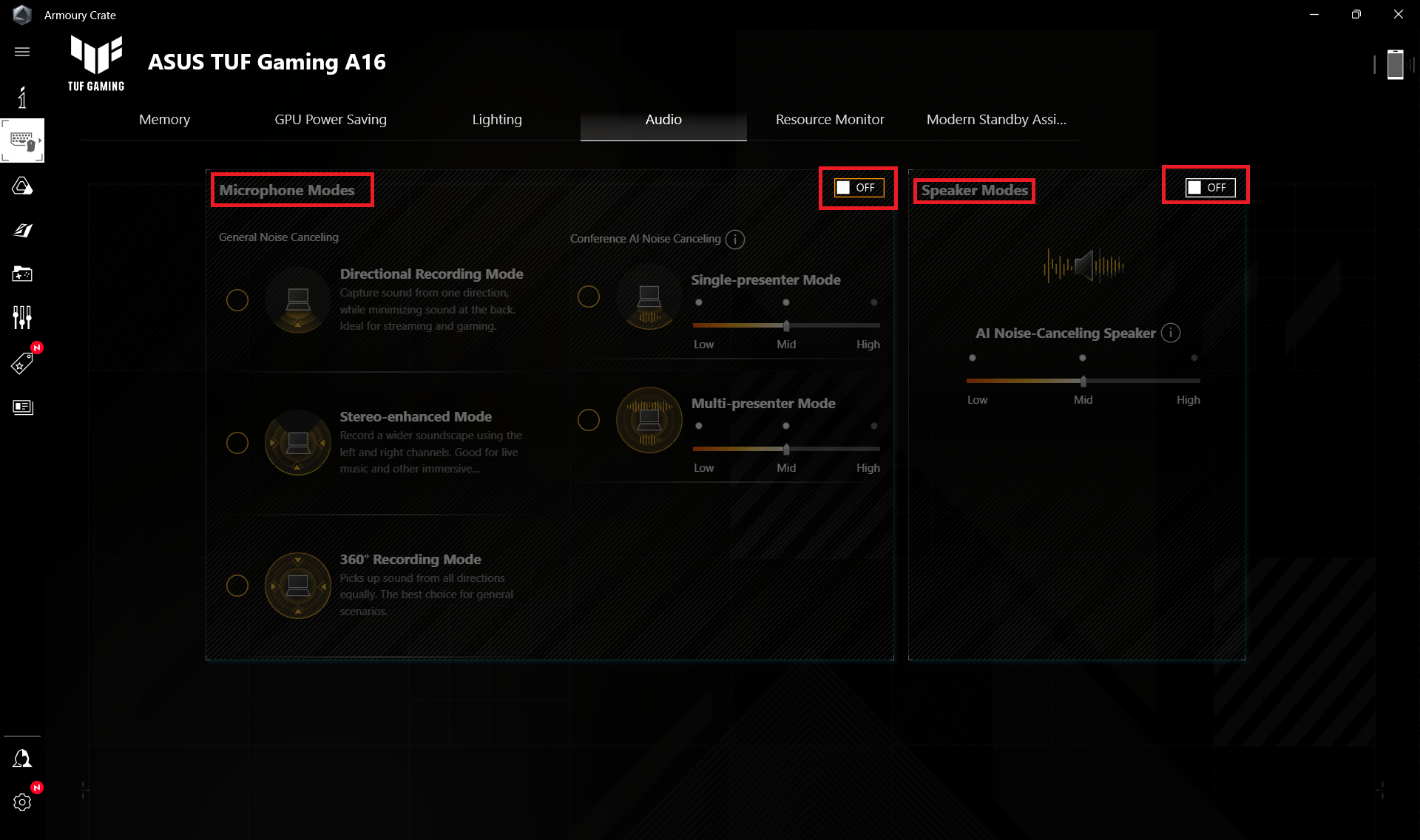
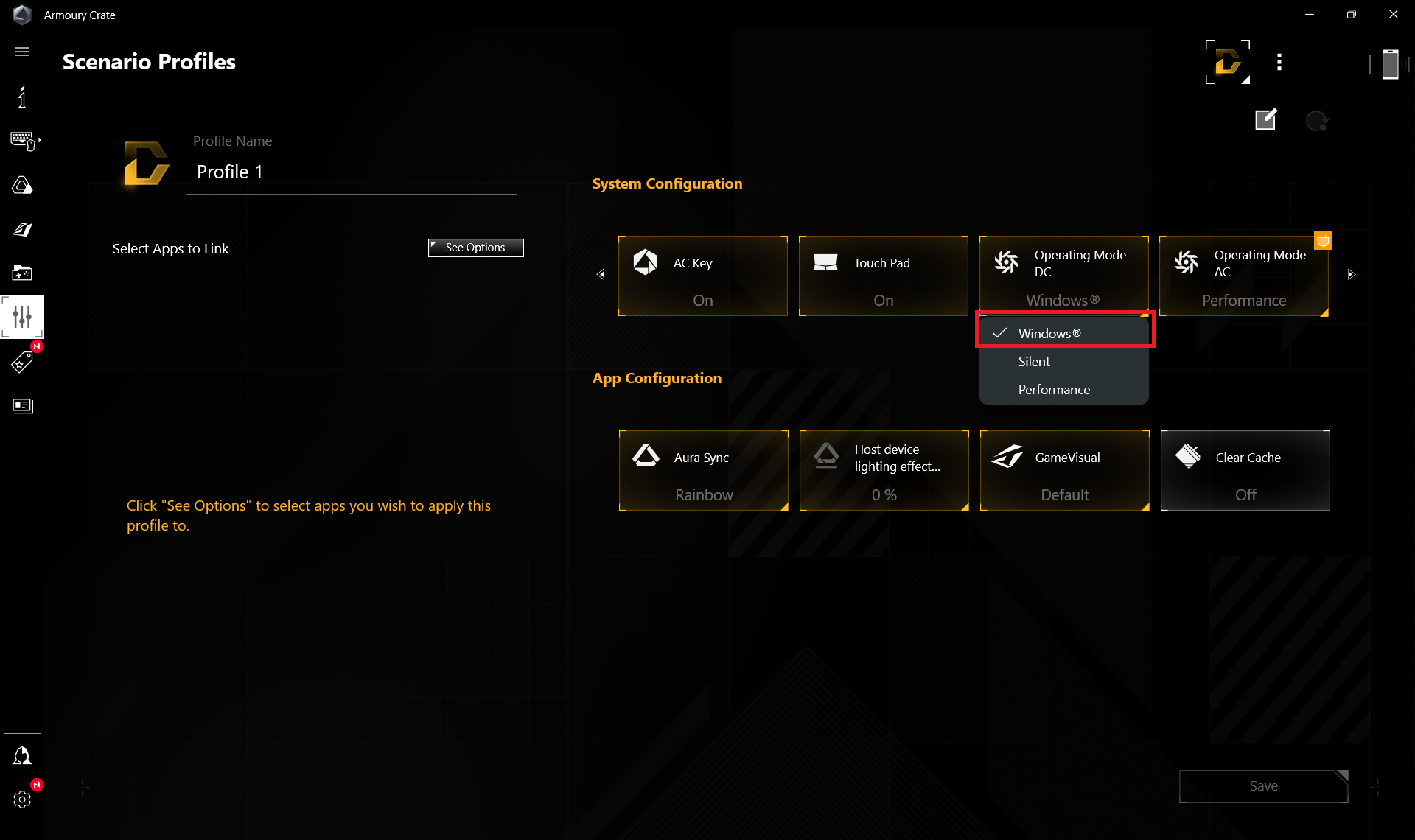
You have to apply the “Balanced” preset in the Windows “Power & Battery” menu

Brightness: 180 nits; Display Mode: SDR
Time to Full Discharge: Higher is Better



In order to simulate real-life conditions, we used our own script for automatic web browsing through over 70 websites.
 Author: Nikolay Palaozov
 Author: eng. Kroum NikolovHead of Engineering at LaptopMedia.com, inventor and innovator with 40+ years of experience in electronics and high technology.

![[June 2026] Best-Selling Laptop Brands on Amazon Global – Apple’s Unrivaled Dominance in Units and Revenue](https://laptopmedia.com/wp-content/uploads/2026/07/GLOBAL-Best-Brands-400x225.jpg)
![[June 2026] Amazon Global: Top 10 Best-Selling Laptops – Apple’s New MacBook Neo Storms to #1, Reshaping the Market with Affordability](https://laptopmedia.com/wp-content/uploads/2026/07/Best-Selling-Laptops-GLOBAL-Top-10-400x225.jpg)
![[June 2026] Amazon Global: Top 10 Best-Selling Gaming Laptops – Acer’s Nitro V 16S AI Dominates Sales, While ASUS Leads Overall Revenue](https://laptopmedia.com/wp-content/uploads/2026/07/Best-Selling-Gaming-Laptops-GLOBAL-Top-10-400x225.jpg)
![[June 2026] Global Ranking of Best-Selling Laptop GPUs on Amazon – NVIDIA RTX 5060 is the Top-Selling Dedicated GPU](https://laptopmedia.com/wp-content/uploads/2026/07/Best-Selling-GPUs-GLOBAL-Top-10-400x225.jpg)
![[June 2026] Global Ranking of Best-Selling Laptop CPUs on Amazon – Apple M5 Dominates, AMD Ryzen 7 260 Gets Solid Premium Share](https://laptopmedia.com/wp-content/uploads/2026/07/Best-Selling-CPUs-GLOBAL-Top-10-400x225.jpg)

Can you tell me abit more regarding the Hinges’ durability? Do you think that ASUS TUF’s “military grade” laptop hinges are better than other budget laptop such as Acer Nitro, HP Victus, and MSI GF63? I’m really curious about how they compare. Thank you very much in advance!
To receive the MIL-STD 810H certifications, ASUS laptops undergo 12 test methods and 26 procedures, but none of them relate to hinges, here’s the testing report:
https://www.asus.com/event/2023/productguide/asus_consumer_laptops_military_grade_testing_report_202303.pdf
The laptops we review are brand new from an online store. Although we haven’t encountered problems with their hinges, we can’t guarantee long-term reliability.
Overall, we’re satisfied with the build quality of ASUS laptops; it’s clear they’ve put considerable thought into it.
Can i know which model info of this TUF A16 that use 7945hx?
because when i referred to this link https://www.asus.com/laptops/for-gaming/tuf-gaming/asus-tuf-gaming-a16-2024/techspec/ it says that there only available with 7845hx and 7940hx?
You are correct, it’s a mistake on our end, and we’ve fixed it, sorry about that, it is a 7845HX indeed.
Oh no! The non-gaming battery life is 50% shorter than the 2023 model 🙁
Can I add a second SSD with a thermal protector? Or is the thermal protector incompatible
the screen is at 144 FPS, not 165, as indicated on the official website