ASUS Vivobook 16 (X1605) review – affordability comes at 16 inches
Design and construction
ASUS has made this notebook entirely out of plastic. It weighs 1.88 kg and has a profile of 19.9mm. This is pretty good for a 16-inch device. Not only that, but it also has a small footprint.
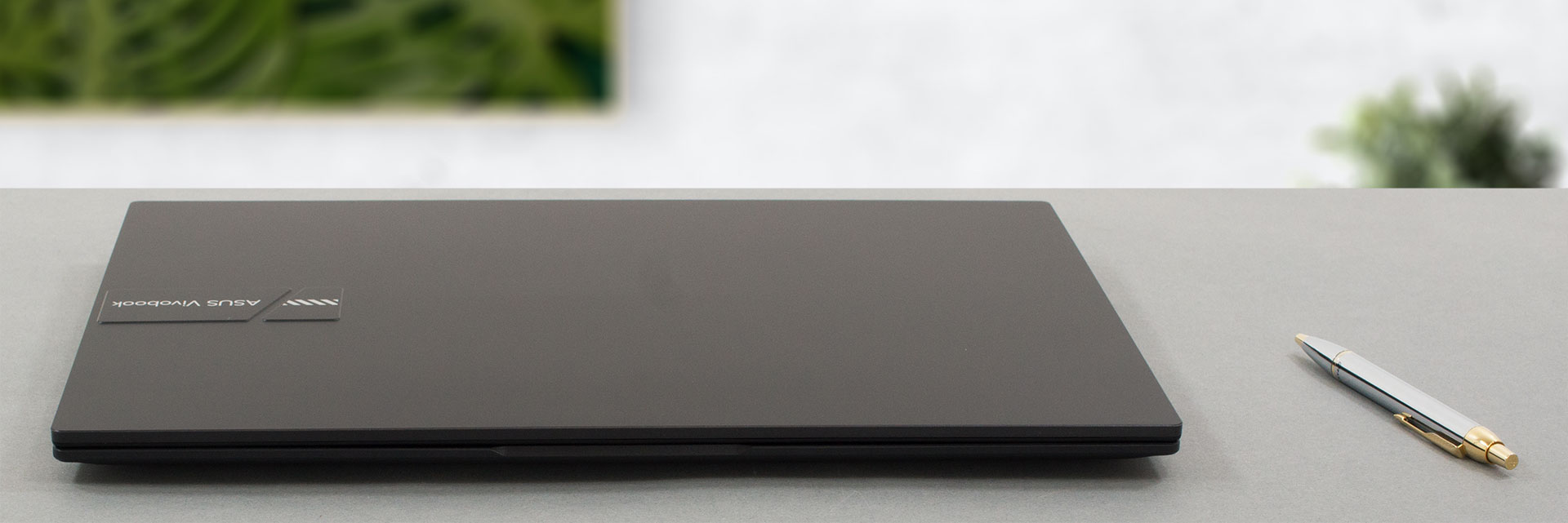
We have to mention that the structure of the machine is not very rigid. There is flex in both the lid and the base when you twist it. Another thing we noticed is that the laptop is very back-heavy. As soon as you open the lid past the 90° angle, it becomes really easy to flip the laptop by lifting the front part of the base.

Speaking of the lid, it can’t be opened with one hand. However, the bezels around the display are the reason for the laptop’s small form factor. They are incredibly thin. Despite that, ASUS has put a 720p Web camera with a privacy shutter up top.

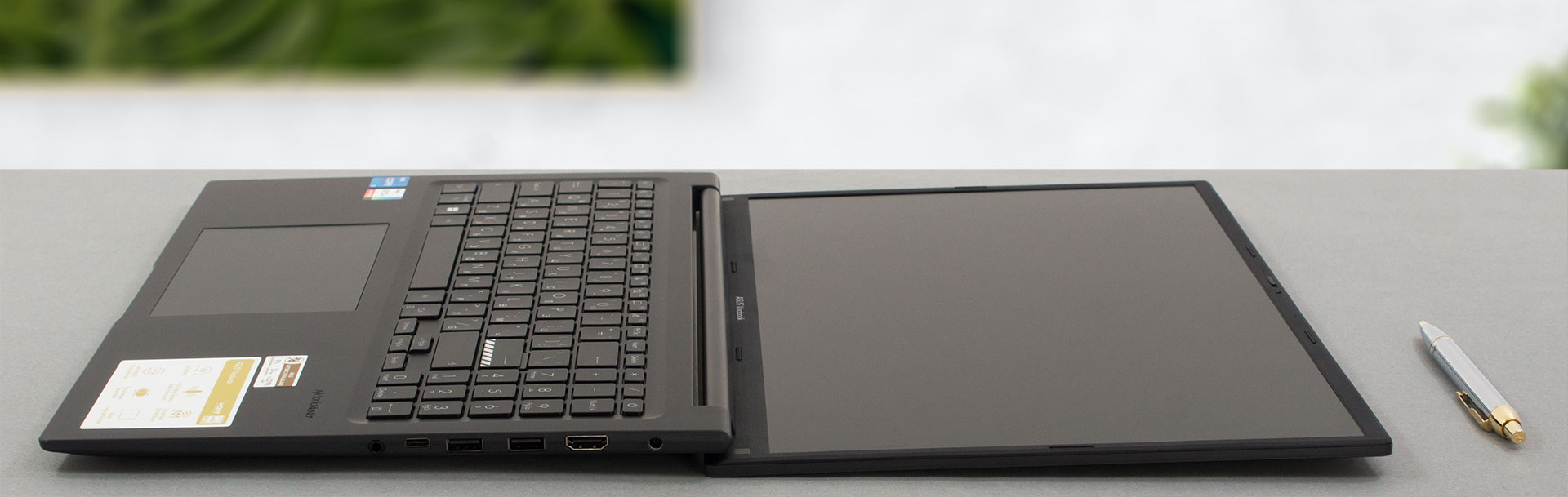
Looking at the base, we find a backlit keyboard, that has a full-sized NumberPad, yet small Arrow keys. On the bright side, the key travel is decent, while the feedback is clicky. This results in a comfortable typing experience.
Perhaps here is the place to tell you about the ASUS Antibacterial Guard. It is a treatment of the surfaces of the notebook, which prevents bacteria and viruses from attaching and growing on the device. This is a useful feature in the post-Covid era.

Do you know what else is useful? The humongous touchpad. It is one of the largest ones we’ve seen on the market and works pretty well. It has no dedicated buttons. Instead, it relies on a click pad mechanism, which is a bit tough to press in the top part of the touchpad. Otherwise, it is all good.

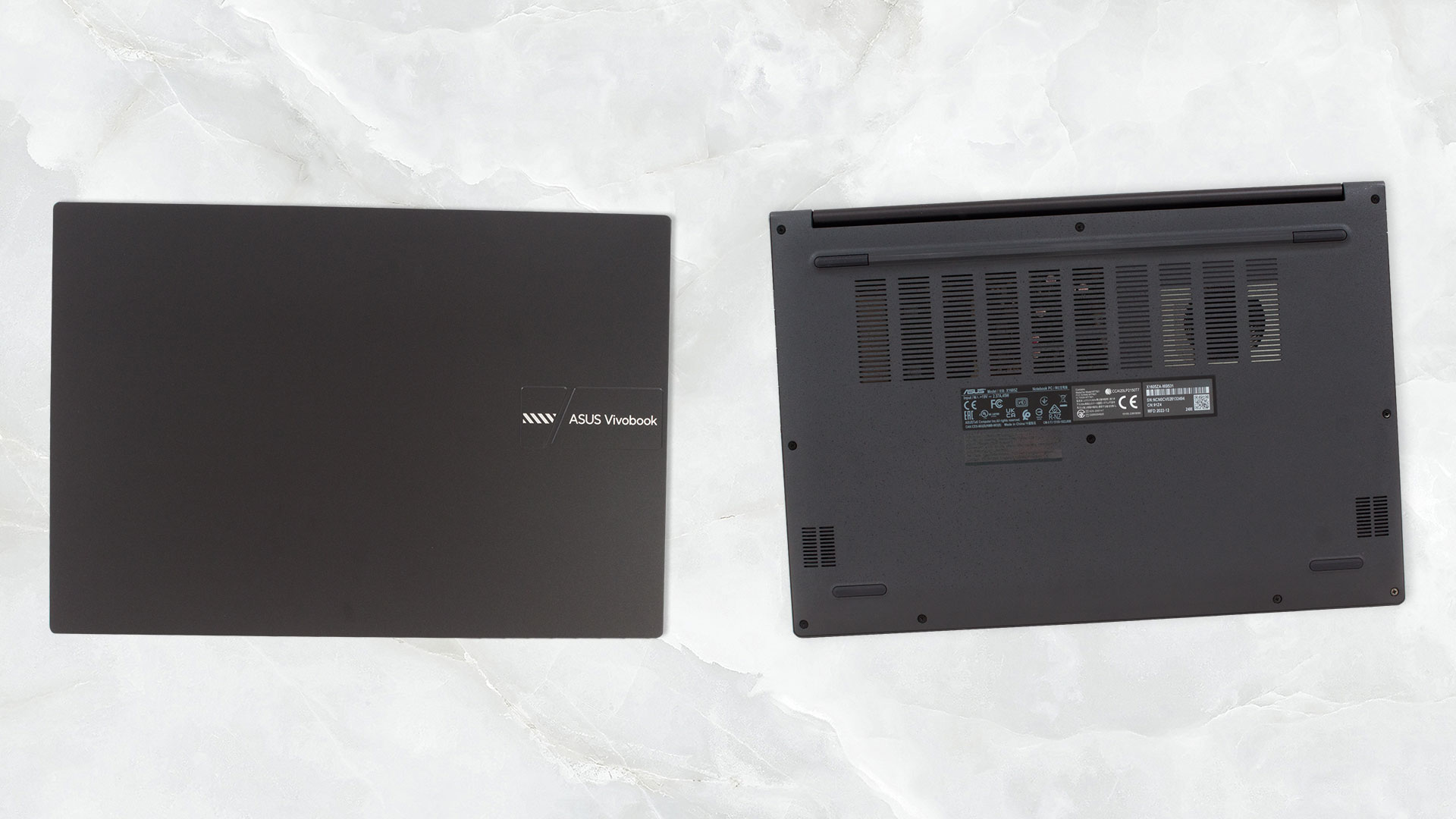
The bottom panel is home to the two speaker cutouts and a huge ventilation grill. The single fan inside pushes the hot air through two vents – one on the back, and one on the left side of the laptop.
Ports
Besides the vent, the left side is home to a single USB Type-A 2.0 port. Then, on the right, you get the charging plug, an HDMI 1.4 connector, two USB Type-A 3.2 (Gen. 1) ports, a USB Type-C 3.2 (Gen. 1) port for data transfer only, and an Audio jack.


 Author: Alex Iliev
 Author: eng. Kroum NikolovHead of Engineering at LaptopMedia.com, inventor and innovator with 40+ years of experience in electronics and high technology.

![[June 2026] Best-Selling Laptop Brands on Amazon Global – Apple’s Unrivaled Dominance in Units and Revenue](https://laptopmedia.com/wp-content/uploads/2026/07/GLOBAL-Best-Brands-400x225.jpg)
![[June 2026] Amazon Global: Top 10 Best-Selling Laptops – Apple’s New MacBook Neo Storms to #1, Reshaping the Market with Affordability](https://laptopmedia.com/wp-content/uploads/2026/07/Best-Selling-Laptops-GLOBAL-Top-10-400x225.jpg)
![[June 2026] Amazon Global: Top 10 Best-Selling Gaming Laptops – Acer’s Nitro V 16S AI Dominates Sales, While ASUS Leads Overall Revenue](https://laptopmedia.com/wp-content/uploads/2026/07/Best-Selling-Gaming-Laptops-GLOBAL-Top-10-400x225.jpg)
![[June 2026] Global Ranking of Best-Selling Laptop GPUs on Amazon – NVIDIA RTX 5060 is the Top-Selling Dedicated GPU](https://laptopmedia.com/wp-content/uploads/2026/07/Best-Selling-GPUs-GLOBAL-Top-10-400x225.jpg)
![[June 2026] Global Ranking of Best-Selling Laptop CPUs on Amazon – Apple M5 Dominates, AMD Ryzen 7 260 Gets Solid Premium Share](https://laptopmedia.com/wp-content/uploads/2026/07/Best-Selling-CPUs-GLOBAL-Top-10-400x225.jpg)

Thank you for the article.
I’m waiting for delivery on the laptop linked below, and it comes with a m.2 port.
Does this mean that I cannot install a second m.2 ssd internally?
Thanks.
https://www.bestbuy.com/site/asus-vivobook-16-wuxga-laptop-intel-13-gen-core-i5-with-8gb-memory-intel-uhd-graphics-512gb-ssd-indie-black/6545930.p?skuId=6545930