ASUS Vivobook 16 (X1605) review – affordability comes at 16 inches
Disassembly, Upgrade options, and Maintenance
To access this notebook’s internals, you need to undo 10 Phillips-head screws. After that, pry the bottom panel with a plastic tool, and lift it away from the chassis.

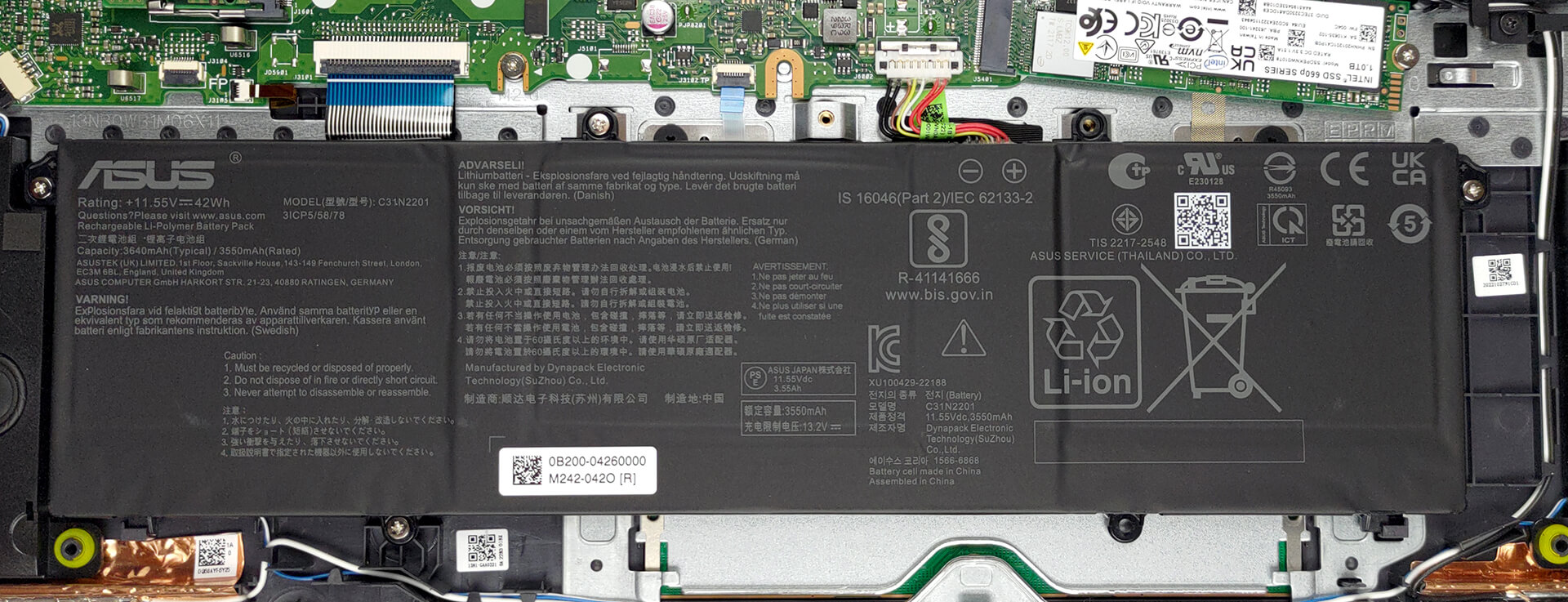
Inside, we find a 42Wh battery pack. To take it out, unplug the connector from the motherboard, and undo the 4 Phillips-head screws that hold it in place.
This device features 8GB of DDR4 RAM soldered to the motherboard, with one SODIMM slot offering further expansion. As for storage, you get one M.2 PCIe x4 slot, which works with either Gen 3 or Gen 4 SSDs.
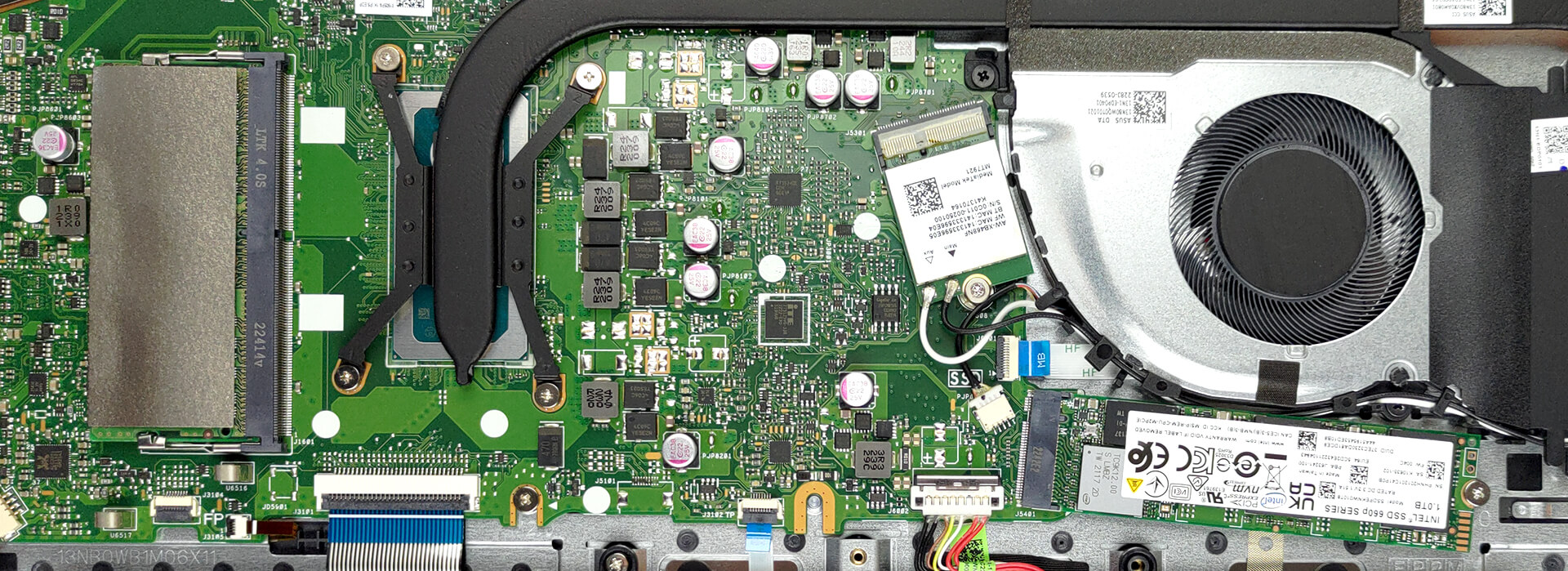
Cooling-wise, there is one very long heat pipe that connects to two heat sinks. A single fan blows the heat away from the chassis.

 Author: Alex Iliev
 Author: eng. Kroum NikolovHead of Engineering at LaptopMedia.com, inventor and innovator with 40+ years of experience in electronics and high technology.

![[June 2026] Best-Selling Laptop Brands on Amazon Global – Apple’s Unrivaled Dominance in Units and Revenue](https://laptopmedia.com/wp-content/uploads/2026/07/GLOBAL-Best-Brands-400x225.jpg)
![[June 2026] Amazon Global: Top 10 Best-Selling Laptops – Apple’s New MacBook Neo Storms to #1, Reshaping the Market with Affordability](https://laptopmedia.com/wp-content/uploads/2026/07/Best-Selling-Laptops-GLOBAL-Top-10-400x225.jpg)
![[June 2026] Amazon Global: Top 10 Best-Selling Gaming Laptops – Acer’s Nitro V 16S AI Dominates Sales, While ASUS Leads Overall Revenue](https://laptopmedia.com/wp-content/uploads/2026/07/Best-Selling-Gaming-Laptops-GLOBAL-Top-10-400x225.jpg)
![[June 2026] Global Ranking of Best-Selling Laptop GPUs on Amazon – NVIDIA RTX 5060 is the Top-Selling Dedicated GPU](https://laptopmedia.com/wp-content/uploads/2026/07/Best-Selling-GPUs-GLOBAL-Top-10-400x225.jpg)
![[June 2026] Global Ranking of Best-Selling Laptop CPUs on Amazon – Apple M5 Dominates, AMD Ryzen 7 260 Gets Solid Premium Share](https://laptopmedia.com/wp-content/uploads/2026/07/Best-Selling-CPUs-GLOBAL-Top-10-400x225.jpg)

Thank you for the article.
I’m waiting for delivery on the laptop linked below, and it comes with a m.2 port.
Does this mean that I cannot install a second m.2 ssd internally?
Thanks.
https://www.bestbuy.com/site/asus-vivobook-16-wuxga-laptop-intel-13-gen-core-i5-with-8gb-memory-intel-uhd-graphics-512gb-ssd-indie-black/6545930.p?skuId=6545930