HP OMEN Transcend 16 (u1000) review – RTX 4070 Power, 240Hz Display in a Thin Chassis
Verdict
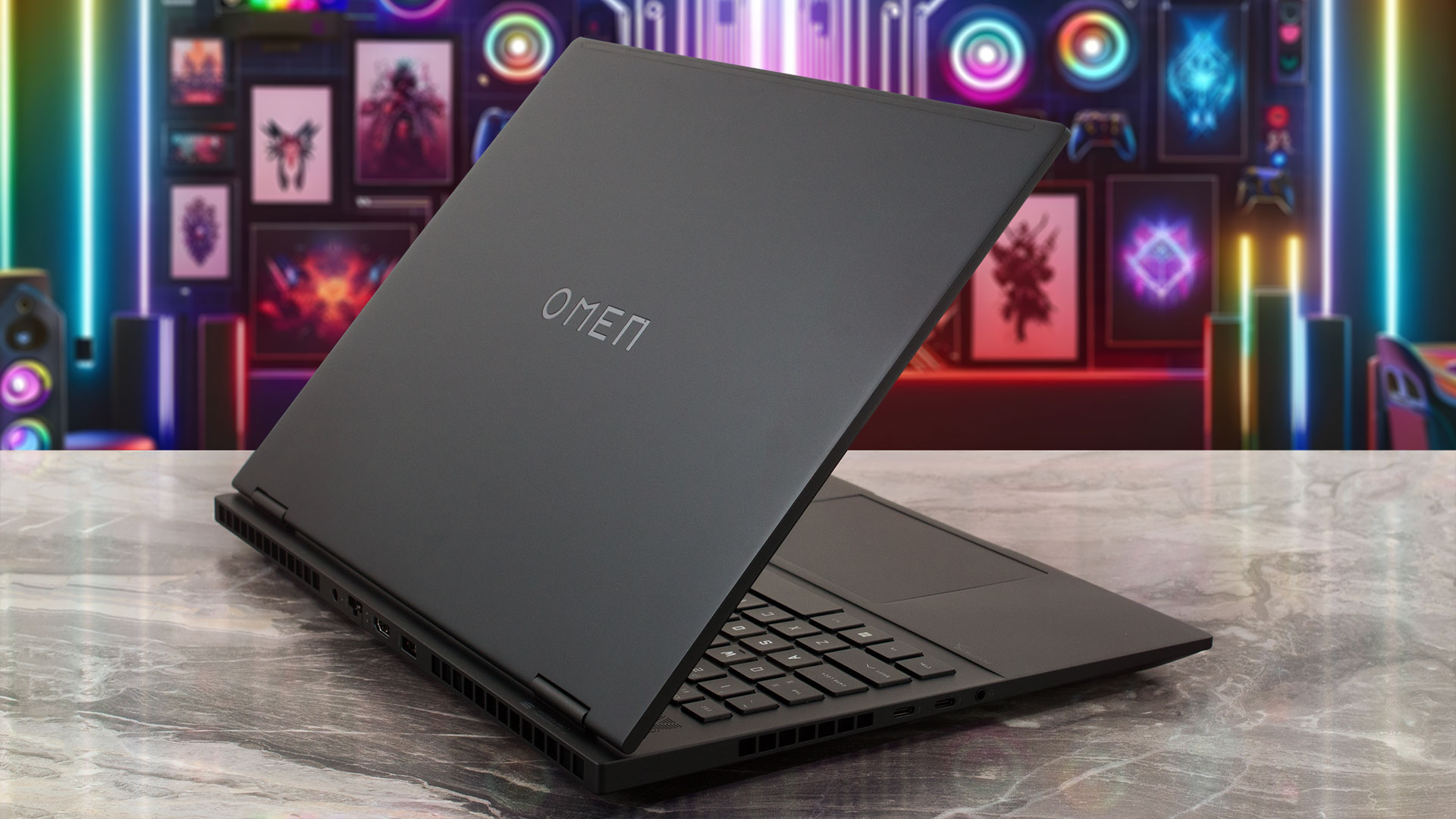 The HP OMEN Transcend 16 (u1000) is a successful collaboration between a thin profile (for a gaming laptop) and powerful hardware fitted in a sleek-looking chassis. Speaking of which, the metal build feels premium to the touch, and the base is solid, but the lid rigidity is a bit disappointing. Still, you can open the laptop with a single hand and this reveals the comfortable input devices.
If you want the full power of the laptop, you have to select the “Performance” mode. In this case, you can rely on a stable 114W GPU TGP and ~3.00Ghz P core clock + 90W processor power limit in longer loads. Not bad for a gaming device with a sub-20 mm profile alongside Core i7-14700HX and GeForce RTX 4060 under the hood. The fans are very audible during gaming but the noise isn’t extremely loud or unbearable. If you want to hear less noise, you have to select the “Balanced” mode but this will also reduce the CPU and GPU frequencies and the power limits as well.
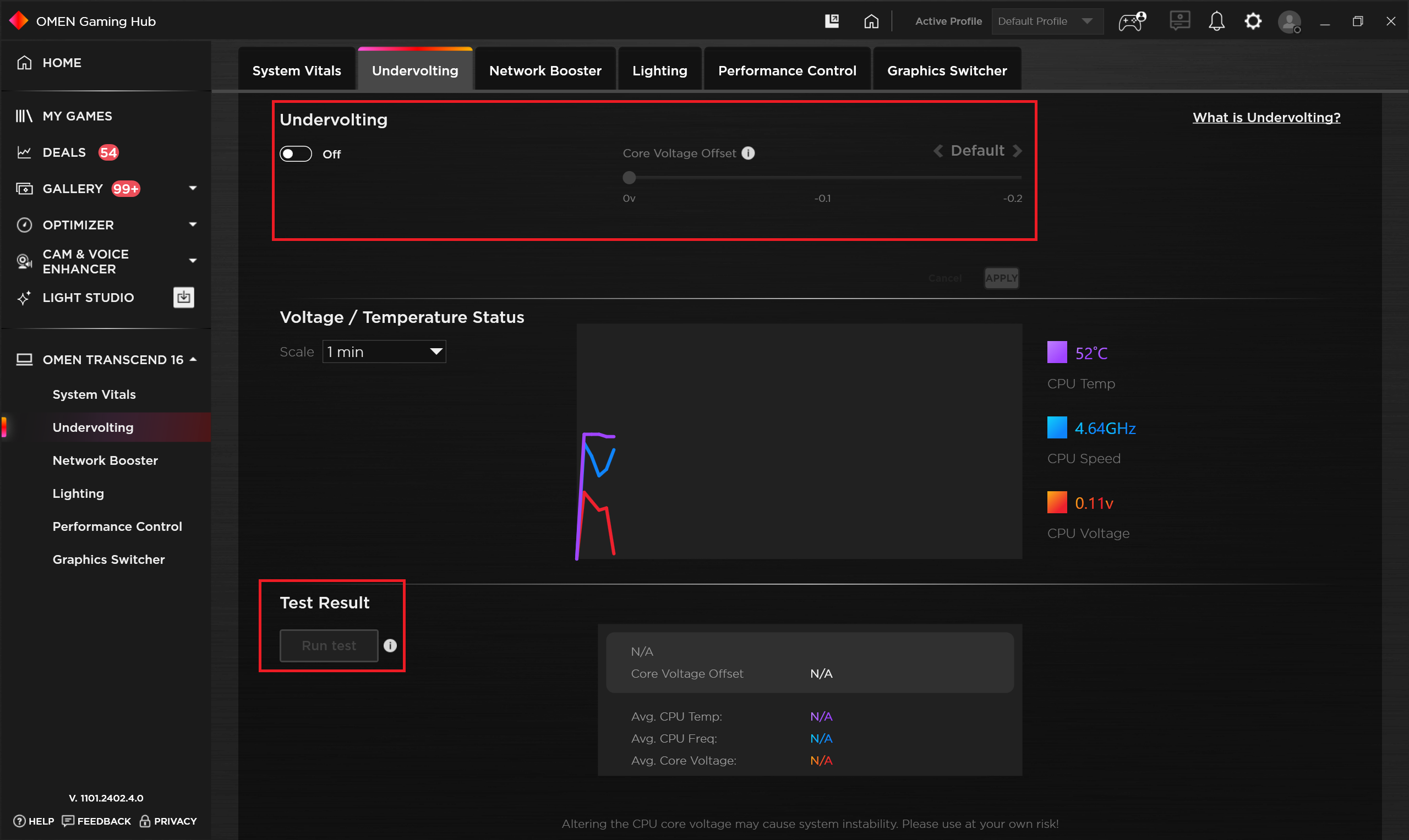
This reminds us that you also get an option to undervolt the CPU. If you have some free time, you can give it a try. This extra can be found in the Omen Gaming Hub app. This allows you to reduce the processor voltage to lower power consumption which will also tame the fans.
The upgradability is fine – two SODIMMs and one M.2 slot for Gen 4 NVMe drives. The I/O is good with its two Thunderbolt 4 ports and HDMI 2.1 and we like the fact that part of the ports and the power connector are placed on the back for better cable management on your desk. The optional 1600p display (BOE BOE0B49 (NE160QDM-NYD)) is a gam-packed unit with a 240Hz refresh rate, 99% sRGB coverage, and snappy pixel response times for an IPS unit. In addition, with the aid of our “Design and Gaming” profile, the color accuracy can be enhanced to an average dE value of just 0.9 which makes the display suitable for color-sensitive work and content creation.
The HP OMEN Transcend 16 (u1000) is a capable not-so-big gaming laptop with a sizable cooling solution, adequate performance, up-to-date port selection, PWM-free display, and good battery life.
You can check the prices and configurations in our Specs System: https://laptopmedia.com/series/hp-omen-transcend-16-16t-u1000-2024/
Pros
- Metal chassis and stealthy design
- Compact for a 16-inch gaming laptop
- Capable thermal system
- Stable and high CPU and GPU frequencies under any kind of load
- Wide viewing angles and good contrast ratio (BOE BOE0B49 (NE160QDM-NYD))
- Snappy pixel response times (BOE BOE0B49 (NE160QDM-NYD))
- PWM-free (BOE BOE0B49 (NE160QDM-NYD))
- 99% sRGB coverage + accurate colors with our “Design and Gaming” profile (BOE BOE0B49 (NE160QDM-NYD))
- 2x SODIMM slots
- Comfortable keyboard
- Modern I/O
- The fans aren’t spinning in idle
- Acceptable noise levels in “Balanced” mode
- Good battery battery life given the 1600p display and the powerful hardware
- The Omen Gaming Hub app is full of useful extras such as CPU undervolt
- Offers NVIDIA Advanced Optimus, G-Sync + MUX switch
Cons
- Flexible lid
- No NumPad
- Noisy in “Performance” mode
- Just one M.2 slot
 Author: Nikolay Palaozov
 Author: eng. Kroum NikolovHead of Engineering at LaptopMedia.com, inventor and innovator with 40+ years of experience in electronics and high technology.

![[August 2026] Amazon Italy: Top 10 Best-Selling Laptops – Apple MacBook Neo Claims the Crown as Budget and Mid-Range Windows Machines Dominate Volume](https://laptopmedia.com/wp-content/uploads/2026/09/Best-Selling-Laptops-IT-Top-10-400x225.jpg)
![[August 2026] Amazon Italy: Top 7 Best-Selling Gaming Laptops – ASUS V16 Claims the #1 Spot Amid Strong Mid-Range Demand](https://laptopmedia.com/wp-content/uploads/2026/09/Best-Selling-Gaming-Laptops-IT-Top-10-400x225.jpg)
![[August 2026] Best-Selling Laptop Brands on Amazon Italy – Lenovo Dominates Market Share and Revenue Leadership](https://laptopmedia.com/wp-content/uploads/2026/09/IT-Best-Brands-400x225.jpg)
![[August 2026] Amazon India: Top 10 Best-Selling Laptops – Apple MacBook Neo Dominates the Charts with Massive Sales Lead](https://laptopmedia.com/wp-content/uploads/2026/09/Best-Selling-Laptops-IN-Top-10-400x225.jpg)
![[August 2026] Amazon India: Top 10 Best-Selling Gaming Laptops – HP Victus 15 Dominates the Market with Massive Unit Lead](https://laptopmedia.com/wp-content/uploads/2026/09/Best-Selling-Gaming-Laptops-IN-Top-10-400x225.jpg)
