ASUS ROG Zephyrus G16 GU605 review – Thin on Size, Big on Power, This OLED Laptop is a Gaming Beast
Performance: CPU, GPU, Gaming Tests
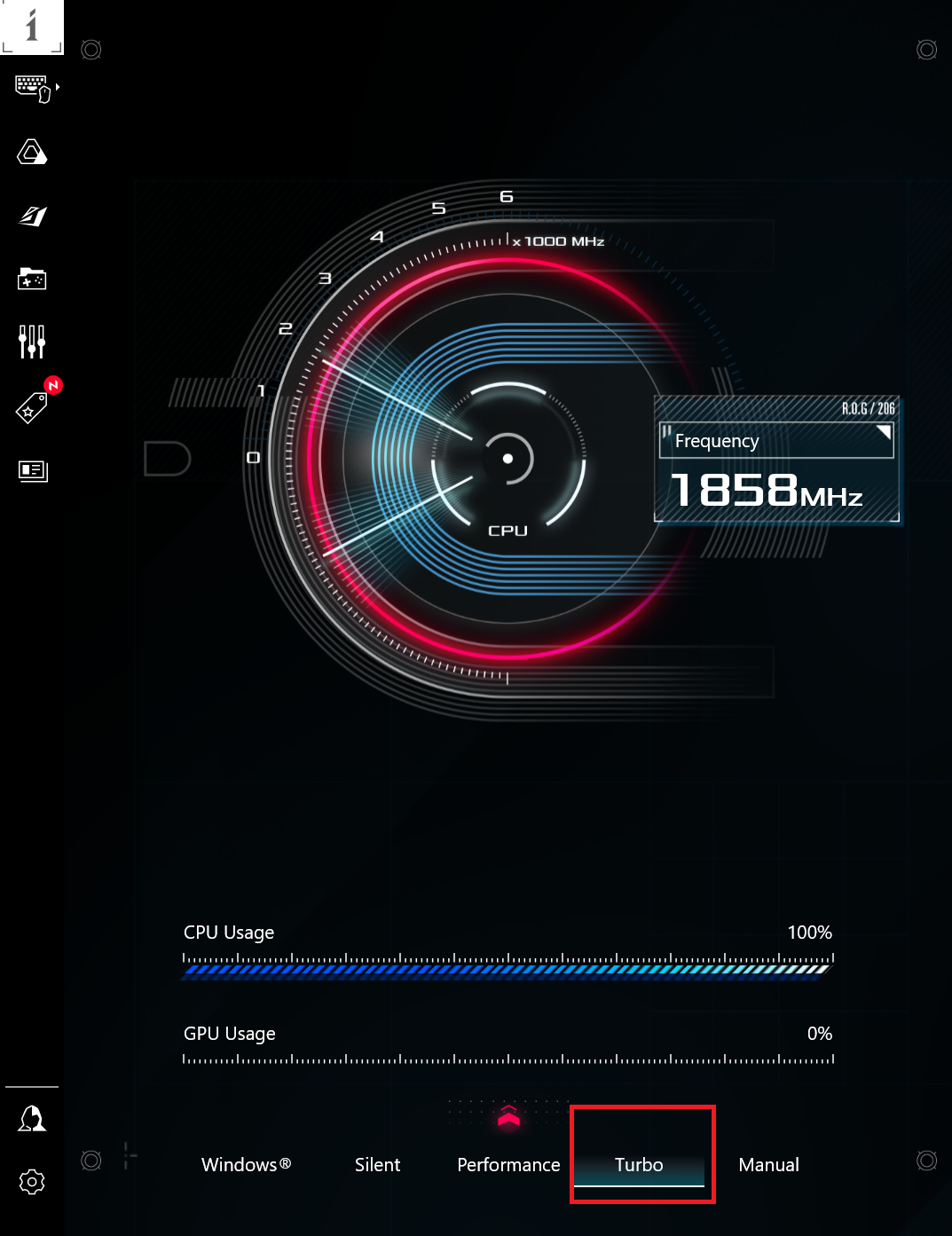
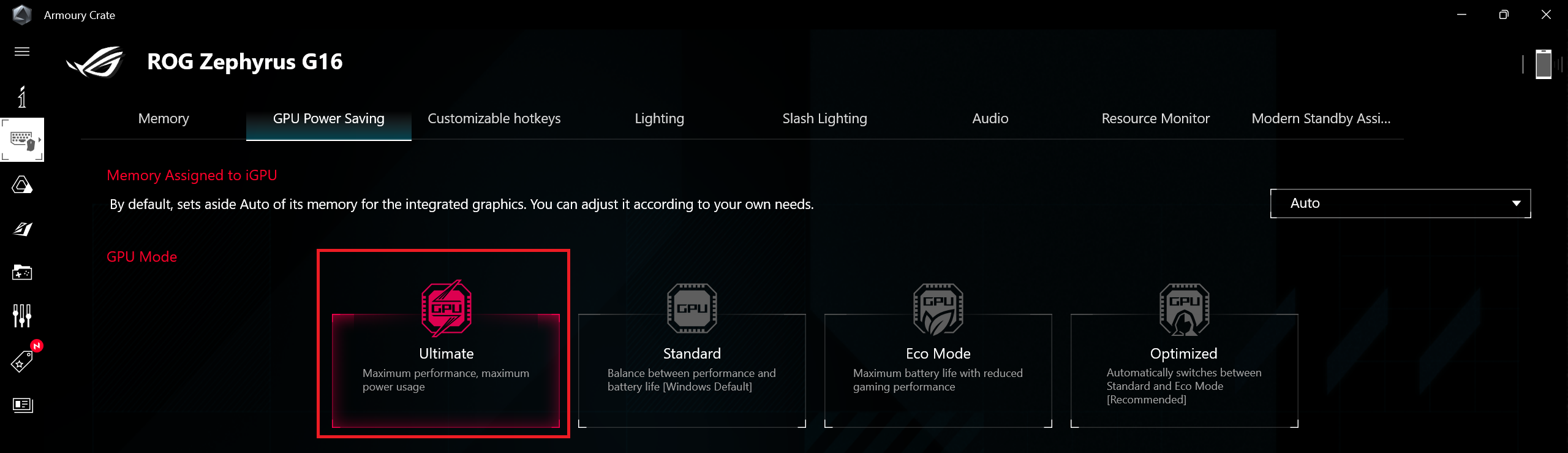
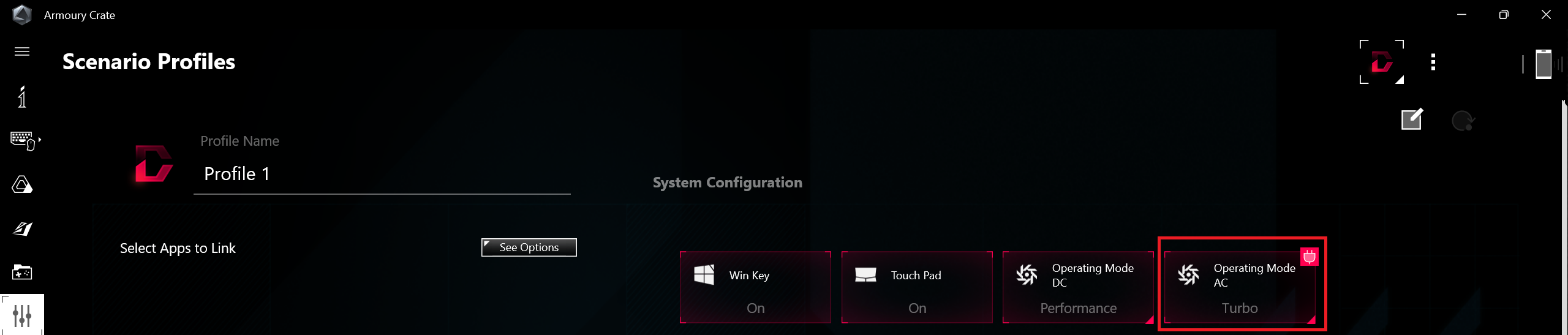
All benchmarks and tests were conducted with the “Turbo” preset activated in the Armory Crate app. Also, the fan profile is set to “Turbo” and the “Ultimate” GPU mode is turned on to eliminate the iGPU. The “Best Performance” preset is applied in the Windows “Power & Battery” menu.

CPU options
Currently, this device can be found with the Intel Core Ultra 7 155H or Core Ultra 9 185H.
Here, we evaluate the CPU's performance using a real-world 3D rendering task, assessing its ability to handle complex computations and rendering workloads efficiently.
Results are from the Cinebench 2024 Multi-Core test (higher is better)
GPU options
GPU-wise, you can choose between the NVIDIA GeForce RTX 4050 (Laptop, 100W), GeForce RTX 4060 (Laptop, 100W), GeForce RTX 4070 (Laptop, 105W), GeForce RTX 4080 (Laptop, 115W), and GeForce RTX 4090 (Laptop, 115W).
The results are from 3DMark Time Spy (Graphics). Higher is better.
Results are from 3DMark Fire Strike (Graphics) benchmark (higher the score, the better)
The results are from 3DMark Wild Life Extreme Unlimited. Higher is better.
Results are from the Unigine Superposition benchmark (higher the score, the better)
ASUS ROG Zephyrus G16 GU605 GPU variants
Here you can see an approximate comparison between the GPUs that can be found in the ASUS ROG Zephyrus G16 GU605 models on the market. This way you can decide for yourself which ASUS ROG Zephyrus G16 GU605 model is the best bang for your buck.
Note: The chart shows the cheapest different GPU configurations so you should check what the other specifications of these laptops are by clicking on the laptop’s name / GPU.
The results are from 3DMark Time Spy (Graphics). Higher is better.
Results are from the 3DMark: Fire Strike (Graphics) benchmark (higher the score, the better)
Results are from the 3DMark: Wild Life (Graphics) benchmark (higher the score, the better)
Results are from the Unigine Superposition benchmark (higher the score, the better)
Gaming tests
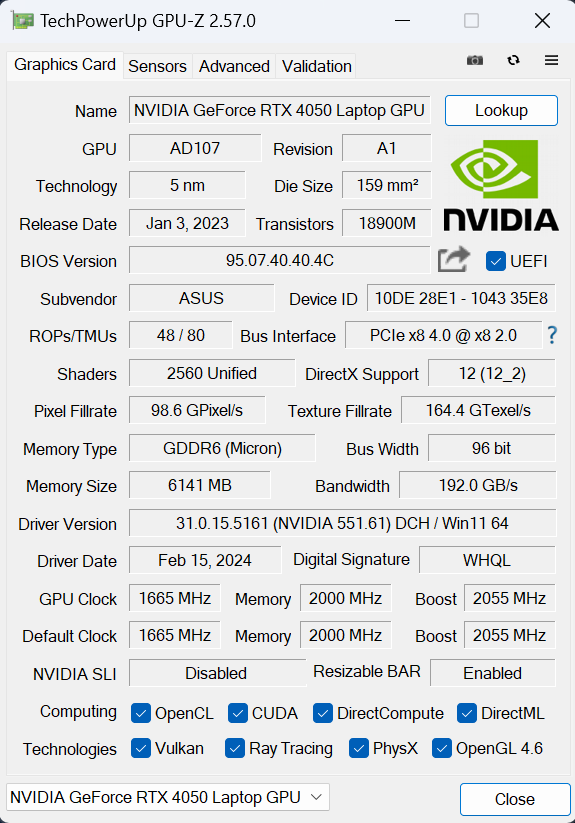
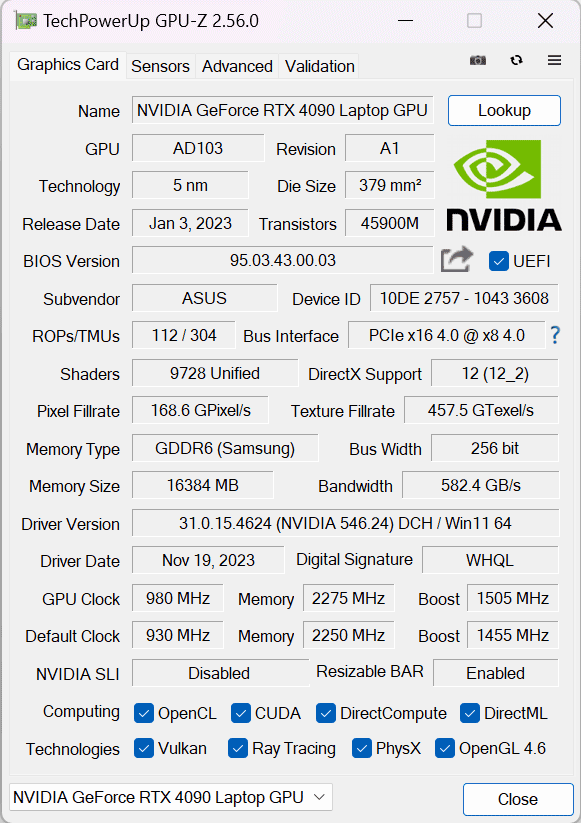
Interestingly, ASUS mentions the GeForce RTX 4050 as a 100W GPU (85W+15W Dynamic Boost), the NVIDIA Control Panel shows a maximum graphics power of 115W. We won’t complain, that’s a lot of headroom for overclocking.

| Assassin’s Creed Valhalla | Full HD, Low (Check settings) | Full HD, Medium (Check settings) | Full HD, High (Check settings) | Full HD, Ultra (Check settings) |
|---|---|---|---|---|
| RTX 4050 (100W) | 141 fps | 116 fps | 94 fps | 79 fps |
| RTX 4090 (115W) | 182 fps | 165 fps | 147 fps | 133 fps |

| Borderlands 3 | Full HD, V.Low (Check settings) | Full HD, Medium (Check settings) | Full HD, High (Check settings) | Full HD, Badass (Check settings) |
|---|---|---|---|---|
| RTX 4050 (100W) | 163 fps | 129 fps | 92 fps | 69 fps |
| RTX 4090 (115W) | 187 fps | 162 fps | 143 fps | 131 fps |

| Gears 5 | Full HD, Low (Check settings) | Full HD, Medium (Check settings) | Full HD, High (Check settings) | Full HD, Ultra (Check settings) |
|---|---|---|---|---|
| RTX 4050 (100W) | 199 fps | 157 fps | 131 fps | 103 fps |
| RTX 4090 (115W) | 216 fps | 168 fps | 160 fps | 151 fps |
Despite the 6GB VRAM buffer, the GeForce RTX 4050 can still show above 60FPS on Ultra details in heavy games like Assassin’s Creed Valhalla.
 Author: Nikolay Palaozov
 Author: eng. Kroum NikolovHead of Engineering at LaptopMedia.com, inventor and innovator with 40+ years of experience in electronics and high technology.

![[August 2026] Best-Selling Laptop Brands on Amazon Japan – Apple Dominates Market Share and Revenue Led by Strong Unit Sales](https://laptopmedia.com/wp-content/uploads/2026/09/CO.JP-Best-Brands-1-400x225.jpg)
![[August 2026] Best-Selling Laptop Brands on Amazon USA – Apple Dominates Market Revenue and Volume Despite Lower Model Diversity](https://laptopmedia.com/wp-content/uploads/2026/09/COM-Best-Brands-1-400x225.jpg)
![[August 2026] Amazon Germany: Top 8 Best-Selling Gaming Laptops – Acer Dominates the Market as the Premium Nitro V 17 AI Takes the #1 Spot](https://laptopmedia.com/wp-content/uploads/2026/09/Best-Selling-Gaming-Laptops-DE-Top-10-1-400x225.jpg)
![[August 2026] Best-Selling Laptop Brands on Amazon France – Apple Dominates Revenue Despite Lenovo and HP Leading in Catalog Breadth and Volume](https://laptopmedia.com/wp-content/uploads/2026/09/FR-Best-Brands-1-400x225.jpg)
![[August 2026] Amazon Italy: Top 10 Best-Selling Laptops – Apple MacBook Neo Claims the Crown as Budget and Mid-Range Windows Machines Dominate Volume](https://laptopmedia.com/wp-content/uploads/2026/09/Best-Selling-Laptops-IT-Top-10-400x225.jpg)

OH WOW THE BATTERY IS NOT BAD AT ALL
Definitely impressive to fit a 90Wh battery in such a thin chassis!
Where is the Prime95 test with temperatures/clocks/power?
I’m considering to purchase this ASUS Zephyrus ROG G16 2025, but I’ve never used an OLED laptop before and worrying that I’ll feel uncomfortable using the screen for long periods of time (at least 8h daily). My main doubt is PWM, but I’ve also read that OLED might be bad for working with text. I’m planning to use the laptop for work/home/gaming. Any suggestions for people like me who think about their first OLED? Due to my location and purchase method I’ll not be able to return the item after real life test. Thanks in advance.