Dell G15 5530 review – still a little obese, but has a good cooling
Disassembly, Upgrade options, and Maintenance
To get inside this device, you need to undo 10 Phillips-head screws. Then, lift the bottom panel away from the chassis. If you plan to access the cooling solution, you need to undo two Phillips-head screws on the inside, and four located on the back of the laptop.
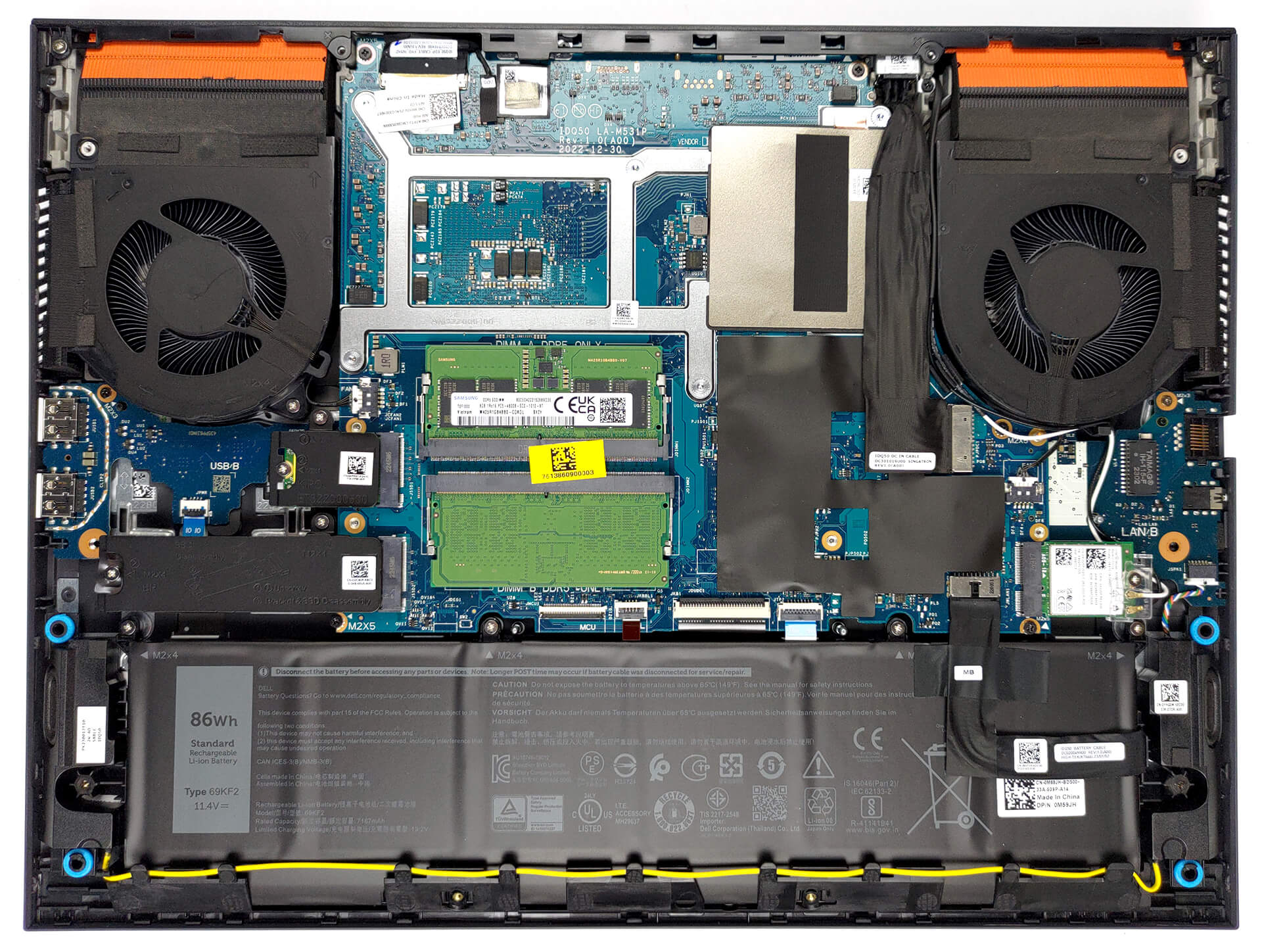
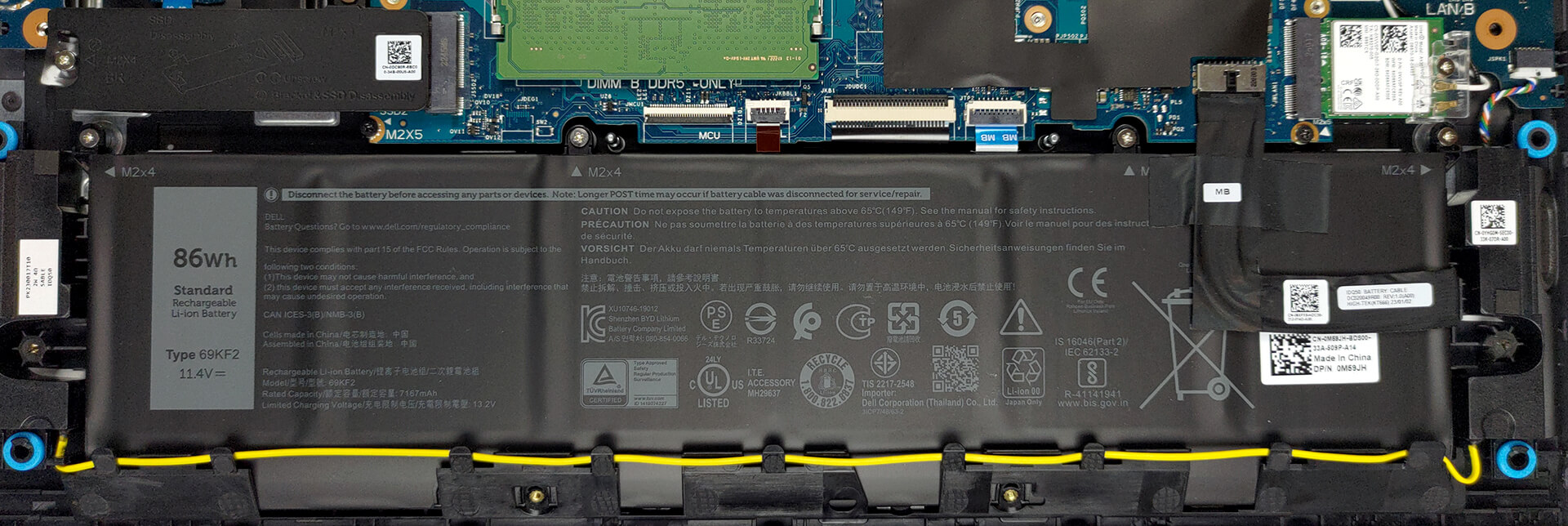
Our configuration features an 86Wh battery pack. To take it out, unplug the battery connector, and undo the 4 Phillips-head screws that secure the battery to the device.
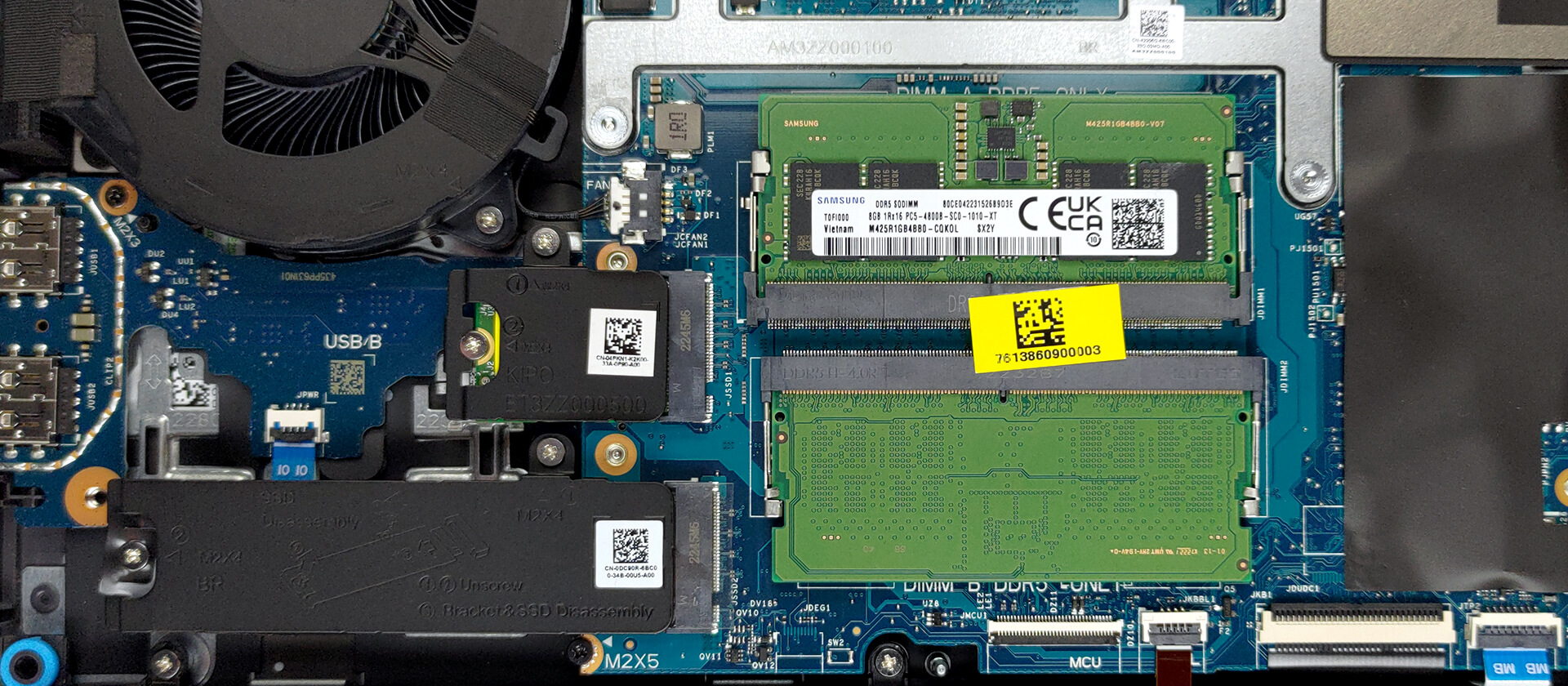
In terms of memory, you get two SODIMM slots that work with DDR5 RAM. Storage-wise, there are two M.2 PCIe x4 slots. One of them fits 30mm, while the other fits 80mm drives. They both work with Gen 4 SSDs.
To continue the disassembly you first need to remove the Wi-Fi card. After that, unplug all connectors from the motherboard. Then, remove the USB Type-C metal bracket. The next step includes the removal of 8 Phillips-head screws that secure the motherboard, the two daughterboards, and the fans to the chassis.
Cooling-wise, there are two heat pipes shared between the CPU and the GPU with one more allocated to each of them. A total of four heat sinks and two fans deal with heat dissipation. In addition, you get a vapor chamber, that assists with the cooling.

 Author: Alex Iliev
 Author: eng. Kroum NikolovHead of Engineering at LaptopMedia.com, inventor and innovator with 40+ years of experience in electronics and high technology.

![[August 2026] Amazon Italy: Top 10 Best-Selling Laptops – Apple MacBook Neo Claims the Crown as Budget and Mid-Range Windows Machines Dominate Volume](https://laptopmedia.com/wp-content/uploads/2026/09/Best-Selling-Laptops-IT-Top-10-400x225.jpg)
![[August 2026] Amazon Italy: Top 7 Best-Selling Gaming Laptops – ASUS V16 Claims the #1 Spot Amid Strong Mid-Range Demand](https://laptopmedia.com/wp-content/uploads/2026/09/Best-Selling-Gaming-Laptops-IT-Top-10-400x225.jpg)
![[August 2026] Best-Selling Laptop Brands on Amazon Italy – Lenovo Dominates Market Share and Revenue Leadership](https://laptopmedia.com/wp-content/uploads/2026/09/IT-Best-Brands-400x225.jpg)
![[August 2026] Amazon India: Top 10 Best-Selling Laptops – Apple MacBook Neo Dominates the Charts with Massive Sales Lead](https://laptopmedia.com/wp-content/uploads/2026/09/Best-Selling-Laptops-IN-Top-10-400x225.jpg)
![[August 2026] Amazon India: Top 10 Best-Selling Gaming Laptops – HP Victus 15 Dominates the Market with Massive Unit Lead](https://laptopmedia.com/wp-content/uploads/2026/09/Best-Selling-Gaming-Laptops-IN-Top-10-400x225.jpg)

Hi. Are you sure this one has no PWM ( 0 PWM ); because Notebookcheck mentioned it has 21620 Hz PWM flicker at all times. Can you kindly confirm the same before i purchase. Thanks.
https://www.notebookcheck.net/Dell-G15-5530-Review-A-viable-Alienware-alternative-now-with-Raptor-Lake-HX.726585.0.html
The Display here is a LG, the one in the Notebookcheck review is from AUO. Sadly, we as a consumer have no way to tell Dell which display we want. But the meassured frequency in tthe notebookcheck review is quite high so it should not affect the user.
Oh, ok. Thanks for the confirmation , I think I’ll have to email to DELL directly then
Hello, it seems like that the i9-13900HX model is only available in some countries, so far, the “Dell G15 5530 i9” is available in Tunisia, South Africa, Australia and New Zealand.
Tunisia offers the cheapest option, here’s a link to it. https://www.tunisianet.com.tn/pc-portable-tunisie/68323-pc-portable-dell-gaming-g15-5530-i9-13e-gen-64-go-rtx-4060-8g-windows-11.html
It’s around 2000 USD assuming no sales.
Hola por allá… como ya viste el cargador es masivo y si es pesado, por lo que necesito ayuda para ver si podría haber en el mercado alguno otro cargador compatible de menores proporciones, sin perder tanto capacidad.
Saludos desde México.
I recently bought a 5530 with an RTX 4060. It will not run 3840×2160 HDR 60Hz thru the HDMI 2.1 port. I turned off the Intel UHD GPU in the bios. Despite that, this resolution runs thru the USB-C DP 1.4 port via the Intel GPU. My desktop, 8930 Dell, with the RTX 2060 will also do it. My Sony STR-DH790 AVR, Vizio M658-1 and cables should be fine, not the problem. The last Tech support I received from a supervisor blamed my Vizio. What is wrong with HDMI 2.1?