MSI Bravo 15 C7U review – well-performing device with good cooling and refreshed Zen 3+ CPUs
Disassembly, Upgrade options, and Maintenance
If you want to open the laptop, you have to unscrew 13 Phillips-head screws in order to remove the bottom panel. The easiest way to slightly pop the plate is to gently pull up the part above the LAN connector. After that, you can safely pry the plate with a plastic tool.
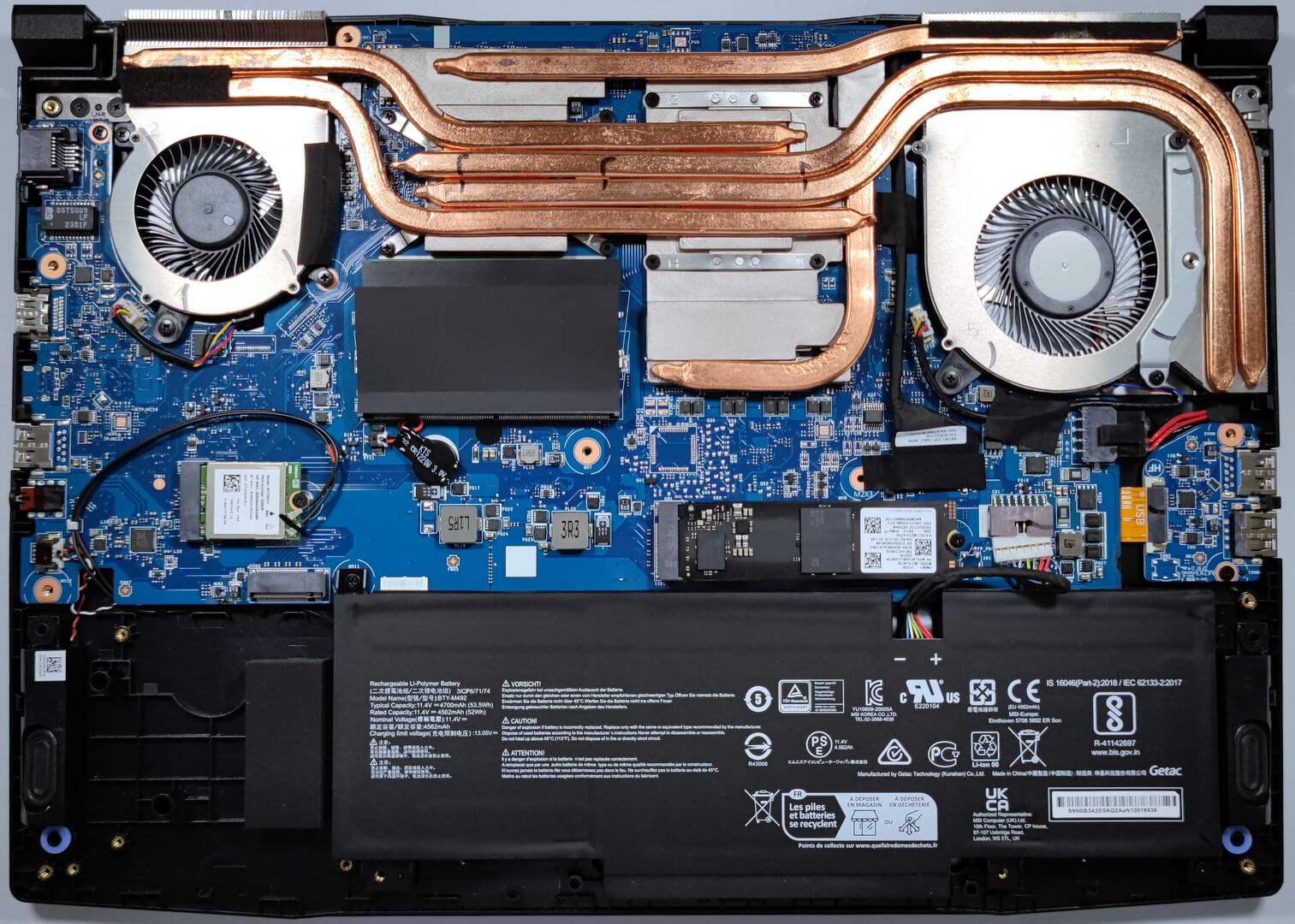
If you flip the bottom plate, you’ll see a big metal slab that is placed in the bottom section of the laptop next to the battery and the second M.2 slot.
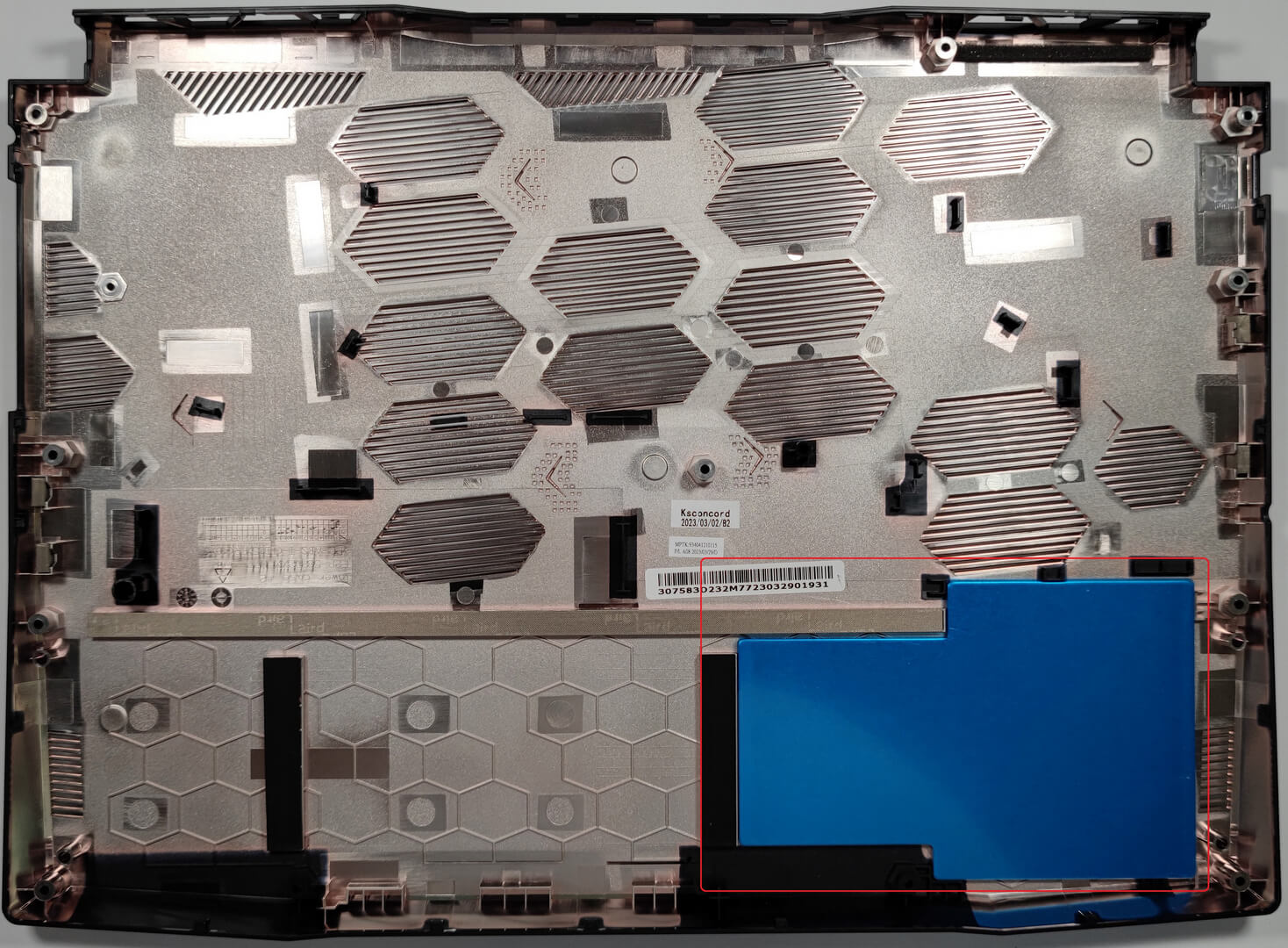
The battery is a 53.5Wh model. Just don’t forget to detach its connector from the motherboard. Then, you have to undo the 3 Phillips-head before removing the battery. The capacity here is enough for 7 hours and 42 minutes of Web browsing or 7 hours and 9 minutes of video playback.

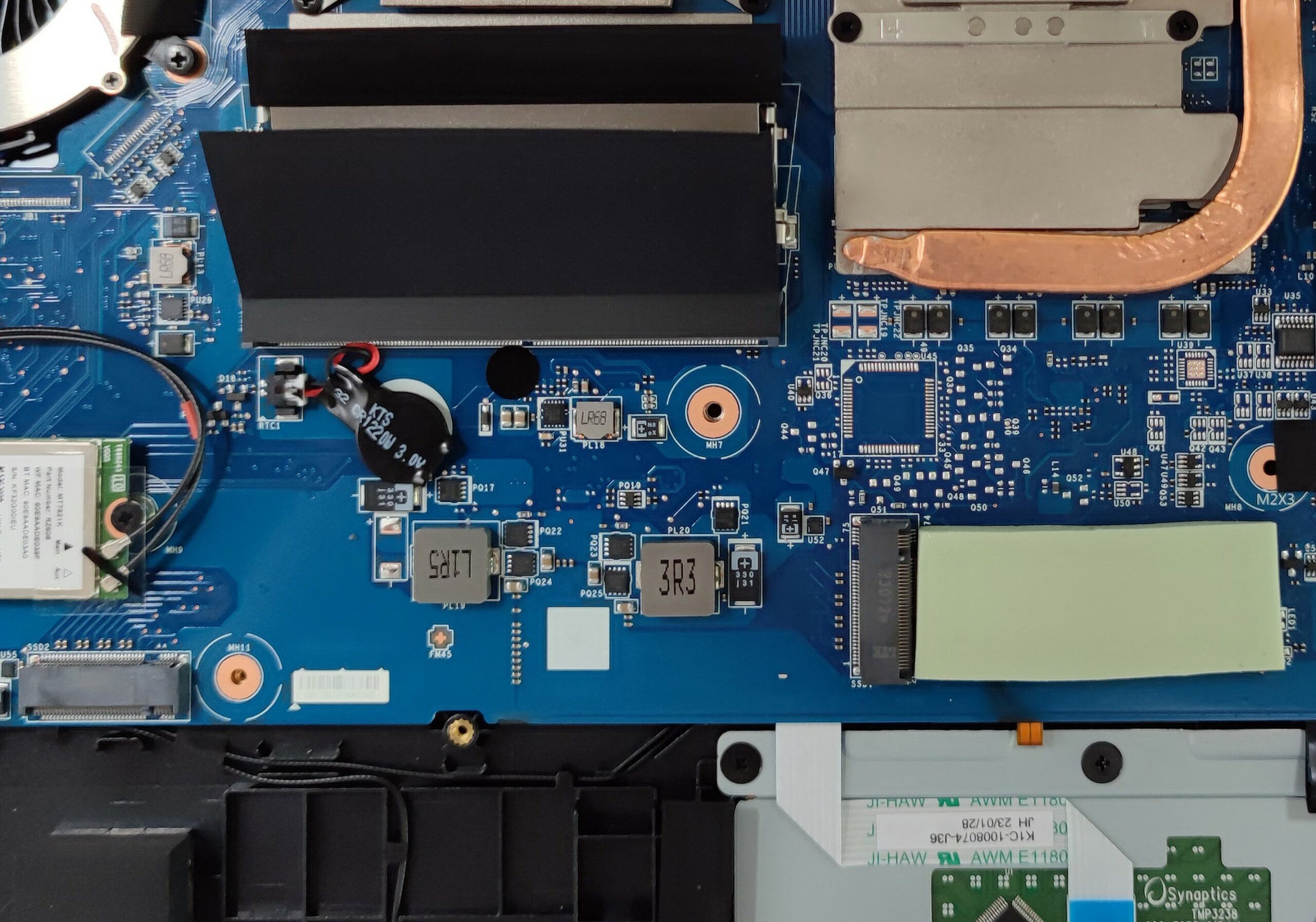
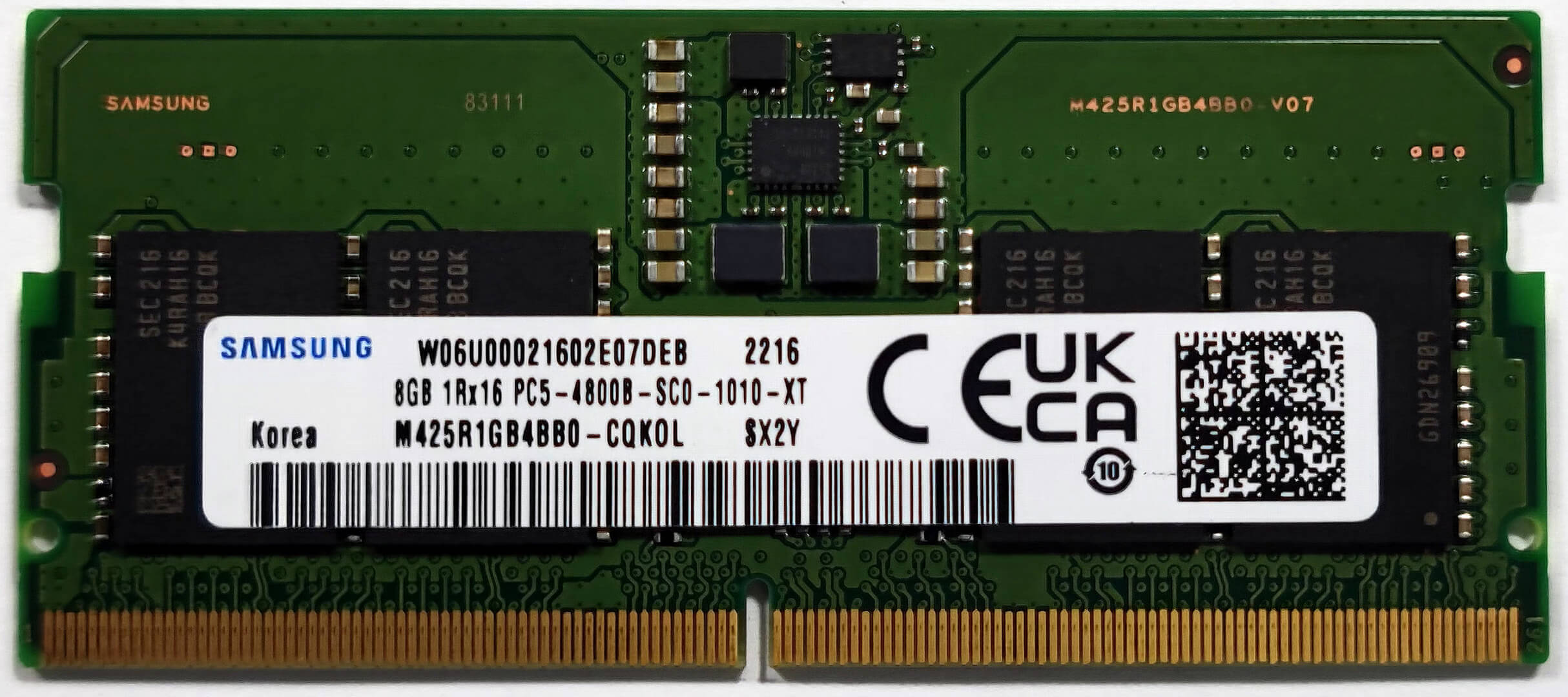
This notebook has two RAM slots that are placed on top of each other. The maximum amount of memory is 64GB of DDR5 4800MHz RAM which sounds future-proof. For storage, you can rely on two M.2 slots compatible with Gen. 4 SSDs. The preinstalled SSD has a thick thermal pad that should bring the temperatures down when the unit is under heavy load.

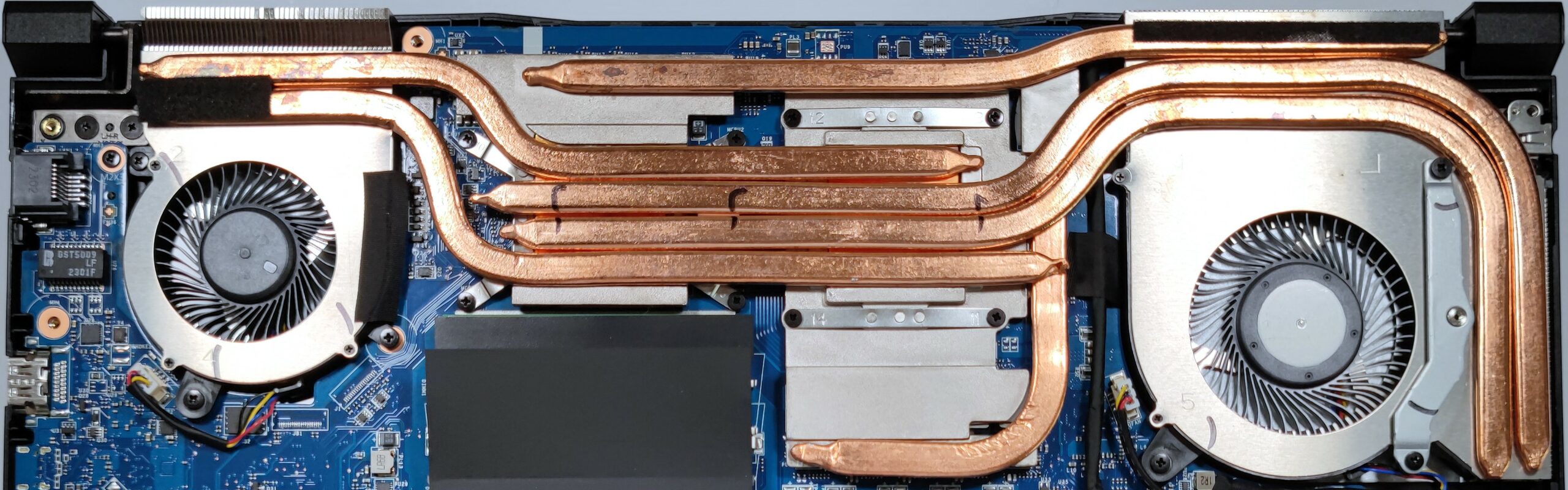
The cooling solution looks massive. It comprises two fans and one of them is bigger in size (the one above the GPU chip). We can spot six heat pipes in total. Nice! Four of them are shared between the CPU and the GPU. There is one more for the graphics memory and one for the VRMs. We can also spot three heat sinks.
 Author: Nikolay Palaozov

![[August 2026] Best-Selling Laptop Brands on Amazon Japan – Apple Dominates Market Share and Revenue Led by Strong Unit Sales](https://laptopmedia.com/wp-content/uploads/2026/09/CO.JP-Best-Brands-1-400x225.jpg)
![[August 2026] Best-Selling Laptop Brands on Amazon USA – Apple Dominates Market Revenue and Volume Despite Lower Model Diversity](https://laptopmedia.com/wp-content/uploads/2026/09/COM-Best-Brands-1-400x225.jpg)
![[August 2026] Amazon Germany: Top 8 Best-Selling Gaming Laptops – Acer Dominates the Market as the Premium Nitro V 17 AI Takes the #1 Spot](https://laptopmedia.com/wp-content/uploads/2026/09/Best-Selling-Gaming-Laptops-DE-Top-10-1-400x225.jpg)
![[August 2026] Best-Selling Laptop Brands on Amazon France – Apple Dominates Revenue Despite Lenovo and HP Leading in Catalog Breadth and Volume](https://laptopmedia.com/wp-content/uploads/2026/09/FR-Best-Brands-1-400x225.jpg)
![[August 2026] Amazon Italy: Top 10 Best-Selling Laptops – Apple MacBook Neo Claims the Crown as Budget and Mid-Range Windows Machines Dominate Volume](https://laptopmedia.com/wp-content/uploads/2026/09/Best-Selling-Laptops-IT-Top-10-400x225.jpg)
